


What’s new in DupDub’s Usage Analytics Dashboard
New widgets and reports: what to scan first
-
Overview card: total credits used, active projects, and top languages.
-
Module breakdown: per-module usage by minutes, file count, and credits consumed.
-
Cost signal graph: daily spend by module with anomaly alerts.
-
Asset-level report: which videos, clips, or voice clones created the most traffic.
-
Team activity feed: who imported, cloned, or exported content and when.
Where to find module-level metrics
Real-time vs historical views
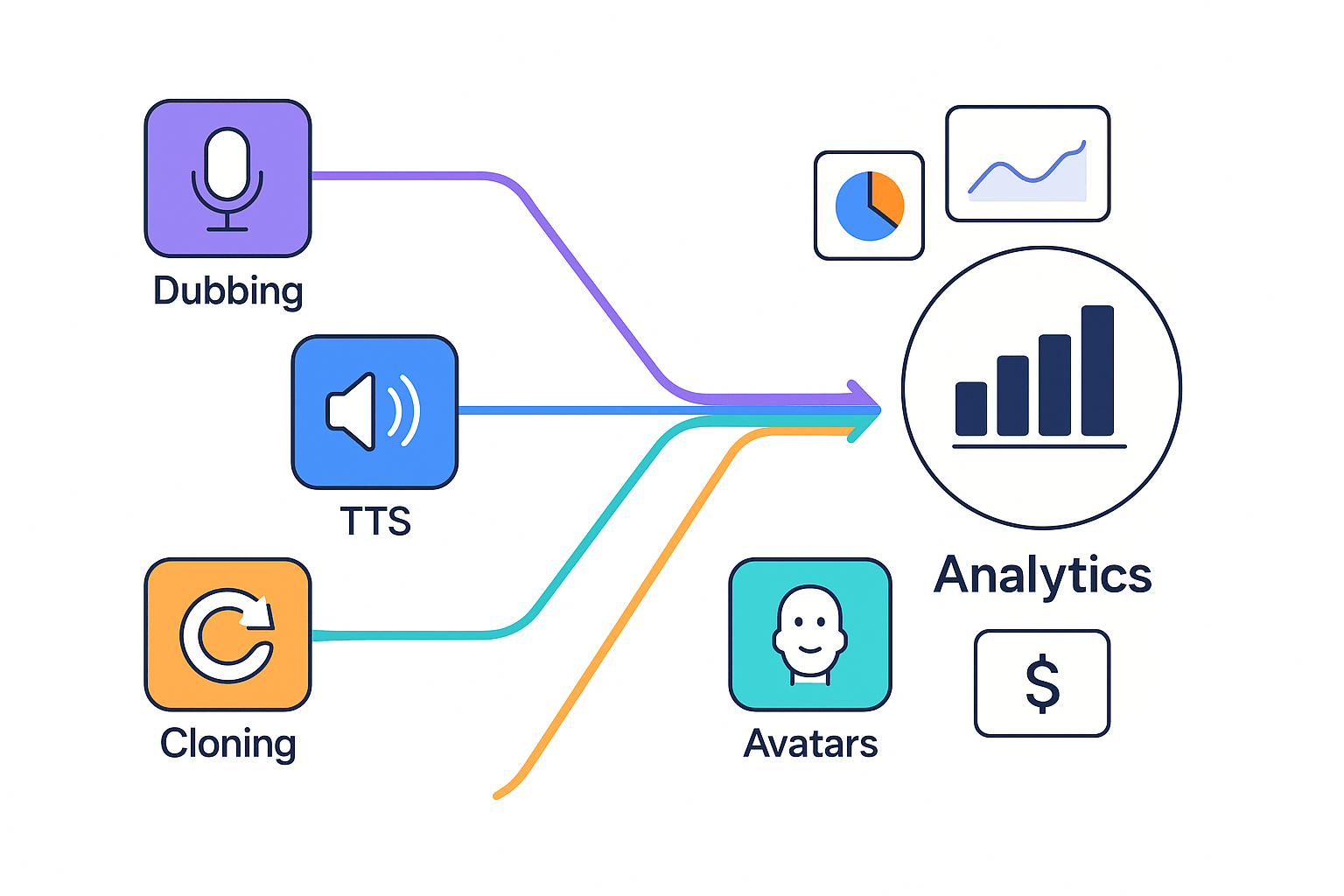
Key metrics explained: what to track and why
Engagement and consumption
Localization and reach
Cost and credit usage
Quality and error rates
High-impact localization signals
-
High original watch time but low non-English views: good candidate.
-
Frequent subtitle downloads from new locales: indicates demand.
-
Low retention in key regions, high search referrals: prioritize localization.
-
High credits per minute with repeated reworks: optimize voice or script.
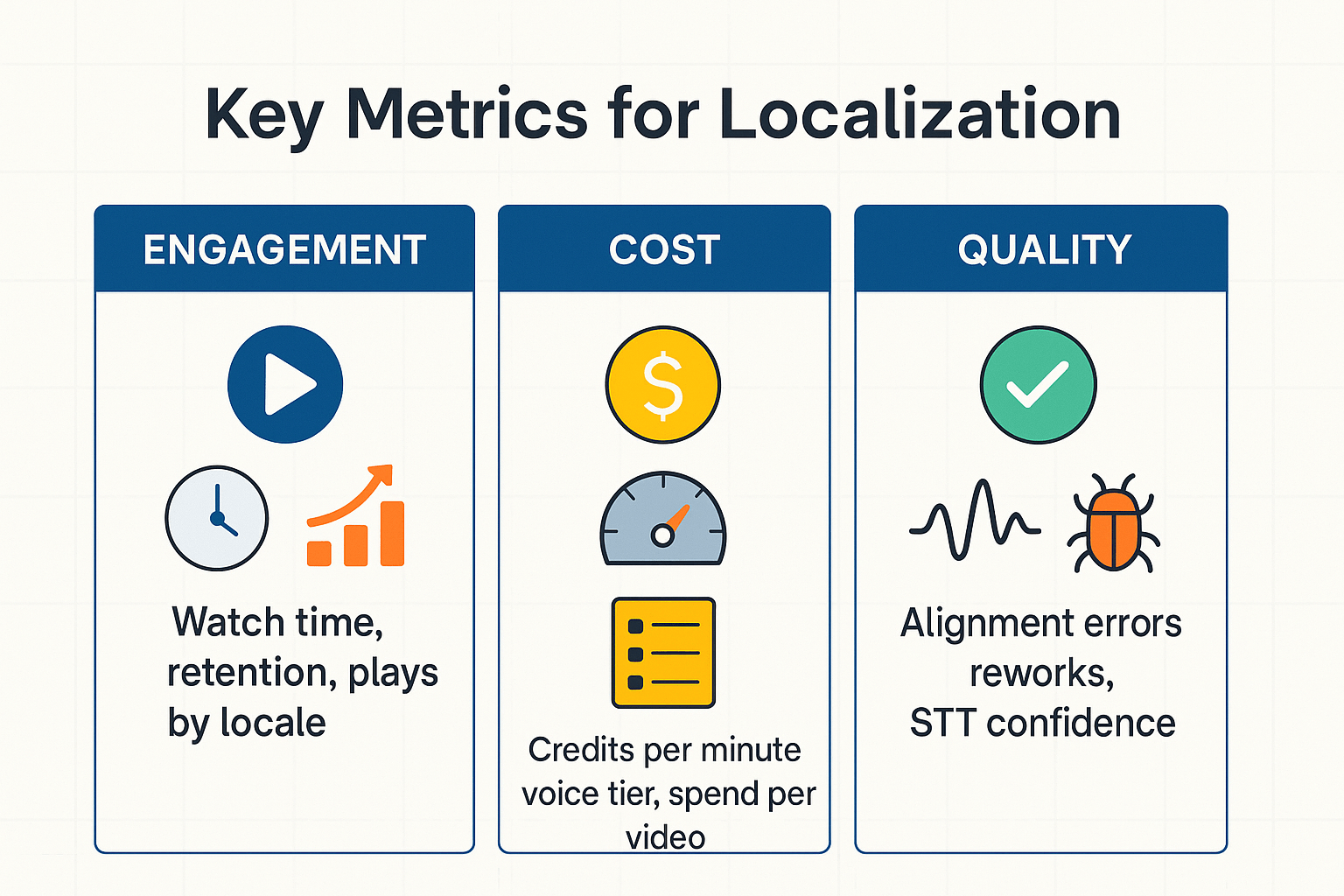
How to use the dashboard to optimize your localization workflow
Quick workflow: four repeatable steps
-
Identify high-value videos. Sort by views, watch time, or engagement. Flag videos with low international reach but high baseline performance.
-
Duplicate and prepare A/B variants. Create voice or subtitle variants, or add a cloned brand voice (voice cloning). Keep one control and one or two variants for clear comparison.
-
Publish targeted variants. Use bulk exports or the API to publish localized files to platforms. Tag each variant so the dashboard can track them separately.
-
Measure and iterate. Compare retention, CTR, and conversions across locales. Stop losing credits on low-impact tests, and scale what works.
Practical checkpoints and trade-offs
-
Select candidate videos: look for videos with strong base retention and high share potential. Which ones move the needle? Pick 3 to test first.
-
Locale and voice comparison: test a local voice versus a cloned brand voice. Track watch time and reopening rate to choose a winner.
-
Subtitle tests: compare native subtitles to translated auto-subtitles (STT is speech to text). Measure completion rate and engagement.
-
Credits vs reach: map estimated credit cost (TTS, cloning, exports) to potential audience size. Run small samples before full rollouts.
Plan access & pricing impact on analytics (clear comparison)
Who gets dashboard access
When to upgrade for exports and reporting
|
Plan
|
Dashboard access
|
Exports & reports
|
Advanced analytics
|
|
Free (trial)
|
Yes
|
Basic, limited range
|
No
|
|
Personal
|
Yes
|
Basic exports, simple charts
|
No
|
|
Professional
|
Yes
|
Larger exports, CSV/JSON
|
Team reports, scheduled exports
|
|
Ultimate
|
Yes
|
Unlimited exports, long retention
|
Segmentation, API access, admin controls
|
|
Pay-as-you-go
|
Yes
|
Exports tied to credits
|
Feature parity depends on purchase
|
-
Creator: Personal usually suffices for weekly exports and simple trends.
-
SMB: Professional for team reporting and scheduled CSV exports.
-
Enterprise: Ultimate for unlimited exports, API analytics, and longer retention.
Security, privacy & compliance: what the analytics collect
What we collect and what we don’t
Encryption, retention and enterprise controls
Short case scenarios: Creator, SMB, and Enterprise examples
Creator: YouTuber tests a dubbed episode
-
Metrics moved: views from new language markets, average view duration, subscriber conversions.
-
Experiment/workflow: publish A/B test, compare native audio with AI-dubbed version and localized subtitles. Track engagement per market.
-
Next action: republish top-performing dubs, prioritize languages that raised watch time and subs.
SMB: small marketing team scales product videos
-
Metrics moved: click-through rate on ads, landing page conversions, cost per acquisition.
-
Experiment/workflow: localize top 5 hero videos using TTS and quick voice clones, measure ad and landing metrics by region.
-
Next action: scale localization for the two highest ROI languages, shift budget from low-performing ads.
Enterprise: localization at scale with integrations
-
Metrics moved: throughput (hours localized), per-minute cost, defect rate in captions.
-
Experiment/workflow: pilot automated pipeline with batch uploads, measure API throughput and quality checks.
-
Next action: request enterprise integration and SLA, move to continuous localization once quality targets meet thresholds.
Known limitations, common issues & roadmap outlook
Common issues to expect
-
Sampling and latency: short delays in metric refresh during heavy load.
-
Export limits: very large CSV or JSON exports can fail or take longer.
-
Language and voice coverage: rare languages or new voice clones may show mismatch.
-
Attribution and sync: third-party platform mapping can require manual joins.
-
API rate limits: heavy automation should batch requests and retry on backoff.
Roadmap and how to stay informed
Implementation checklist & best practices
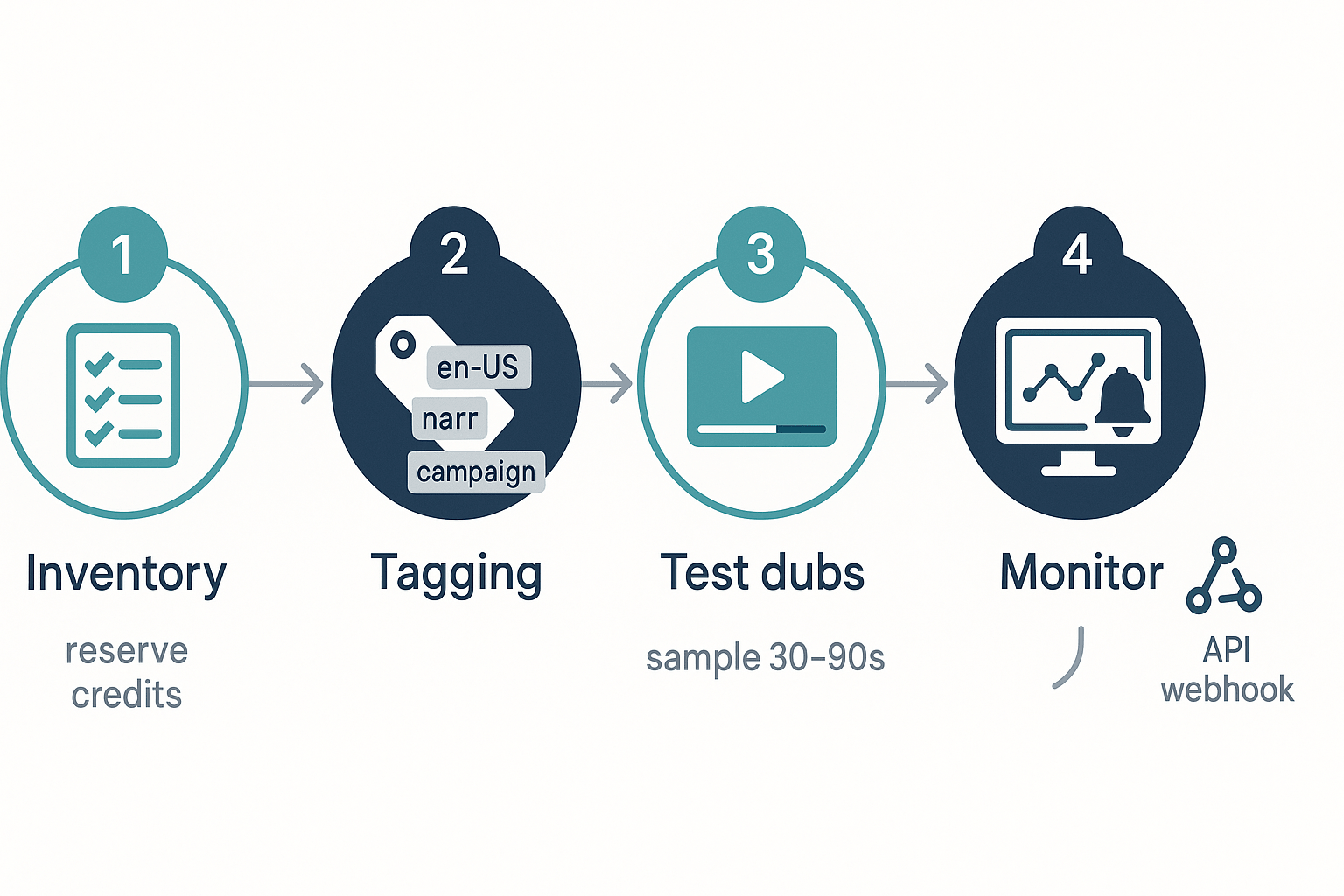
Pre-implementation checklist
-
Inventory assets: list videos, languages, and target platforms.
-
Define naming rules: project_language_version_date (keep it short).
-
Create a tag taxonomy: channel, campaign, persona, priority.
-
Reserve credits: allocate monthly credit caps per project.
-
Run test dubs: 30–90 second samples per voice and locale.
-
Set monitoring: export cadence, alerts for overspend, and owner contacts.
Actionable best practices
-
Tagging conventions: use short prefixes for locale (en-US), role (narr), and stage (preview, live).
-
Naming rules: include date and iteration number for easy sorting.
-
Credit control tips: batch low-quality previews, then upgrade only winners.
-
A/B setups: test control vs variant (A/B means two variants), measure retention and watch rate.
API and batching tips
FAQ — People also ask and technical questions
-
How are voice analytics measured in the DupDub analytics dashboard?
Voice metrics are derived from processed audio and event logs. The dashboard tracks play counts, language usage, per-voice minutes, and subtitle auto-alignment success rates. Metrics are calculated after transcription and alignment, rather than from raw uploads.
-
Which plans include analytics dashboard access and what differences apply?
Access depends on the subscription tier. Free trials include limited analytics for starter credits, while Personal and Professional plans expand quotas and history windows. Ultimate and Enterprise plans provide full retention, higher sampling rates, and team-level reporting.
-
What data export options does DupDub analytics provide?
Users can export CSV reports for sessions, voice usage, and subtitle alignment errors. Enterprise plans may include scheduled exports and direct S3 or SFTP delivery. API access is also available for integration into BI pipelines.
-
What protections exist for cloned voices and voice provenance in analytics?
Cloned voices are locked to the original speaker and processed securely. Analytics link generated outputs to a specific clone ID, enabling traceability for audit and compliance purposes.
-
What are known dashboard limits and common quota issues?
Common limits include data retention windows, export row caps, and per-account sampling restrictions. High-volume users may encounter API rate limits or export size limits, with dashboard warnings and suggested workarounds.
-
How long is analytics data retained and how does privacy work?
Retention depends on plan tier, with higher tiers offering longer historical access. Data is processed in encrypted environments and not shared with third parties. Enterprise users can request stricter retention controls.
-
Does DupDub offer API access for analytics and automation?
Yes. API endpoints are available for usage metrics, export jobs, and account quotas. These can be used to integrate analytics data into external dashboards or automation systems.
-
What are quick troubleshooting steps for missing or delayed metrics?
Verify processing status, confirm that transcodes are complete, and check export limits. If issues persist, gather file IDs and timestamps and contact support for investigation.
-
Where can I start a trial or request an enterprise demo?
You can start a 3-day free trial, compare available plans, or request an enterprise demo. API documentation is also available for users building analytics or automation workflows.

 Discord
 YouTube
 Tiktok
 Twitter
 Facebook
 Instagram