


-
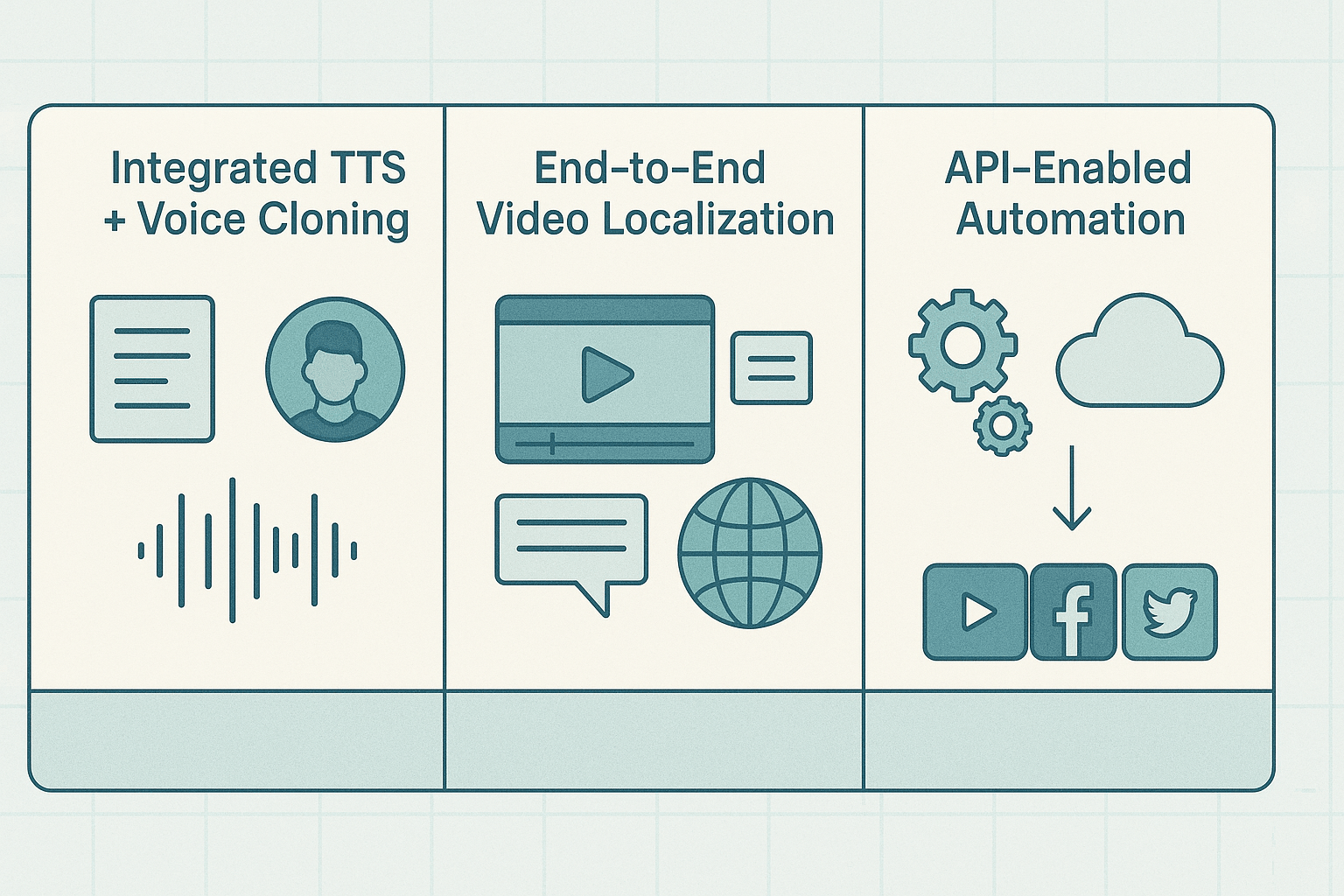
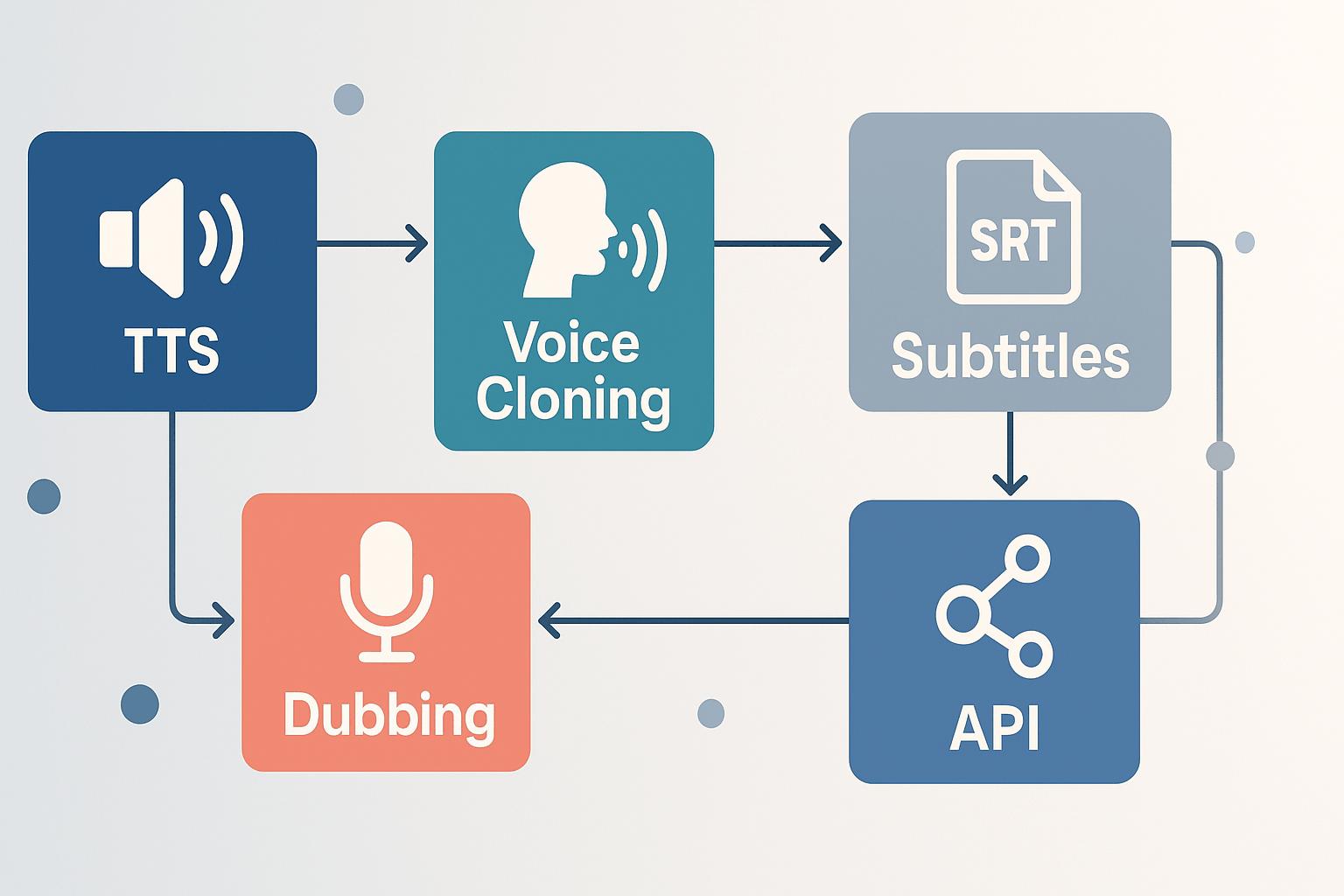
All-in-one workflow: writing, TTS, voice cloning, subtitles, and dubbing in one place.
-
Broad language and voice coverage: 90+ TTS languages and 700+ voices, good for localization.
-
Fast scale: API and integrations let teams automate repurposing and localization.
-
Learning curve: advanced features need time to master for polished results.
-
Costs can rise for heavy Ultra-quality voices or very large video volumes.
-
YouTubers, podcasters, and e-learning teams who need fast multilingual versions.
-
Small agencies and marketers wanting consistent brand voice across languages.
-
Creators who value integrated dubbing plus copywriting tools.
-
Solo text-focused writers who only need basic short-form copy and no voice features.
Why DupDub matters for AI copywriting and global content
Cut time, keep voice consistent
-
Single source of truth: one project file stores script, voice, and subtitle versions.
-
Reuse and scale: translate once, publish many locales without manual re-voicing.
-
Brand safety: cloned voices and avatars keep tone steady across channels.
Practical workflow wins
Who benefits most
At‑a‑glance comparison: DupDub vs common AI copywriting tools
Head-to-head at a glance
|
Feature
|
DupDub
|
Copywriting-only tools (Jasper, Copy.ai, Writesonic)
|
Voice/TTS specialists (ElevenLabs, Murf, Play.ht)
|
Video localization platforms (Synthesia, HeyGen)
|
|
Core focus
|
Integrated AI writing plus voice, dubbing, and avatars
|
Text-first content creation and templates
|
High-quality TTS and voice realism
|
Avatar-based video and full localization workflows
|
|
Copywriting depth
|
Good templates, script polishing, and repurposing tools
|
Best for long-form, SEO briefs, and editorial workflows
|
Limited writing features, basic prompts
|
Minimal writing tools, script import and edit
|
|
Text-to-speech (TTS)
|
700+ voices, 90+ languages
|
Basic TTS add-ons if any
|
Excellent voice realism and prosody
|
Strong for avatar voices, synced to video
|
|
Voice cloning
|
Multilingual voice cloning from 30s sample
|
Not typically offered
|
Offered by some (ElevenLabs)
|
Offered by some, usually paid add-on
|
|
Video dubbing & subtitle alignment
|
End-to-end video translation, subtitle sync
|
Not supported
|
Limited video export options
|
Built for video, avatar lip-sync and visuals
|
|
Transcription & subtitles
|
Built-in STT and subtitle translation
|
Often requires separate tool
|
STT available, accuracy varies
|
Some platforms offer automatic captions
|
|
Integrations & API
|
Canva, Chrome, YouTube plugin, API
|
CMS and editor plugins common
|
API-first options
|
Studio and API integrations for video pipelines
|
|
Pricing fit
|
From free trial to pay-as-you-go, credits model
|
Subscription tiers by content volume
|
Usage or subscription pricing
|
Premium, per-video or seat pricing
|
|
Best for
|
Creators who need one platform to write, voice, and localize
|
Writers and marketers focused on written content
|
Audio-first creators who want top voice quality
|
Teams producing localized avatar videos
|
Practical tradeoffs and when to choose what
-
If you need deep editorial workflows, choose a copywriting-first tool.
-
If you want integrated voice cloning, TTS, and video localization in one place, DupDub is the practical choice.
-
If audio fidelity is the top priority and you already have scripts, use a TTS specialist and connect it to your writer’s workflow.
Deep dive — Features that matter to copywriters
AI writing assistant and templates: get to first draft faster
-
Faster ideation for ad variations. Generate 10 headlines in one pass.
-
One-click rewrites for tone and length.
-
Script scaffolds that map to scenes and subtitles.
Brand voice controls: keep tone consistent across channels
-
Product descriptions that must include legal copy.
-
Ad campaigns that need a consistent hook.
-
Course modules where the instructor voice must be steady.
TTS fidelity: real-sounding narration for video and audio
-
Ready-made voice styles for marketing, narration, or conversational copy.
-
Export to MP3 or WAV for quick use in editors.
-
Fine-grain controls to match pacing to on-screen edits.
Voice cloning limits: practical trade-offs and safe use
-
Use clean, 30-second samples for best results.
-
Reserve clones for recurring hosts or brand narrators.
-
Lock cloning to the original speaker to protect consent and privacy.
Transcription accuracy and subtitle workflow: from raw audio to aligned SRT
-
Create an editable transcript for SEO and show notes.
-
Auto-generate subtitles, then polish the copy for cultural fit.
-
Translate and re-time subtitles for dubbed tracks.
Integrations and API: move faster with automation
-
Draft script with the AI assistant.
-
Send text to TTS or voice clone via API.
-
Auto-generate subtitles and attach to the video file.
-
Reduce export-import steps.
-
Scale consistent localization across many videos.
-
Integrate with content calendars and asset managers.
Feature-to-task cheat sheet
-
Ad headlines: use the writing assistant plus A/B headline templates. Generate 10 variants, then pick three to TTS for audio ads.
-
Product descriptions: apply brand voice rules, then run a brevity pass to meet character limits for feeds.
-
Script polish and narration: use the assistant to tighten timing, then export narration via TTS or voice clone.
Ad headline (short): “Boost views, reach new markets with one click.”
Product description (concise): “Eco cup, leakproof lid, dishwasher safe. Made from recycled steel for daily use.”
Script intro (YouTube): "Quick tip: localize once, publish everywhere. Today I’ll show you a 5‑minute workflow to dub a full tutorial."
Where DupDub speeds production
-
One-click subtitles and SRT export.
-
YouTube transcript plug-in to pull long videos quickly.
-
API access to automate bulk jobs.
Limitations to note
Pricing breakdown & who each plan is best for
Quick price summary
|
Plan
|
Price (billed annually)
|
Yearly credits
|
Notable limits
|
|
Free trial
|
Free, 3-day trial
|
10 starter credits
|
No card required, try core features
|
|
Personal
|
$11/month $132/yr)
|
1,800
|
~25h standard TTS, 3 voice clones, 3 avatars
|
|
Professional
|
$30/month $360/yr)
|
6,000
|
~83h standard TTS, 5 voice clones, 5 avatars
|
|
Ultimate
|
$110/month $1,320/yr)
|
30,000
|
~416h standard TTS, 10 voice clones, unlimited file size
|
|
Pay-as-you-go
|
One-time credits
|
e.g., 500 credits $68
|
Flexible top-up for bursts
|
What each plan actually gets you
Buying guidance, fast
-
Hobbyist or new creator: Start with the 3-day free trial, then move to Personal if you publish weekly.
-
Growing channel or small agency: Professional balances cost and volume. It handles bulk subtitling and multi-voice scripts.
-
Enterprise or heavy localization: Ultimate minimizes interruptions and scales better for many languages and large file sizes.
Smart tips before you buy
-
Estimate monthly minutes of TTS and transcription first. 2. Match voice clones needed to team roles. 3. Use pay-as-you-go for irregular spikes. 4. Start with the free trial to check voice quality and subtitle alignment.
How to integrate DupDub into your content workflow
Core step-by-step pipeline
-
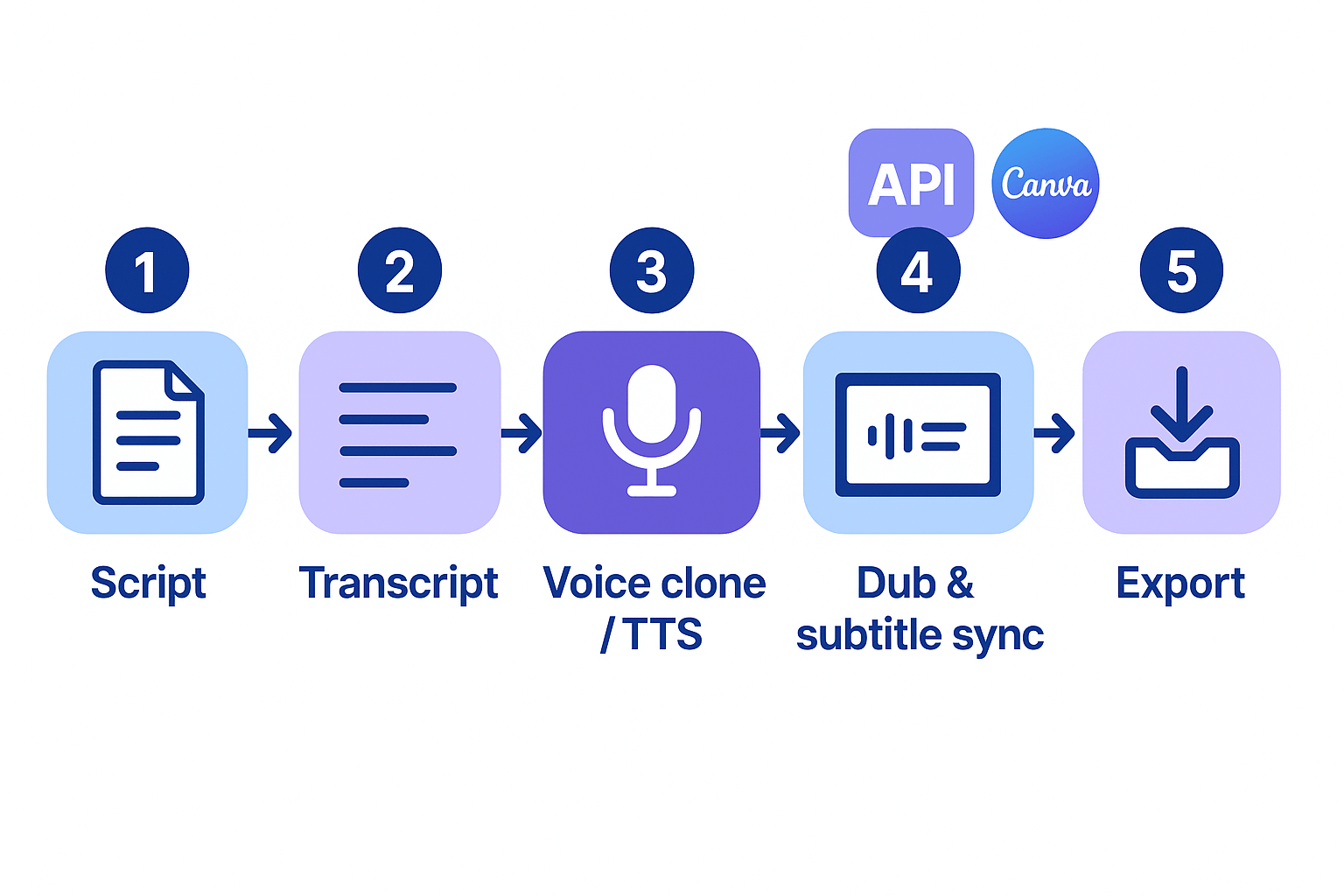
Draft the script in your editor or DupDub's AI Writing assistant. Keep lines short for easier subtitle timing.
-
Upload source audio or video and run auto-transcription. Edit the transcript for timing and localization notes.
-
Create or select a voice clone, or pick a TTS voice from the library. Test a short clip to lock tone and pacing.
-
Render the TTS or cloned voice for each target language, using Ultra voices for high-quality passages.
-
Auto-generate and translate subtitles, then use the subtitle sync tool to align captions with speech.
-
Export final MP4 with embedded audio and SRT sidecar files, then publish to your platform.
YouTube creators: fast publish pipeline
Course localizers: preserve meaning and timing
Marketing teams: multi-version campaigns
Languages, accessibility & localization coverage
Language coverage at a glance
-
Text-to-speech (TTS): 90+ languages and accents, 700+ voices and 1,000+ styles.
-
Voice cloning: synthetic voices in 47 languages from a 30 second sample.
-
Speech-to-text and subtitles: 40+ languages for transcription and auto-sync.
-
Avatars and talking photos: localized output in 40+ languages.
Accessibility: captions and screen reader friendly copy
-
Provide accurate, time‑aligned captions for all videos, and include speaker IDs when multiple voices speak.
-
Export SRT and plain transcripts for keyboard and screen reader access.
-
Keep on-screen text short, use simple sentences, and add descriptive alt text for visuals.
Plan for localization limits
-
List target languages and mark which need cloned voices.
-
Check DupDub support for voice cloning and STT in those languages.
-
Decide if subtitles plus a high-quality TTS voice are acceptable when cloning isn’t available.
-
Budget for human post-editing if cultural nuance matters.
Privacy, security & enterprise readiness
How DupDub handles voice data and cloning
Consent, records, and GDPR checks
Enterprise readiness, SLAs and hosting
-
Verify voice cloning consent language and retention periods.
-
Request encryption and key management details.
-
Ask for a data processing addendum and liability limits.
-
Confirm support for enterprise SSO and role controls.
-
Test deletion and export workflows during the trial.
-
Escalate SLA and hosting needs to sales for contracts and dedicated options.
Real‑world results and buyer’s checklist
Micro case studies: fast, local, consistent
Buyer’s checklist: map needs to a DupDub plan
-
Must-have features: voice cloning, TTS, auto-subtitles, API for automation. Recommended plan: Professional for regular creators, Ultimate for heavy enterprise use.
-
Language needs: If you need 90+ TTS languages, Personal is OK for occasional use, Professional unlocks more hours, Ultimate offers the highest quotas.
-
Integration needs: Need Canva, YouTube, or API hooks? Choose Professional or Ultimate for smoother automation and team seats.
-
Transcription and subtitle volume: Small projects pick Personal, steady monthly localization favors Professional, massive exports need Ultimate.
-
Pricing triggers: If you exceed ~80 hours TTS or require more than 5 voice clones, upgrade to Ultimate. For pay-as-you-go bursts, use one-time credits.
-
Quick decision guide: Try the 3-day free trial to test voice cloning and subtitle accuracy, then pick Personal for solo creators, Professional for teams, Ultimate for scale and enterprise.
FAQ — People also ask and practical answers
-
Can DupDub replace a copywriter for content creators evaluating best ai copywriting tools?
No, not completely. DupDub speeds idea generation and drafts, and it shines for script writing, ad headlines, and multilingual rewrites. Human editors still control strategy, nuance, and brand voice. Start the 3-day free trial to compare outputs, then check the pricing summary to pick the right plan.
-
How accurate is DupDub voice cloning for dubbing and TTS projects?
Accuracy is high when you provide a clean 30 second sample and clear source audio. Results vary by language, recording quality, and delivery style. Test clones in the trial for your target language and accent, and contact sales if you need enterprise-grade validation or API scaling.
-
Where is my audio stored and what about privacy for AI TTS audio storage?
DupDub processes audio with encrypted handling and keeps cloned voices tied to the original speaker. For account retention, exports, or custom retention policies ask sales or review your enterprise agreement. Don’t assume permanent storage without checking your plan settings.
-
Which DupDub plan fits video localization, e-learning, or solo creators?
Quick guide:
Personal ($11/mo billed annually): solo creators who need occasional TTS and small voice clones.
Professional ($30/mo billed annually): agencies and power creators with heavier dubbing and transcription needs.
Ultimate ($110/mo billed annually): teams or enterprises that need high-volume localization and API use.
Pay-as-you-go: best for one-off projects.
Contact sales for API access or enterprise terms, and use the free trial to validate voice and copy quality before committing.

 Discord
 YouTube
 Tiktok
 Twitter
 Facebook
 Instagram