
Best AI Movie Script Generator: DupDub vs Alternatives + Workflow & Pricing

Jun 03, 2026 16:3211 mins read
Share to
Contents

TL;DR, Quick verdict and who should read this

Quick verdict: AI tools cut scripting time and lower upfront costs. They speed drafting, let teams iterate faster, and reduce manual rewrites. Test early, quality varies by model, prompts, and review workflow.
Who should read this: indie filmmakers, YouTube series creators, and e-learning teams. Production leads and localization managers will find practical comparisons and workflows. If you evaluate tools, look for voice cloning and TTS. Also check transcription and subtitle alignment for localization. This guide helps pick the best ai movie script generator for your budget.
What to do next: run a short scene through two tools and compare tone. Score outputs for dialogue, pacing, and language fidelity. Use sample dubbing, voice clones, and subtitle exports to judge localization. Later sections include pricing examples, workflow templates, and user case studies.

Why AI is changing movie scriptwriting (speed, scale, and limits)

AI matters now because it moves writers from blank pages to fast first drafts, and it makes localization practical at scale. The best ai movie script generator tools can sketch scenes, suggest beats, and translate dialog into workable drafts in minutes. This section explains where those gains show up, and what AI can and cannot do for creative teams.

Speed: draft, iterate, and polish faster

AI cuts the time to produce usable pages. A writer can prompt a scene, get multiple variants, and pick the strongest take in minutes. That speeds up ideation and kills fewer creative threads. For production, that means faster table reads, tighter rewrites, and fewer costly rewrites in later stages.
What AI does well for speed:
  • Generate scene outlines and beat sheets from a short logline.
  • Produce dialog variants in different tones, saving draft cycles.
  • Turn audio or rough transcriptions into cleaned script text using STT (speech to text).

Scale: localize, repurpose, and reach global audiences

AI helps teams repurpose one script into many versions, for different markets and formats. Translation plus TTS (text to speech) and voice cloning make dubbing and subtitling faster and cheaper. According to McKinsey (2025), Leaders we interviewed report experimenting across select production processes and finding potential for 5 to 10 percent productivity increases in specific use cases this year. That kind of uplift matters on multi-episode series or catalog localization.
Scale benefits in practice:
  • One original script can spawn localized dubs and subtitled edits.
  • Voice cloning preserves a consistent character voice across languages.
  • Automated subtitle alignment reduces manual timing work.

Limits and misconceptions: where AI still needs people

AI is not a creative autopilot. It lacks lived experience, subtle context, and real judgment. Expect helpful drafts, not finished masterpieces. Common pitfalls:
  • Generic dialog: AI can flatten unique character voices if prompts are weak.
  • Legal and ethical gaps: rights around voice cloning and copyrighted source material need human oversight.
  • Overreliance on automation: quality-checks for cultural nuance and pacing are essential.
Practical guardrails:
  1. Treat AI output as a draft, not the final script.
  2. Use human editors for character voice and cultural accuracy.
  3. Lock consent and rights for any voice cloning or actor likeness use.
AI changes the workflow, but it does not replace key creative roles. Use it to speed routine tasks, scale localization, and free writers for higher-value choices. When teams pair AI with clear review steps, they get the time savings without sacrificing craft.

Quick look: DupDub at a glance

If you want a fast orientation, here it is: DupDub bundles voice cloning, multilingual text to speech, AI dubbing, and transcription into one platform. For teams comparing the best ai movie script generator options, this snapshot shows what each module does and how it fits into a film or script workflow.

Core modules and what they do

  • Voice cloning: Create a synthetic voice from a short sample. Filmmakers use it to preserve a performer’s tone for ADR, alternate language narration, or placeholder reads during editing.
  • Multilingual TTS (text to speech): Generate speech in 90+ languages and many accents. Use it for scratch tracks, temp VO (voice over), and multilingual releases without hiring multiple actors.
  • AI dubbing: Translate, re-voice, and automatically align subtitles to video. This saves time when localizing scenes, keeping lip-sync and timing tight for different language versions.
  • Transcription and subtitles: Convert audio to editable text in 40+ languages, then export SRT files. Script teams use transcripts for revision, continuity, and subtitle QA.

Supported languages and export formats

DupDub supports wide language coverage across modules. TTS covers 90 plus languages, voice cloning supports many common tongues, and transcription covers 40 plus languages. Export options include audio MP3 and WAV, video MP4, and subtitle SRT, so outputs slot into editing timelines quickly.

Quick pros and cons

  • Pros: Unified workflow, fast localization, plenty of voice styles, browser-based editing.
  • Pros: Voice cloning locks to speaker and claims encrypted processing for privacy.
  • Cons: Synthetic voice nuance can vary by language and style.
  • Cons: Fine-grained lip-sync tweaks sometimes need manual adjustment.
  • Cons: Enterprise compliance should be verified for large productions.
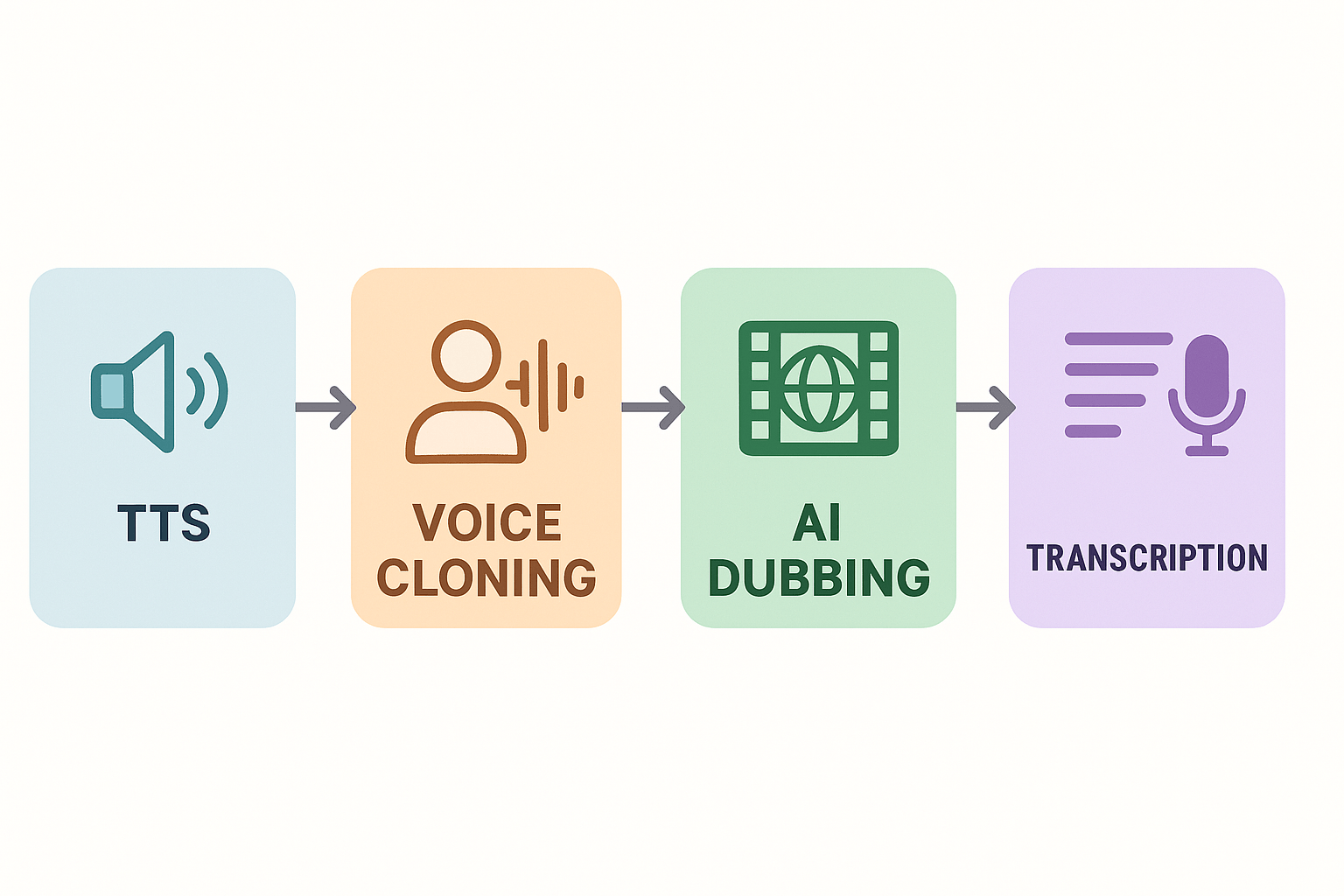
This snapshot helps you judge fit quickly: DupDub is strong for teams that need integrated dubbing, cloning, and subtitle exports without stitching multiple tools together. Consider a short trial to test tone and sync on a sample scene.
Conceptual icons for DupDub modules: TTS, Voice Cloning, AI Dubbing, and Transcription shown as labeled colored blocks with arrows connecting them in a 16:9 layout.

How to use DupDub to generate a movie script — step-by-step workflow

This hands-on walkthrough shows a practical script-to-dub workflow using DupDub. It covers preparing a brief, sample prompts for scenes and dialogue, iterative editing, voice cloning and TTS setup, then exporting script and audio assets for localization and final mix. If you want a fast test of the best ai movie script generator tools, follow these steps and you’ll have production-ready tracks in a few iterations.

1) Start with a tight brief

Write a one-page brief that lists genre, running time, target audience, locale, and three mood words. Add character notes: age, accent, emotional range. Say whether you want naturalistic dialogue or stylized lines. This makes AI writing and voice cloning choices predictable.
Use a short example brief as a prompt seed:
  • Project: 7-minute sci-fi short
  • Tone: intimate, tense, hopeful
  • Characters: MARA (30s, calm), REX (40s, gruff, scar on left cheek)
  • Localization: English to Spanish and Mandarin

2) Generate scene drafts with AI Writing

Open DupDub’s AI Writing assistant and paste the brief. Use a focused prompt like this example:
"Write a 2-page opening scene for a 7-minute sci-fi short. Show MARA meeting REX in a dim train car. Keep dialogue natural, quick beats, include a physical action for each line. End with a reveal that the train is unmanned."
Run one draft, then ask the assistant to shorten or lengthen beats. Save each version as a named draft. Use the AI to create alternate takes: emotional, sarcastic, or terse. Keep prompts simple and iterative.

3) Pull dialogue excerpts for vocal tests

Select short exchanges for voice trials, about 10–25 seconds each. Example excerpt produced by DupDub:
MARA: "You still listen to the old tracks?" REX: "Only when the lights go wrong. They remind me I used to care."
Use these text snippets for cloning and TTS auditions. Short clips reveal whether the voice matches tone.

4) Create or upload a voice clone

Record a 30-second sample or upload a clean reference. In DupDub, create a voice clone locked to that speaker. Name the clone clearly, for example "MARA_clone_v1". For safety, verify consent if cloning a real actor.
If you prefer a synthetic voice, pick a TTS with the right style and speed. Run a 5-line script to test prosody. Tweak pacing and pitch in the TTS controls.

5) Sync dubbing and subtitles

Import your final scene text and the rough edit. Use DupDub’s auto-alignment to map lines to picture. Then review word timing and nudge any line under 200 ms. Generate subtitles and translation in one click if you need localization.
Checklist for sync:
  1. Verify start and end time for each line.
  2. Confirm subtitle readability: 35 characters per line max.
  3. Test one full playback with original and dubbed audio.

6) Iterate: revise script, re-record, polish

Listen for mismatched emotion or cadence. Ask the AI to rewrite lines flagged in review. Re-run cloned voice takes for revised lines. Keep versioned exports so you can A/B compare audio tracks.

7) Export assets for production

Export the script as a formatted PDF or Fountain file for script supervisors. Export audio as WAV for final mixing and MP3 for quick reviews. Export SRT and burned-in subtitles for review versions. Organize files per scene in separate folders.
Suggested folder structure:
  • Scene_01/
    • scene01_final.pdf
    • scene01_MARA_clone_v1.wav
    • scene01_REX_tts.wav
    • scene01_en.srt
    • scene01_es.srt

Quick tips and best practices

  • Run short auditions first, then scale to full scenes. Short tests save credits and time.
  • Lock voice clones to named versions to avoid accidental overwrites.
  • Keep a change log for prompts and script edits so you can roll back.
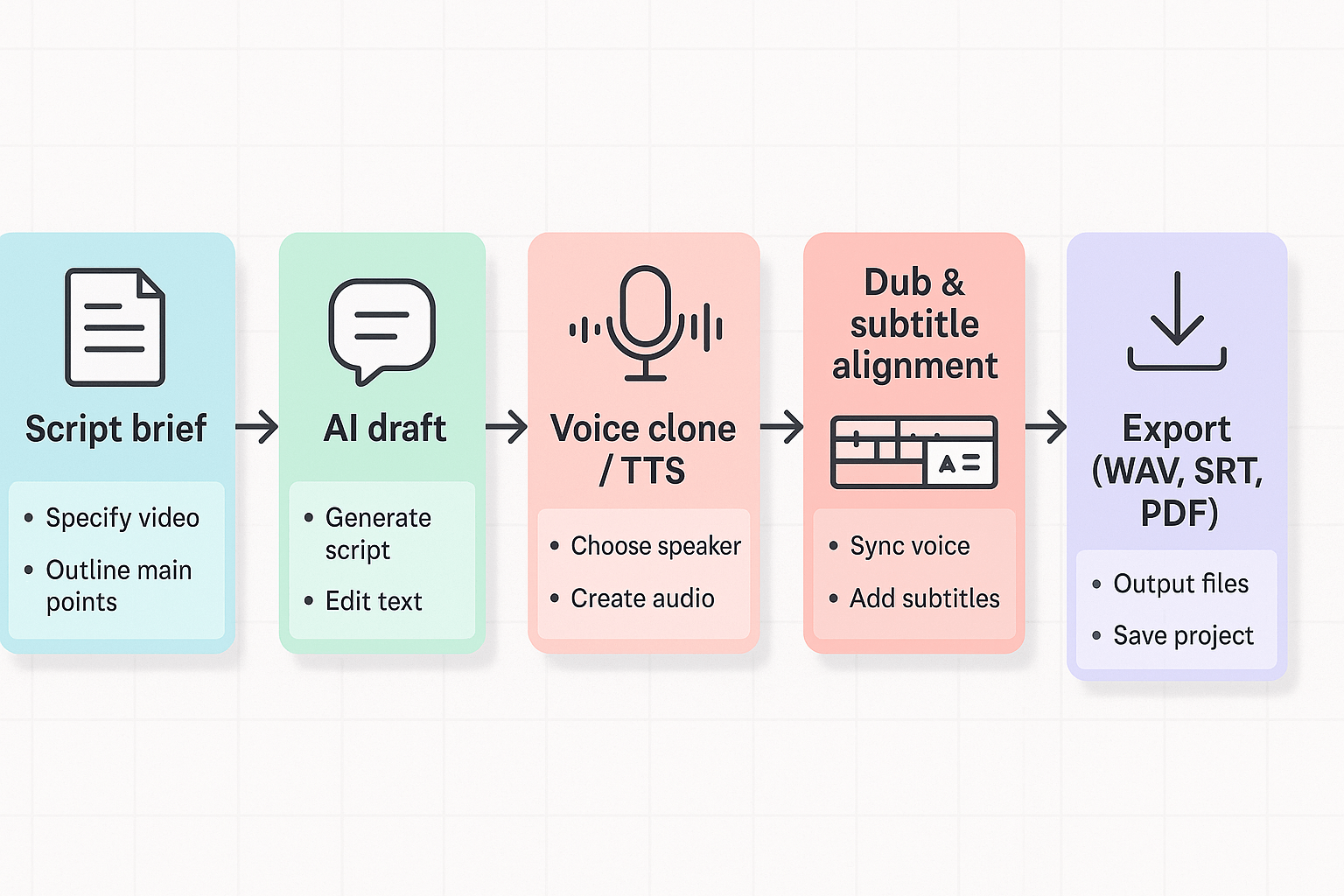
Process schematic: script brief to AI draft to voice cloning/TTS to dubbing and subtitle alignment to export, with short notes at each step.

Side-by-side comparison: DupDub vs top AI script & dubbing tools

The table and notes below map voice cloning, TTS, dubbing, transcription, exports, integrations, and speed across leading vendors. This section helps you judge creative tone, fidelity, scalability, and cost when choosing the best ai movie script generator for a project. Read the quick rubric, then scan the matrix for the features that matter to your team.

How to read the matrix

Scores use a 1 to 5 scale, higher is better. Columns list core capabilities and practical limits. Look at voice cloning, multilingual reach, file exports, integration options, and production speed first. Then use the rubric to compare creativity and price tradeoffs.
According to TTS Showdown 2026: ElevenLabs vs. Cartesia vs. OpenAI vs. Sesame, In human preference tests, Cartesia's Sonic-2 was favored over ElevenLabs' Flash V2 by 61.4% to 38.6%.
Feature
DupDub
ElevenLabs
Murf
Play.ht
Synthesia
Notes
Voice cloning
30s sample, 47 languages, 3-10 clones per plan
Industry leader for voice fidelity
Good for narration, limited languages
Wide voice library, fewer clones
No cloning, avatar lip-sync only
DupDub balances cloning and translation
Languages (TTS/STT)
90+ TTS, 40+ STT
~20-60 depending on model
30+ TTS focus
70+ voices, many accents
60+ languages for avatars
DupDub is tuned for localization scale
Voice variety & styles
700+ voices, 1000+ styles
Very natural single-voice models
Many neutral narrator voices
Large marketplace voices
Avatar-driven characters
DupDub favors variety for brand consistency
Exports
MP3, WAV, MP4, SRT
MP3, WAV, SRT
MP3, WAV, SRT
MP3, WAV, SRT
MP4, SRT
Full video and subtitle exports matter for film
Integrations & API
Canva, Chrome, YouTube, API
SDKs and API
API, Studio plugins
API
LMS and enterprise integrations
DupDub includes YouTube transcript plug-in
Avatars & dubbing
Talking photos, avatars, end-to-end dubbing
Focused on audio, not avatars
No avatars, audio only
No avatars, TTS focused
Strong avatar video creation
Pick DupDub if you need dubbing plus avatars
Transcription & subtitles
40+ languages, auto-align
High-quality STT add-ons
Good STT for scripts
STT available
Subtitles for video
DupDub ties STT to its writing tools
Speed & latency
Fast web studio, local edits
Low-latency streaming voices
Fast for short clips
Fast batch TTS
Rendering avatars can be slower
Real-world speed varies by file size
Pricing model
Trial, tiered plans, pay-as-you-go
Subscription + credits
Subscription
Subscription
Subscription + seats
See pricing breakdown in dedicated section

Scoring rubric explained

We score on four axes: creativity, fidelity, scalability, price. Creativity is range of voices, styles, and script-assist tools. Fidelity is naturalness of the voice and cloning accuracy. Scalability covers languages, batch workflows, API, and captioning. Price weighs credits, per-minute cost, and practical project cost. Each axis is 1 to 5, then averaged for a simple vendor rank.
Example rubric (1 to 5):
  • Creativity: Are novel voices and styles available for character work?
  • Fidelity: Does the clone sound like the original speaker in multiple languages?
  • Scalability: Can you batch-localize 50 videos with subtitles and dubs?
  • Price: Is per-project cost predictable for indie budgets?

When DupDub is the right pick

  • You need one platform with voice cloning, TTS, dubbing, transcription, and avatars. DupDub reduces tool switching.
  • You plan multilingual releases and need subtitle alignment and per-file exports. DupDub targets localization workflows.
  • You want a mid-budget path: free trial, monthly tiers, and pay-as-you-go credits fit indie and small-studio pilots.
When to pick alternatives
  • Choose ElevenLabs if you need the very highest single-voice fidelity for dramatic narration.
  • Pick Synthesia for video-first avatar actors when lip-synced visual avatars outweigh cloning.
  • Use Play.ht or Murf for low-cost bulk TTS when you only need simple narration and no dubbing.
Use this matrix to match features to your deliverables. If you need help mapping a sample project to vendor costs, use the pricing section and example scenarios next in this guide.

Pricing & value assessment — real cost-per-project examples

This section breaks down DupDub plans and shows real cost examples for three common projects. You’ll see how credits, export limits, and pay-as-you-go packs change the final bill. The goal is to help filmmakers judge upfront costs and spot hidden limits before scaling. The main keyword appears naturally to help searchers comparing the best ai movie script generator options.

How DupDub pricing works

DupDub uses credits as the billing unit. Plans bundle yearly credits and practical hourly equivalents for standard TTS, ultra voices, avatar time, and transcription. Pay-as-you-go credit packs are available for one-off projects, with per-credit cost falling on larger packs. Note that heavy use of avatars, Ultra voices, or long transcripts will consume credits faster than plain TTS.

Cost examples: three real projects

Project
Typical deliverables
Plan choice
Estimated credits or pack
Estimated out-of-pocket cost
Indie short (10 min)
10 min Ultra TTS, 1 voice clone, SRT
Personal or pay-as-you-go
~1,000 credits
~$128 (pay-as-you-go) or covered by Personal allotment
YouTube series (10 eps, 5 min each)
50 min Std TTS, subtitles, edits
Professional
~3,000 credits
Included in Professional yearly bundle (or ~$350 on credits)
Agency localization (30 min, 3 languages)
30 min transcription, 90 min TTS, 6 voice clones
Ultimate or large pack
~6,000+ credits
~$698 (6000-credit pack) or Ultimate subscription for scale
Notes on the table: estimates use published credit pack prices and the plan hour equivalents. Actual consumption varies with voice quality, avatars, and extra exports. Use these numbers as planning guides, not invoices.

Billing gotchas and scale-up tips

Watch for per-file word limits and avatar hour caps on lower plans. Personal and Professional tiers limit words per file and avatar minutes, which can trigger overage or force chunked exports. Ultimate removes many file-size caps, useful in agency work. Voice cloning is locked to the original speaker and has privacy safeguards, so check consent rules early. Also confirm API quotas if you plan automated batch jobs.
Bottom line: small creators often save with the Personal plan plus one pay-as-you-go pack. Producers doing frequent localization should model monthly credit burn and consider Ultimate or large packs. Always run a pilot export to measure real credit usage before committing to a subscription.

Accessibility, inclusivity, legal & ethical considerations

AI can speed script creation and dubbing, but you must make outputs accessible, fair, and legal. This section lists the accessibility features to enable, a clear inclusive-language checklist, steps for voice cloning consent, and baseline privacy and regional compliance guidance. If you evaluate the best ai movie script generator, check built-in captioning, transcript export, and consent workflows early in your trial.
Follow the Web Content Accessibility Guidelines (WCAG) 2.1 to guide captions, transcripts, and basic media accessibility choices.

Enable captions and clear transcripts

Captions and high-quality transcripts are non negotiable. Use auto-generated subtitles, then proofread them before export. Export plain-text transcripts for screen readers and searchable archives. Preferred settings to enable in your tool:
  • Forced captions for dialogue and non-speech sounds (music, SFX).
  • Speaker labels and time codes in transcripts.
  • Readable caption style: high contrast, sans serif, and minimum font size.
  • Subtitle export to SRT and plain-text formats for repurposing.

Run inclusive-language and bias checks

AI models can mirror bias in prompts and outputs. Run a short, repeatable checklist on each script draft. Use both automated tools and a human review.
Checklist:
  1. Replace stereotyped traits with neutral descriptors.
  2. Avoid ableist, gendered, or culturally insensitive phrasing.
  3. Confirm diverse character agency and screen time balance.
  4. Run a pronoun consistency pass and flag unclear attributions.

Voice cloning, consent, and privacy

Voice cloning is powerful, but consent matters. Obtain written permission before cloning any voice. Save signed consent and a short audio provenance clip. Minimize stored personal audio and encrypt archives.
Practical steps:
  • Get explicit, time-stamped consent for cloning and reuse.
  • Record the consent process and store consent metadata with the clone.
  • Limit cloned-voice distribution and document allowed uses.
  • Use platform safeguards: speaker lock, encrypted processing, and deletion policies.

Regional compliance and publishing checklist
Know local rules for synthetic media before publishing. Many regions require disclosure when using synthetic voices or altered media. For data protection, follow basic GDPR principles: lawful basis, data minimization, and subject rights. Keep a publication log showing language, voice, and consent for each localized asset.
"Treat accessibility and consent as part of production, not an afterthought," says Mira Lopez, an independent producer who uses AI dubbing for global releases.
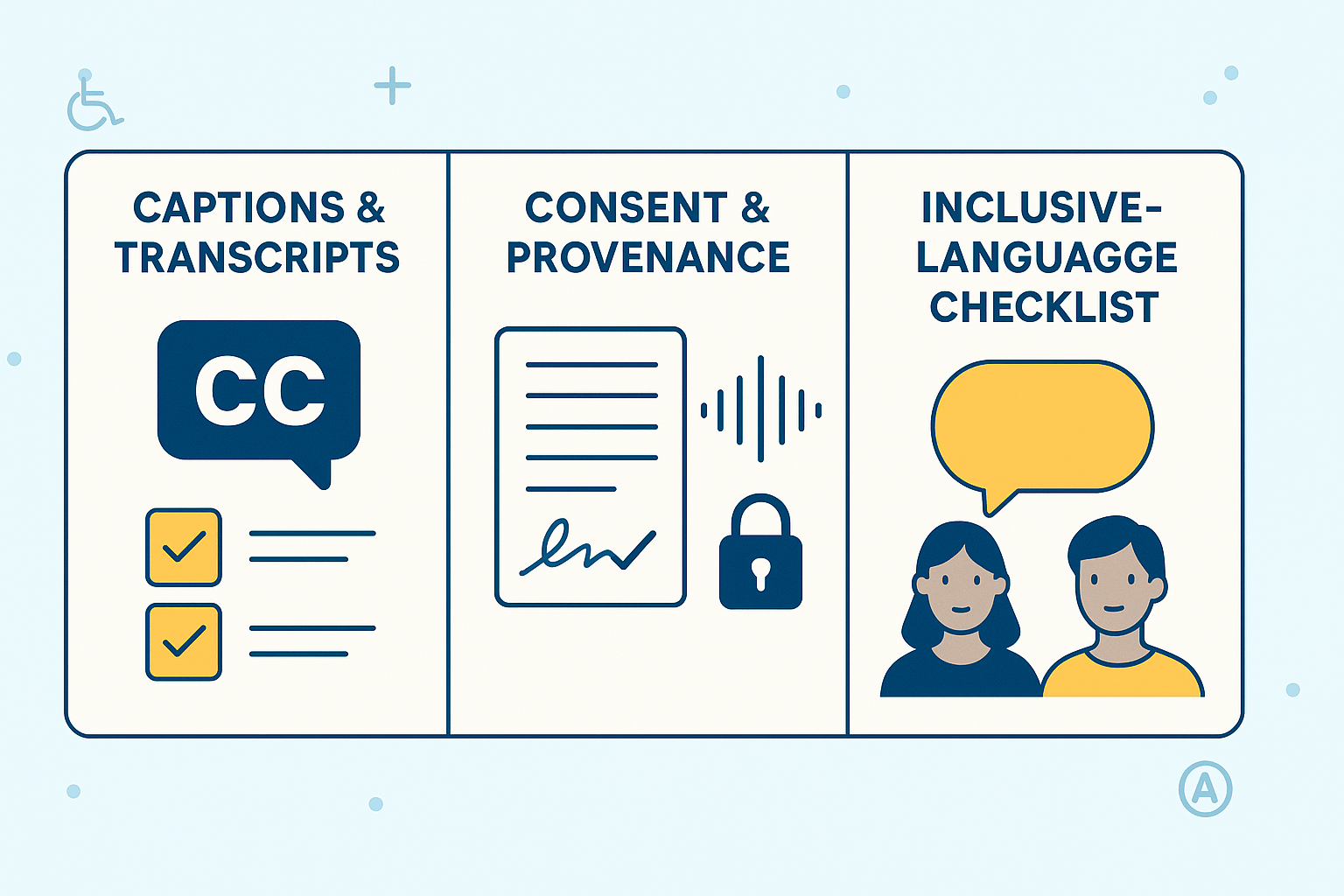
Infographic showing three panels: captions and transcripts, consent and provenance for voice cloning, and an inclusive language checklist, using high-contrast colors and simple icons.

Real-world mini case studies & user quotes (3 short examples)

These three short case studies show how teams used DupDub to speed localization, keep a consistent narrator voice, and run fast voice tests. They illustrate real outcomes and lessons for teams comparing the best ai movie script generator options. Read the wins, the tradeoffs, and a short user quote for credibility.

YouTuber: faster localization, bigger audience

A travel channel needed fast dubbing to reach non English viewers. Using DupDub's TTS and dubbing tools, the creator launched localized uploads in six languages. Turnaround dropped from two weeks to two days, and views on localized videos rose noticeably.
Key wins:
  • Time per localized video cut by about 85 percent.
  • Localization costs fell compared to hiring studios.
  • Faster release cadence led to higher audience retention.
User quote: "DupDub cut my turnaround time and made global growth realistic," says Liam Ortiz, travel YouTuber.

E learning producer: single narrator across courses

An e learning team needed one steady voice across 40 short modules. They used DupDub voice cloning to create a single narrator for all courses. The cloned voice matched tone and pacing, so learners heard the same speaker across topics.
Key wins:
  • Maintained brand voice without repeated studio sessions.
  • Faster updates when course scripts changed.
  • Lower per-course narration cost than traditional voice talent.
User quote: "Voice cloning let us keep one narrator for every module, and students noticed the consistency," says Dr. Priya Rao, head of content.

Indie studio: rapid voice tests and fast iteration

A small studio needed to try many cast voices during pre production. They used DupDub to generate five voice options in a single day. That let the director iterate lines and timing without costly re-records.
Key wins:
  • Five voice tests completed in one day.
  • Faster creative decisions, less casting spend.
  • Early feedback shaped final casting and saved weeks.
User quote: "We tested multiple voices in hours, not weeks, and that tightened our final casting," says Marco Alvarez, creative director at NeonFrame Studios.

Workflow diagrams, team templates & best practices for production teams

If you're evaluating the best ai movie script generator for team use, you need a repeatable pipeline. This section gives a clear sample pipeline, role handoffs, and practical prompt engineering tips. Use these templates to keep quality high and version control tidy when adopting DupDub or similar tools.

Sample pipeline: step by step

  1. Writer: draft story and scene outline in plain text. Keep beats, character goals, and scene lengths clear.
  2. AI draft: run the outline through an AI writing assistant to expand scenes. Flag tone, pacing, and spectacle for revision.
  3. Director review: a human reviews the AI draft and marks changes, blocking, and camera notes.
  4. Voice clone / TTS: create or select voice clones and TTS styles for characters. Export test lines for review.
  5. Dubbing and subtitles: apply localized dubbing and auto-generated subtitles. Sync to picture, then export a review cut.
  6. QA: run accessibility checks, timing reviews, and linguistic QA for translations.
  7. Final export: lock picture, audio stems, and subtitle files. Publish or hand to distribution.
Use short review cycles. Each step should include a named owner and a timestamped version.

Roles and handoffs: a simple template

  • Writer (owner): supplies V0 script and scene list. Works in shared doc.
  • AI Operator (owner): runs prompts, generates drafts, notes model + prompt used.
  • Director or Creative Lead (approver): approves edits, marks camera and actor notes.
  • Audio Lead (owner): creates voice clones, selects TTS settings, exports test audio.
  • Localization Lead (owner): checks dubbing and subtitles in target languages.
  • QA Lead (approver): runs accessibility checks and final timing tests.
Handoff rule: commit each stage to version control and add a 1-line changelog. Example filename: project_scene_v2_writername_2026-06-11.txt

Versioning and quality gates

  1. Gate 1: script freeze, no structural changes after director approval. Minor dialogue tweaks allowed with changelog.
  2. Gate 2: audio freeze, after voice approval and sample pass.
  3. Gate 3: final freeze, after accessibility sign-off and subtitle timing pass.
Keep a short audit trail: who ran the AI, which prompt was used, and the model or voice settings.

Collaborative prompt-engineering tips

  • Share prompt templates in a central repo. Save one template per character tone.
  • Version prompts like code. Append a short note about why you changed a prompt.
  • Use examples in prompts: give two short sample lines to set tone and pacing.
  • Limit token scope: ask the AI to rewrite only specified scenes to reduce drift.
  • Run A/B with voice clones: export two lines with different voice styles and pick one.

Production best practices checklist

  • Lock story beats before heavy AI rewrites.
  • Store voice consent and clone metadata securely.
  • Run automated subtitle timing tests and manual checks.
  • Include an accessibility pass for captions and audio descriptions.
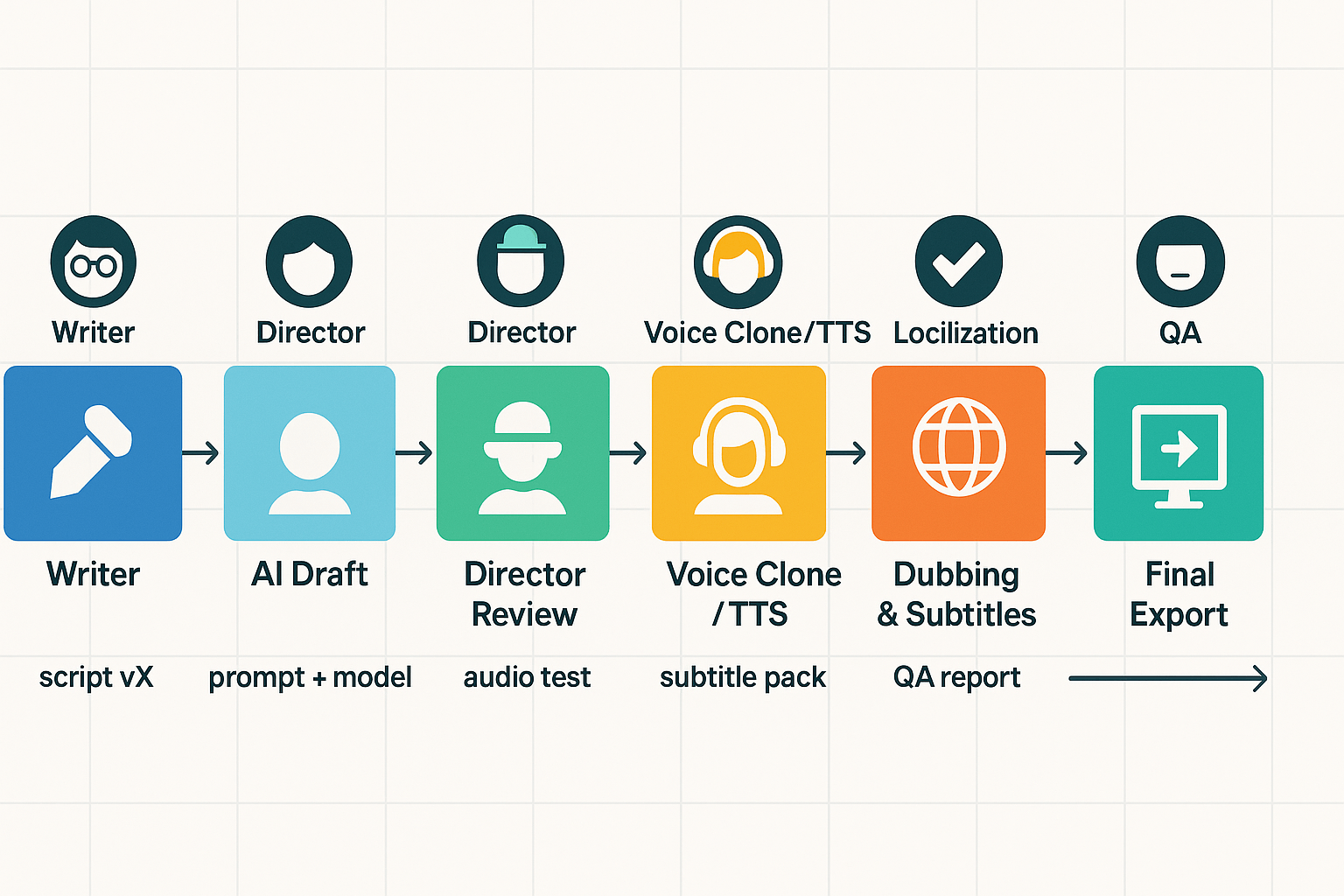
Workflow diagram showing steps: writer, AI draft, director review, voice cloning/TTS, dubbing and subtitles, QA, and final export, with labeled handoffs between each role.

FAQ — People Also Ask & common buyer questions

  • Is DupDub suitable for feature-length scripts and movies?

    Yes. If you’re comparing the best ai movie script generator options, DupDub can support feature-length workflows. Expect to split long scripts into scenes or acts, use batch exports, and reserve higher plans or pay-as-you-go credits for long runtimes. Plan for a human polish pass for pacing, tone, and final ADR.

  • How accurate is DupDub voice clone and TTS for natural-sounding dialogue?

    Voice cloning (creating a synthetic voice from a short sample) and TTS (text to speech) sound very natural for narration and most dialogue. Emotional nuance, rapid improvisation, or subtle actor breaths may still need human ADR. Run short tests in your target languages to judge fit before committing to a full dub.

  • Can I use AI-generated scripts and cloned voices for commercial release, what are the rights?

    DupDub generally allows commercial use of generated audio and scripts, but you should check terms for your plan and region. Voice cloning is locked to the original speaker, so get written consent from anyone whose voice you clone. For high-stakes releases, ask sales about enterprise licensing and record keeping.

  • What are DupDub file and export limits for large projects?

    File limits vary by plan: Personal files limit words per file, Professional raises that limit, and Ultimate offers unlimited file size. Export formats include MP4, MP3, WAV, and SRT for subtitles. For very large films, split assets by scene, use the API for bulk jobs, and export audio stems for post production.

  • How does DupDub handle transcription, subtitles, and localization workflows?

    DupDub offers speech-to-text (STT) and subtitle alignment in 40+ languages, plus subtitle translation and one-click SRT export. Use the auto-transcript then review and edit for accuracy before generating dubs. For localization, keep a QA step with native speakers and lock tone with voice presets.

Experience The Power of Al Content Creation

Try DupDub today and unlock professional voices, avatar presenters, and intelligent tools for your content workflow. Seamless, scalable, and state-of-the-art.