


-
Fast, end-to-end localization and subtitle sync.
-
Broad language and voice coverage for global reach.
-
Cost effective compared with manual dubbing.
-
Lower tiers limit avatar and cloned-voice hours.
-
Voice clone quality varies by language and sample.
-
Enterprises should verify privacy and compliance for sensitive content.
Why use an AI script-to-video generator in 2025
Fast, cheaper, repeatable results
-
Speed: Auto-narration and subtitle alignment remove manual timing and re-record loops. You publish faster.
-
Cost: Synthetic voices and avatars cut per-video dubbing expenses. You can localize more titles for the same budget.
-
Consistency: Voice cloning and style presets lock in a repeatable brand voice across languages.
When to use AI vs manual work
-
Social clips and ads
-
E-learning and training modules
-
Product demos and global marketing
.png)
Quick verdict: Is DupDub the right choice for your script-to-video needs?
Who should pick DupDub
-
YouTubers and social media managers repurposing clips across markets.
-
E-learning and training teams localizing courses and assessments.
-
Marketers and agencies scaling multilingual campaigns with tight deadlines.
What DupDub does best
Limitations to know
DupDub at a glance: features, languages & limits
Features snapshot
-
AI dubbing and video translation: end-to-end re-voicing with subtitle alignment and translated audio. Useful for YouTube, courses, and ads.
-
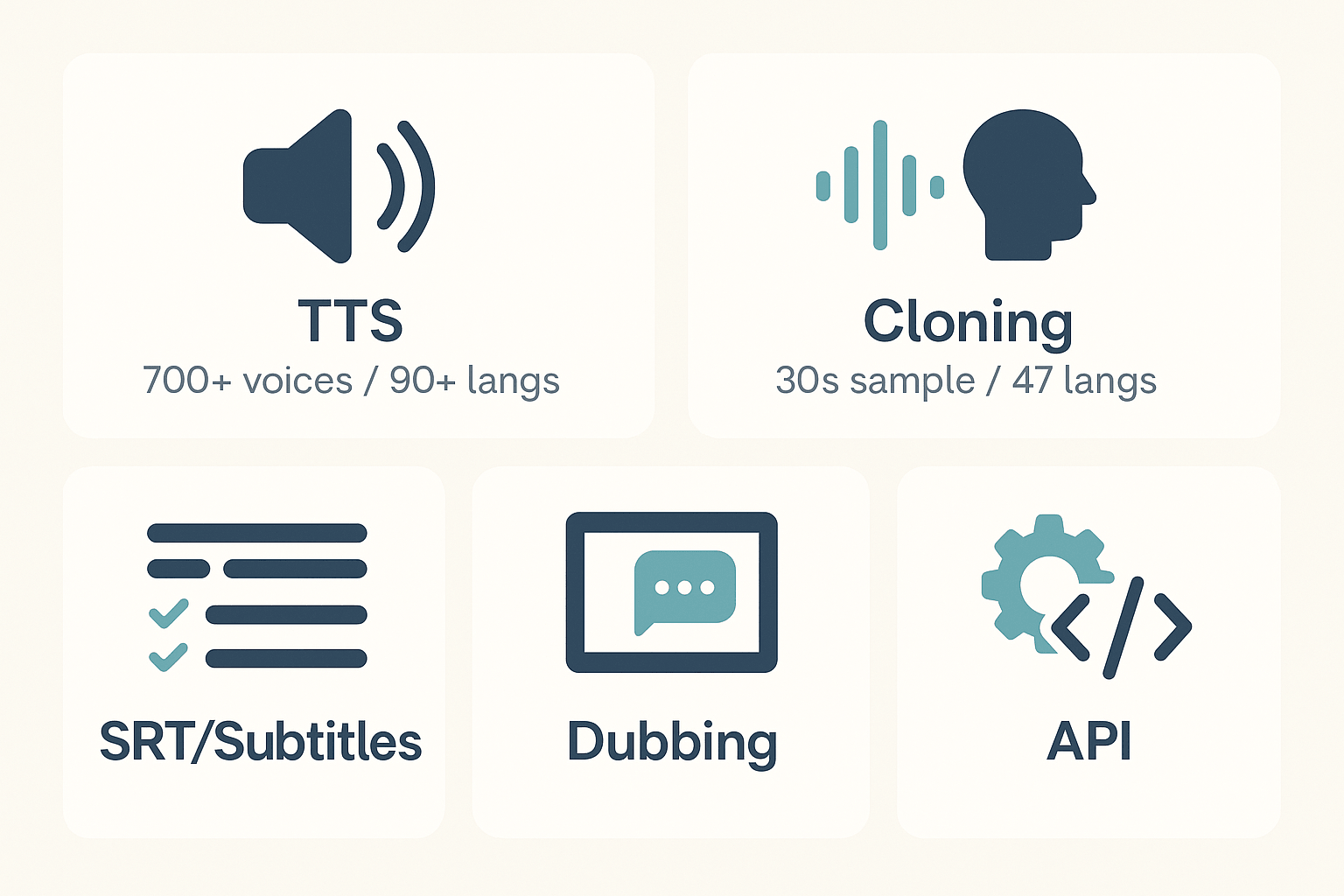
Neural TTS: 700+ voices across 90+ languages and accents, with multiple speaking styles.
-
Voice cloning: create a synthetic version of a speaker from a 30-second sample, supports 47 languages.
-
Speech-to-text and subtitles: automated transcripts and subtitle translation in 40+ languages, auto-sync included.
-
Talking photos and AI avatars: lifelike avatars and talking photos in 40+ languages for on-screen presenters.
-
Studio tools and API: browser recording, edit suite, SFX, Canva and Chrome integrations, plus API access for automation.
Export formats and file types
-
Video: MP4
-
Audio: MP3, WAV
-
Subtitles: SRT
Typical limits by plan (compact view)
-
Free trial: 3 days, starter credits for quick tests.
-
Personal: ~25 hours standard TTS, 2.5 hours avatar, 25 hours transcription, 3 voice clones, 3 avatars, 10,000 words per file.
-
Professional: ~83 hours standard TTS, 8 hours avatar, 83 hours transcription, 5 voice clones, 5 avatars, 30,000 words per file.
-
Ultimate: ~416 hours standard TTS, 41 hours avatar, 416 hours transcription, 10 voice clones, 10 avatars, unlimited file size.
-
Pay-as-you-go: one-time credit bundles available.
Security and compliance
Pricing & plan comparison (clear, copy-ready table)
Plan snapshot
|
Plan
|
Price (billed annually)
|
Yearly credits
|
Std TTS hours
|
Ultra voices hours
|
Avatar hours
|
Voice clones
|
Avatars
|
Best for
|
|
Free trial
|
Free, 3-day (no card)
|
10 starter credits
|
N/A
|
N/A
|
N/A
|
N/A
|
N/A
|
Test drive features and output
|
|
Personal
|
$11 / month $132 / year)
|
1,800
|
25
|
5
|
2.5
|
3
|
3
|
Solo creators, hobbyists
|
|
Professional
|
$30 / month $360 / year)
|
6,000
|
83
|
16
|
8
|
5
|
5
|
Regular publishers, small teams
|
|
Ultimate
|
$110 / month $1,320 / year)
|
30,000
|
416
|
83
|
41
|
10
|
10
|
Agencies and scale localization
|
|
Pay-as-you-go
|
One-time credits: 500 $68, 1,000$128, 6,000 $698
|
N/A
|
N/A
|
N/A
|
N/A
|
N/A
|
N/A
|
One-off projects, burst usage
|
Who should pick each plan
-
Free trial: Try the editor, subtitles, and sample voices. Great for evaluation and quick demos.
-
Personal: Choose this if you publish occasionally and want affordable voice cloning and light avatar use.
-
Professional: Pick this if you publish weekly, need more TTS hours, and want team-ready features.
-
Ultimate: Best for agencies, course creators, or teams scaling localization and heavy avatar work.
-
Pay-as-you-go: Use credit packs when you need extra minutes without switching plans.
Cost-per-minute examples (approximate)
-
Personal (132/year): Std TTS ~ 0.09/min, Ultra ~ 0.44/min, Avatar ~ 0.88/min.
-
Professional (360/year): Std TTS ~ 0.07/min, Ultra ~ 0.38/min, Avatar ~ 0.75/min.
-
Ultimate (1,320/year): Std TTS ~ 0.05/min, Ultra ~ 0.27/min, Avatar ~ 0.54/min.
How to convert a script into a localized video with DupDub — step-by-step workflow
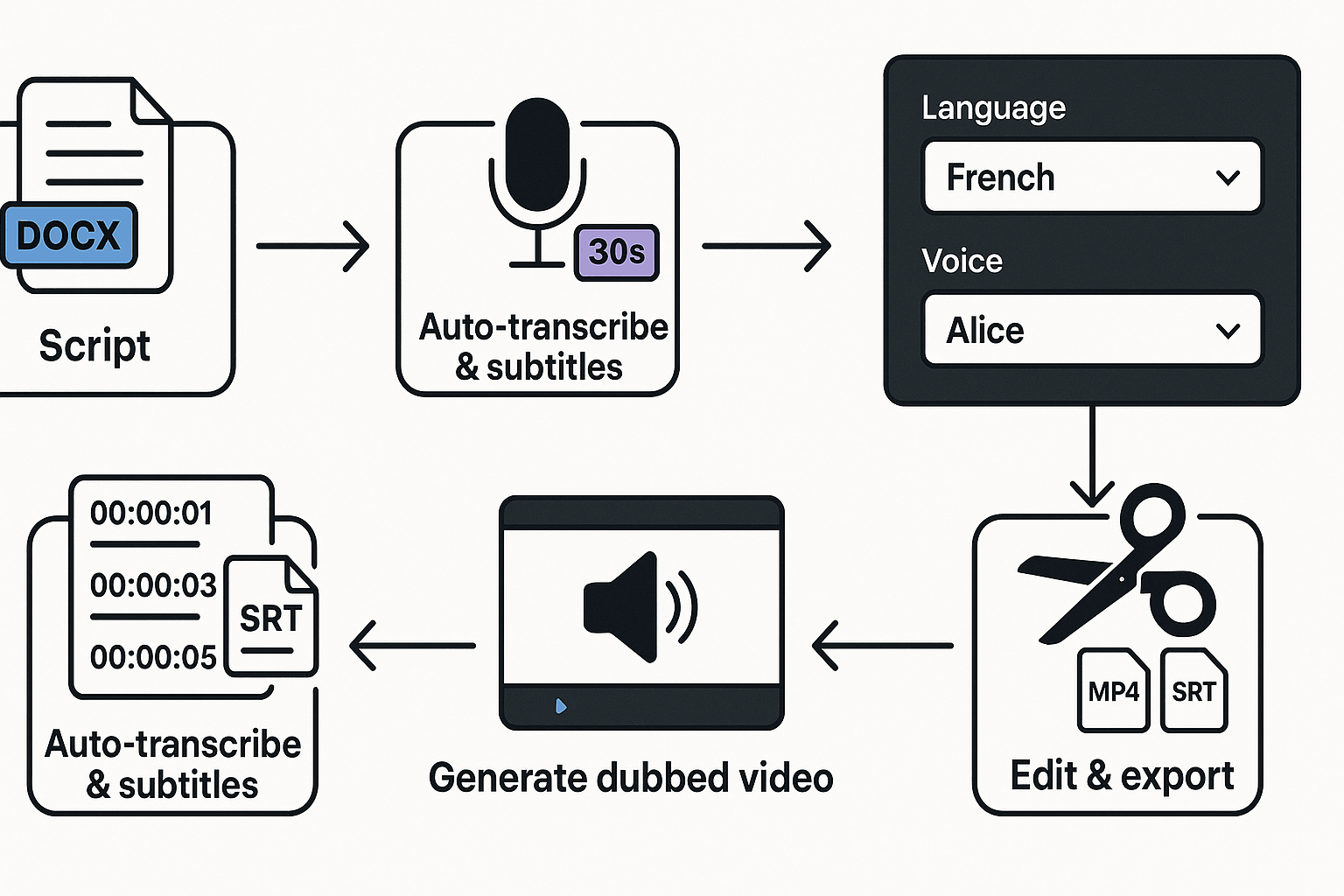
1. Prepare the script and locales
2. Choose a voice or clone your brand voice
3. Auto-transcribe and sync subtitles
4. Generate the dubbed track and re-voice the video
5. Edit timing, polish, and export
-
Use short sentences for better alignment.
-
Reserve voice clones for brand-critical content.
-
If audio sounds robotic, switch to Ultra voices or add prosody edits.
-
If subtitles drift, re-run alignment after edits.
Side-by-side comparison: DupDub vs major competitors
Quick feature matrix
|
Feature
|
DupDub
|
Synthesia
|
ElevenLabs
|
Murf
|
|
Dubbing / localization
|
Strong, 90+ languages, subtitle sync
|
Basic translation, focuses on video avatars
|
Not primary, audio-first
|
Good for studio voiceovers and narration
|
|
Neural TTS quality
|
Natural, 700+ voices, many styles
|
High for avatar lipsync, limited voice bank
|
Industry-leading voice nuance
|
Polished studio voices, easy editing
|
|
Voice cloning breadth
|
47 languages, easy cloning
|
Limited cloning options
|
Deep voice fidelity, expressive control
|
Cloning available, geared to production teams
|
|
Avatars & lifelike video
|
Talking photos, avatars, multi-lang
|
Best avatar realism and video pipelines
|
Not avatar-focused
|
No full avatars, visual tools limited
|
|
API & automation
|
Full API, scalable workflows
|
API for enterprise avatars
|
API for audio-first use cases
|
API and studio integrations
|
|
Price / value for creators
|
Competitive tiers, trial credits
|
Higher for avatar production
|
Premium for voice-first creators
|
Mid-market, studio workflow value
|
When to pick each
-
DupDub: Pick DupDub when you need end-to-end localization, many languages, and both voice cloning and avatars. It fits creators who repurpose video for global audiences.
-
Synthesia: Choose Synthesia when avatar-led video and polished lip sync matter more than wide cloning. It’s best for presenter-style marketing video.
-
ElevenLabs: Opt for ElevenLabs if pure voice nuance and expressive TTS are the priority, for podcasts or audio-first narration.
-
Murf: Go with Murf for studio-grade voiceovers and streamlined editing workflows, especially for training and explainer videos.
Privacy, copyright & legal considerations, troubleshooting & best practices
Consent and voice cloning safety
Data retention, encryption and retention limits
Copyright for source scripts and derived videos
Troubleshooting common issues and quick fixes
-
Audio and subtitle misalignment: regenerate subtitles, then re-sync using frame markers. Try longer pause tokens in the script.
-
Unnatural prosody or robotic TTS: pick a different voice style, increase punctuation, and add SSML tags (where supported).
-
Low audio quality or noise: upload cleaner source audio, or use built-in denoise tools.
-
Transcript matches spoken words exactly.
-
Lip-sync and subtitle timing are within ±200 ms.
-
Voice character, pitch, and speed match brand guide.
-
Consent and license files attached to the project folder.
Enterprise notes, DupDub claims, and contract checks
Scriptwriting tips for TTS and clones: do's and don'ts
-
Do write short sentences and clear punctuation.
-
Do add parenthetical cues for tone and pauses.
-
Don’t overuse slang or run-on sentences.
-
Don’t assume cloned voices can say anything without permission.
FAQ — short answers to the most common questions
-
Free trial and credits for the best ai script to video generator
DupDub offers a 3-day free trial with no credit card required. You get 10 starter credits to test dubbing, TTS, avatars, and transcription.
-
Languages and voice counts in script-to-video tools
DupDub supports 90+ TTS languages and accents and 700+ voices. Voice cloning works in 47 languages, and STT/subtitles cover 40+ languages.
-
How to create a voice clone and consent rules for voice cloning
Record or upload a 30-second clean sample. 2) Train the clone in the DupDub studio. 3) Test the clone across target languages. Always get written consent before cloning another person’s voice; clones are locked to the original speaker.
-
Supported file formats and exports for script-to-video workflows
Export formats include MP4 for video, MP3 and WAV for audio, and SRT for subtitles. Transcripts and API exports are also available for automation.
-
Security, privacy and copyright notes before you dub or clone
DupDub processes data encrypted and states GDPR alignment. Don’t dub copyrighted performances without rights, and get model releases where required.

 Discord
 YouTube
 Tiktok
 Twitter
 Facebook
 Instagram