Learn to write and produce high-converting voice-over commercial scripts using a simple Hook, Story, Offer formula. This guide gives a compact script workflow plus quick tips for adapting copy to voice, brand, and platform.
Use a one-page recording and editing checklist: pick a clear mic, tame room reflections, record dry takes, edit for pacing, and match loudness. For fast multilingual versions, try a free AI dubbing trial to create native-sounding reads and cut localization time.
Why the Hook–Story–Offer structure wins in commercials
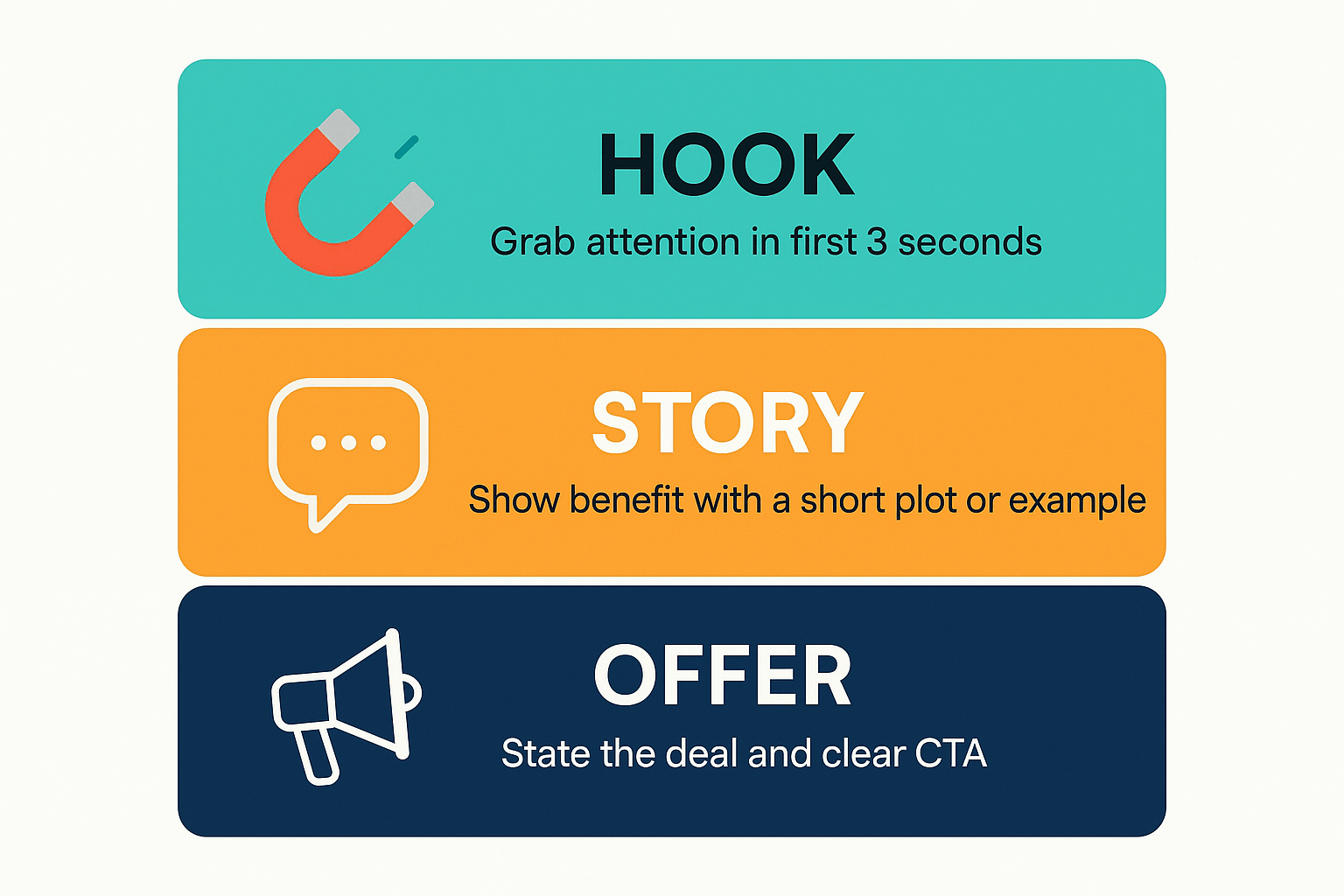
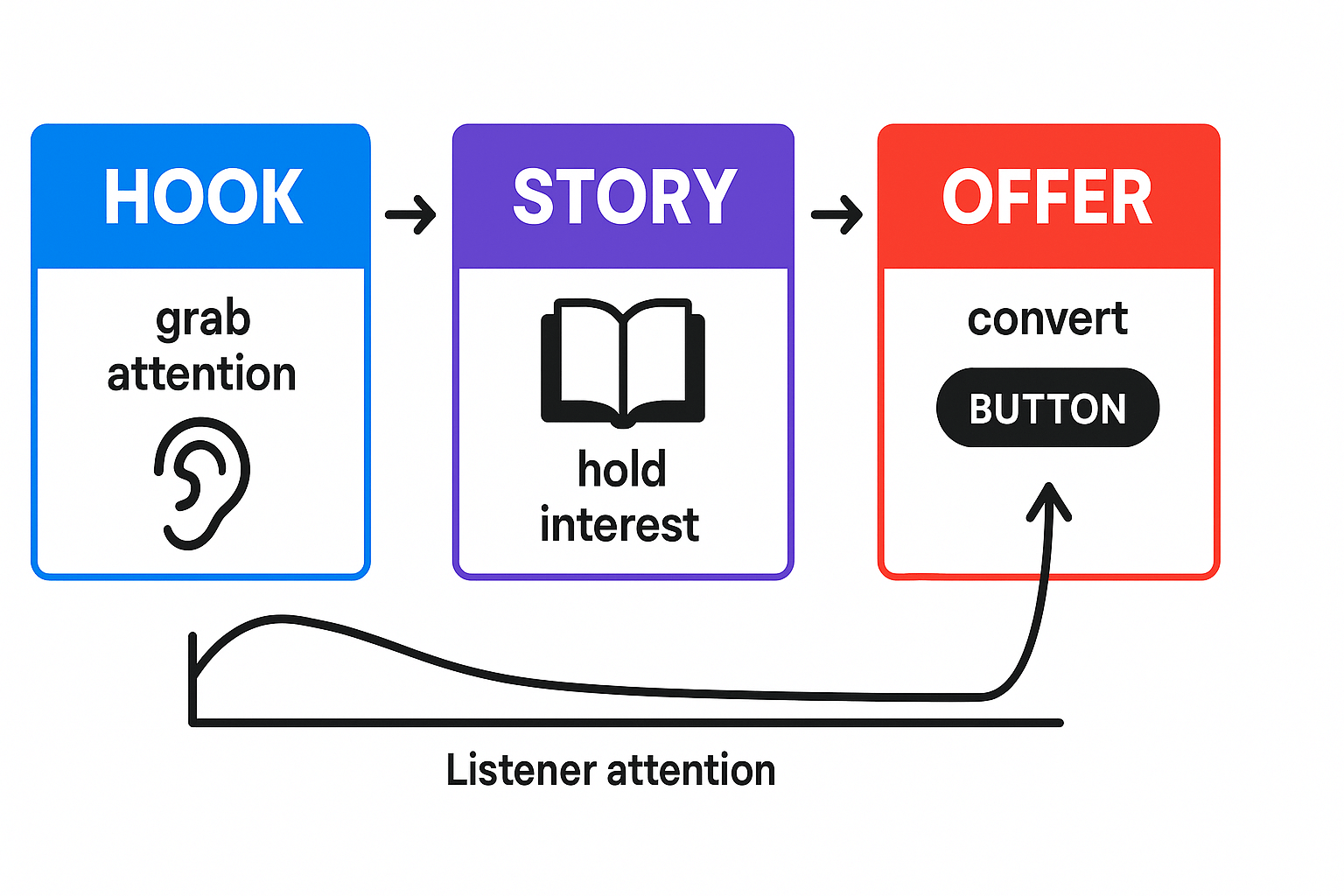
Short ads have to grab attention, explain value, and close, fast. The Hook, Story, Offer pattern gives every second a job: grab ears, hold interest, then convert. Use this structure when you write voice over commercial scripts to keep spots tight and persuasive.
What a strong Hook sounds like
A hook is a single line that stops the scroll or switches the tab. It’s urgent, specific, and promises a benefit or surprise in a few words. A good hook can be a question, a bold claim, or a sensory image.
Example Hook line: "Tired of charging phones twice a day?" (short, clear, curious)
How Story keeps attention
The story answers the hook, adds context, and creates a quick emotional arc. Keep it concrete: a problem, a simple hero action, and the result. Stories make claims believable, and they give the listener a reason to care.
Quick checklist for story writing:
-
Show one problem and one fix.
-
Use a concrete detail to make it feel real.
-
Keep scenes short, one image per line.
How a tight Offer converts
The offer tells the listener what to do next, why it’s low risk, and the payoff. Use a clear call to action, a deadline or incentive, and a simple URL or phrase to remember. Make the ask tiny: claim, proof, ask.
Example Offer line: "Get 30% off today at BrightCharge.com. Free shipping, 30-day return."
Two short script snippets (real-world style)
Snippet A: Hook: "Phone dead at noon?" Story: "BrightCharge fits your pocket and charges twice as fast." Offer: "Try BrightCharge risk-free. 30% off today."
Snippet B: Hook: "Hate noisy video calls?" Story: "QuietMic X filters room noise in one tap." Offer: "Download QuietMic and get a two-week free trial."
These examples show how each line has a job. Keep hooks tight, stories concrete, and offers tiny and urgent. That makes short ads convert more often.
Where to find and how to choose commercial scripts (free vs licensed)
If you write voice over commercial scripts, start by choosing sources that allow reuse. Good scripts match the brand, platform, and the actor's range. This section shows where to look, how to judge free templates, and when to buy a licensed copy.
Where to find scripts
-
Broadcast and ad copy libraries: many stations and production houses keep reusable scripts. They often have short, tested spots you can adapt.
-
Brand creative briefs and client materials: ask for the advertiser's brief first. It tells you the message, CTA, and allowed uses.
-
Stock script marketplaces: these sell ready-made scripts with clear licensing. You pay for reuse and reduced risk.
-
Writer communities and forums: voice actors and copywriters swap templates and scripts. Verify permissions before using.
-
Your own originals: scripts you write give the cleanest rights for demos and client work.
Free templates versus licensed copy
Free templates pros:
-
Fast start, good for practice and learning.
-
Cheap, so you can test many reads.
Free templates cons:
-
Often unclear on commercial use rights.
-
Many other actors use the same lines, so your demo may sound generic.
Licensed copy pros:
Licensed copy cons:
How to judge a script quickly
-
Confirm commercial rights in writing. If it’s vague, don’t use it.
-
Match length to platform: 15, 30, or 60 seconds.
-
Check tone and persona: does it fit your voice?
-
Look for a clear CTA and a single main idea.
-
Prefer originals or licensed scripts for client deliverables.
Tools can help. For example, DupDub speeds A/B testing of reads and helps create multilingual auditions. Use originals or bought licenses for client work, and save free templates for practice.
How to adapt scripts for voice, brand, and platform
Start with a base script and change it so the voice, brand, and platform all match. This section shows a clear workflow for tailoring voice over commercial scripts, how to shift tone and pacing, where to cut or expand, and quick examples of bad versus good edits.
1) Read for intent, not words
Listen to who the spot should persuade and why. Mark the primary emotion, the target action, and the brand personality. Keep the message, but let the actor own the language.
2) Match voice and pacing
Decide if you need warm, urgent, or authoritative delivery. For fast platforms like Instagram, shorten sentences and use punchy verbs. For radio and OTT, allow more breath and a slightly slower pace so listeners can picture the offer.
3) Cut, expand, or swap
Use this rule: cut when audio time is limited; expand when you need clarity. When cutting, remove modifiers and tighten verbs. When expanding, add a short benefit line or a proof nugget.
4) Script checklist for platform edits
-
Radio: add station tags, full CTA, clear pauses.
-
Instagram/Reels: 15 to 30 seconds, one hook line, one CTA.
-
OTT/CTV: 20 to 60 seconds, scenic beats, subtitle-friendly phrasing.
Quick side-by-side examples
Base: "Our cleaner saves time, and cuts costs every single week." Bad edit: "Cleaner saves time, costs cut." (choppy, unclear) Good edit: "Cut cleaning time. Cut costs. See results in one week." (short, rhythmic, promise)
Adaptation is a small rewrite, not a rewrite of the idea. Test reads with your actor and iterate until pacing and brand feel right. DupDub speeds iterations by letting you audition voices, try pacing variants, and produce multilingual versions fast.
Recording basics for beginners — equipment and room tips
A good recording makes even great voice-over commercial scripts sound professional. This short guide lists affordable mic and interface picks, simple acoustic fixes, and a clean browser or DAW workflow you can use today. Follow the steps and your reads will be quieter, fuller, and consistent across spots.
Choose affordable mics and interfaces
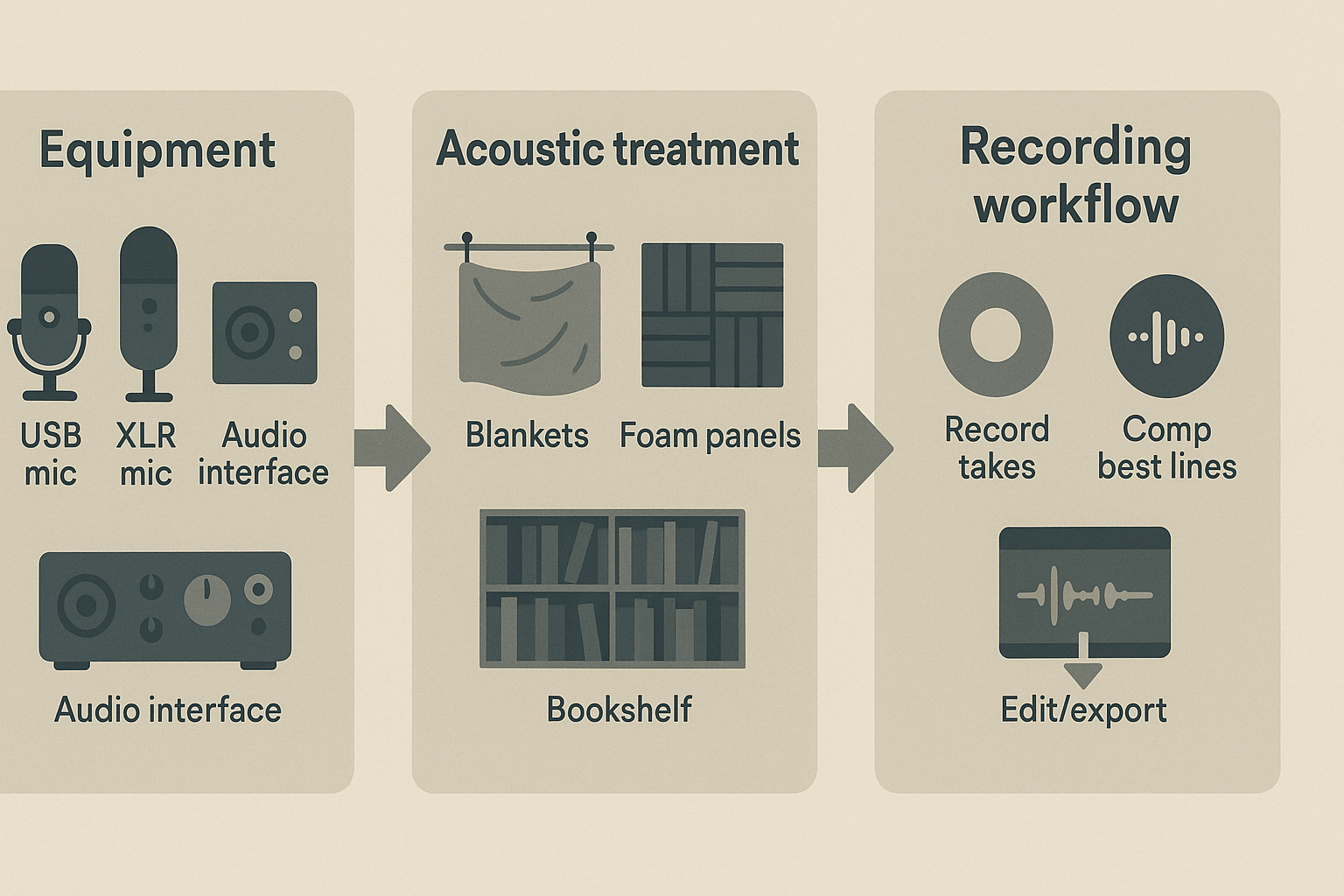
Pick a gear that fits your budget and workflow. USB mics like the Rode NT-USB or Samson Q2U plug straight into a laptop and work well for quick spots. If you want an XLR setup, consider the Audio-Technica AT2020 (condenser) or the Shure SM58 (dynamic) for durability. For a hybrid USB/XLR option, the Shure MV7 gives a polished sound with easy control.
For interfaces, the Focusrite Scarlett Solo is a reliable starter. PreSonus AudioBox USB 96 and Audient EVO 4 are compact and give clean preamps. USB pairs are fine for demos and quick client work; XLR with an interface gives more headroom and future upgrade paths.
Treat the room, cheaply
You don't need a costly vocal booth to cut reflections. Try these low-cost fixes:
-
Hang thick blankets or moving pads on reflective walls.
-
Point a bookshelf of mixed items behind you to break up reflections.
-
Use a foam panel or a DIY cardboard frame with acoustic insulation behind the mic.
-
Add a pop filter and use a solid boom or desktop stand to reduce handling noise.
Place the mic 6 to 12 inches from your mouth, slightly off-axis, and use closed-back headphones to monitor.
Quick browser or DAW recording workflow
Keep it simple and repeatable. Use a browser recorder or a DAW like Audacity, Reaper, or GarageBand.
-
Set levels: speak at a comfortable volume, aim peaks around -12 to -6 dB.
-
Record multiple takes of the full script.
-
Mark the best lines as you go.
-
Comp (compile) the best phrases into one take by copying good segments together. Comping means joining the best small parts into a single seamless read.
-
Basic edit: trim silences, add short fades, run light noise reduction, gentle EQ to remove muddiness, mild compression for evenness, and de-ess if sibilance pops. Normalize or export with peaks below -3 dB.
These steps give clean, consistent reads for commercials. With steady technique, your demo reels and client spots will sound tight and professional.
Using SSML and DupDub to craft pro-sounding ad reads
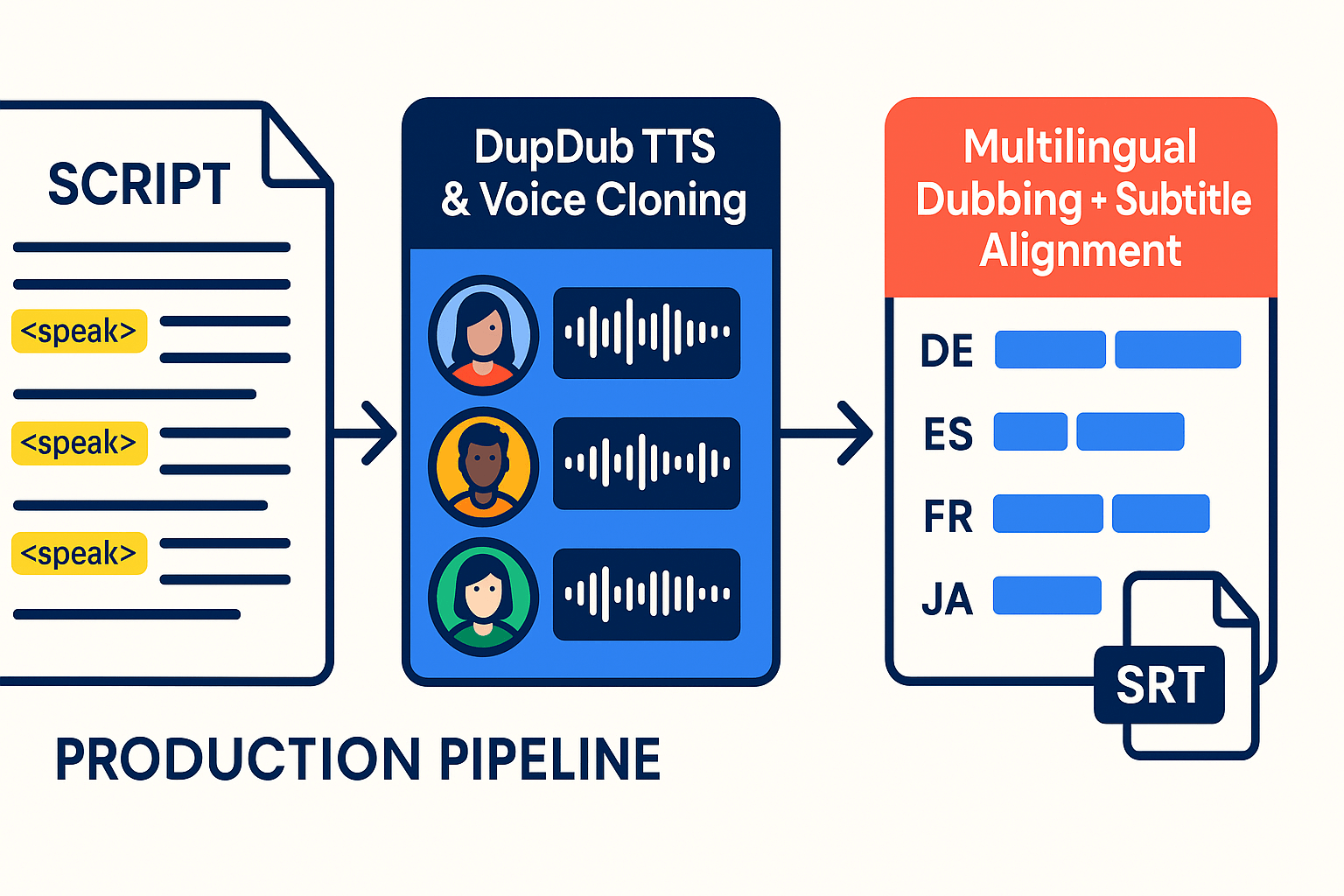
Voice actors and producers use SSML to add natural emphasis, pauses, and pronunciation fixes to short spots. Use it when you want tight timing, clearer names, or a consistent brand read for voice over commercial scripts. The examples below show quick, copy-ready tags you can drop into ad copy.
Quick SSML snippets you can use now
-
Emphasis: make a word pop without shouting. According to
Speech Synthesis Markup Language (SSML) Version 1.1, the 'emphasis' element in SSML allows text to be spoken with varying levels of emphasis, including 'strong', 'moderate', 'none', and 'reduced'. Example:
This is <emphasis level="strong">the deal</emphasis> you need.
-
Controlled pauses: align copy to visuals or beats. Example: Buy now.<break time="300ms"/>Limited stock.
-
Pronunciation fixes: force the right phonetics for names and brands. Example using phoneme: <phoneme alphabet="ipa" ph="ˈʃɑːrpi">Sharpe</phoneme>.
-
Say-as for numbers or dates: keep readbacks predictable. Example: <say-as interpret-as="telephone">8005551212</say-as>.
Use short SSML snippets inline with your script. Keep tags simple. Test in a TTS preview first.
How DupDub speeds the workflow
-
Rapid voice tests: swap voices in seconds to hear tone, pace, and emotion. This cuts audition time.
-
Voice cloning: create a brand-matched synthetic voice from a short sample. Use it to keep ads consistent across markets.
-
Multilingual dubbing with timing and subtitles: DupDub auto-aligns translated audio to the original timing and exports SRT subtitles, so localized spots match visuals and length.
-
Single web studio: record, edit, add SSML, and export MP3 or WAV without moving files between tools.
Use SSML to shape reads, then use DupDub to scale, test, and localize fast. Your demo and final spots will sound polished, consistent, and ready for global placement.
Editing and producing the final commercial spot
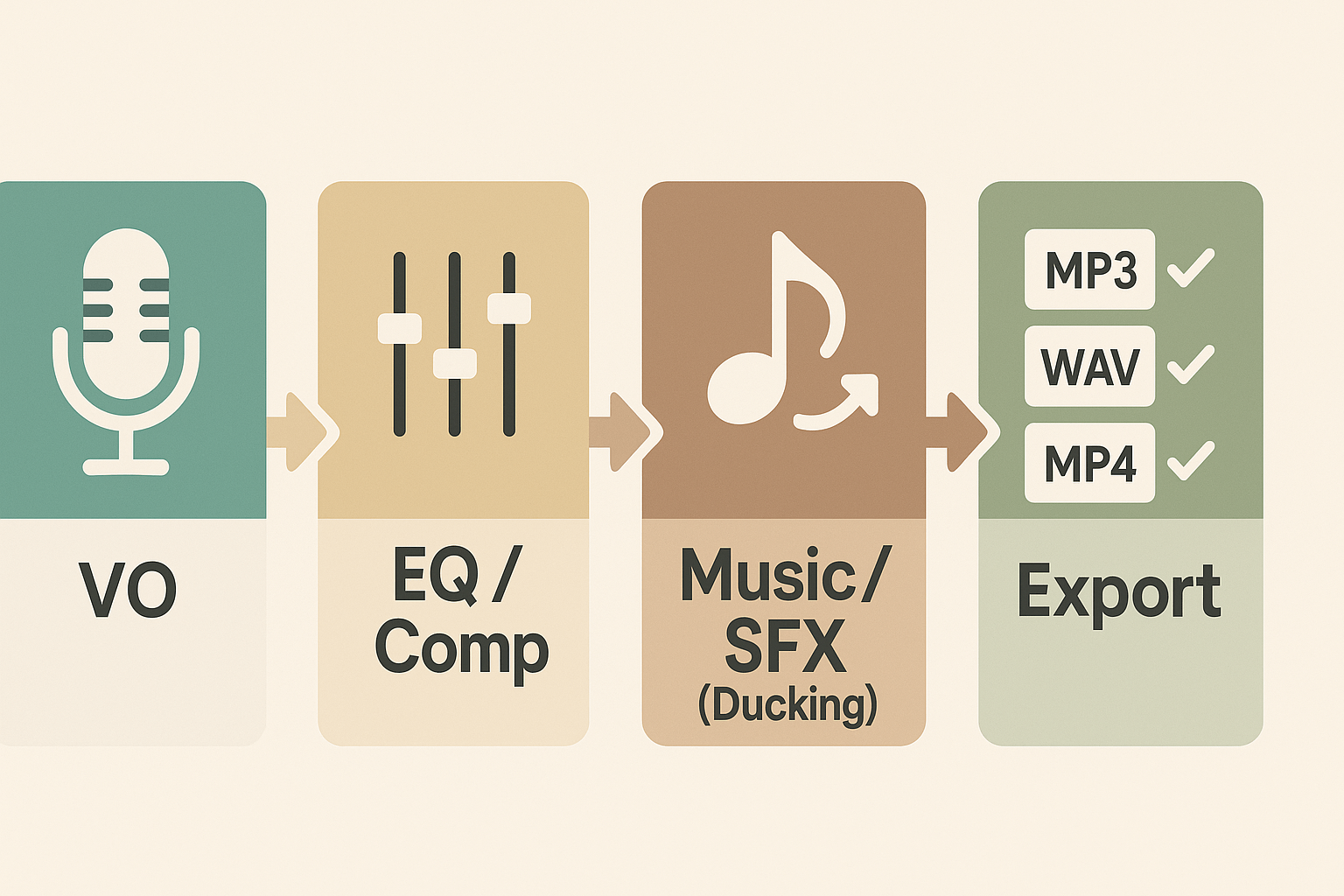
Polish and mix to make the read sound pro and sit well with music and effects. Start by cleaning the voice track, then apply gentle processing so the commercial reads clearly across phones, TVs, and streaming players. This section walks through quick EQ and compression moves, how to place music and SFX, and the final export checks for broadcasts and online platforms.
Quick mixing tips for clarity and presence
Use EQ (equalization) to remove muddiness and free up space for the voice. Roll off low rumble with a high pass at 80 to 120 Hz, notch any boxy 200 to 500 Hz build, and add a gentle presence boost around 3 to 6 kHz. Apply light compression (dynamics control) to even out peaks, aim for 2 to 4 dB gain reduction, and keep attack medium and release fast so consonants stay clear.
Music, SFX placement, and ducking
Place the music bed below the voice so the script reads front and center. Use automated ducking or a sidechain compressor to reduce the bed level only while the VO plays. Stagger SFX so they punctuate words or transitions, keep main SFX slightly off-center in the stereo field, and avoid masking key syllables.
Final export, loudness, and delivery checks
The
EBU R 128 (2023) recommendation specifies an average programme loudness of -23 LUFS. Check platform targets too, since streaming services often prefer around -14 LUFS. Export WAV for broadcast or high-quality masters (24-bit, 48 kHz), and MP3 or AAC for web delivery. Before sending, verify: correct start/end trims, metadata, no clipping, consistent loudness, and that ducking stays natural across devices.
Checklist:
-
Cleaned VO, EQed, lightly compressed
-
Music bed ducked under VO, SFX placed for impact
-
Exports: WAV master, MP3 web, MP4 for video
-
Loudness checked against delivery spec
Common mistakes, troubleshooting, and legal/licensing essentials
Start by knowing the usual traps so your spot sounds pro. This section lists the top mistakes in voice-over commercial scripts and gives fast fixes, plus a clear checklist for copyright, attribution, and consent when you use scripts or voice clones.
Top mistakes to avoid
-
Wrong tone: The voice and emotion don’t match the brand. Always pick a delivery that fits the product and audience.
-
Bad edits: Harsh cuts, audible pops, or odd breath timing break immersion. Smooth fades and crossfades fix most problems.
-
Mismatched pacing: Too fast loses clarity, too slow loses interest. Time reads to common ad lengths, and leaves room for the offer.
Quick troubleshooting for bad takes
-
Isolate the problem: listen for noise, timing, or performance issues.
-
If it’s performance, re-record short segments instead of the whole script.
-
If it’s audio, apply a noise gate, gentle EQ, and de-esser; then match levels across clips.
Legal and licensing checklist
-
Confirm commercial rights before you use a script.
-
Get written consent for likeness or voice clones, signed and dated, listing permitted uses and duration. Practical steps: draft a one-paragraph release, include payment terms, attach a sample clip, and have both parties sign an email or PDF.
-
Verify free scripts by checking the license page, looking for "commercial use allowed," and saving a screenshot of the terms.
As the U.S. Copyright Office notes in [Copyright and Artificial Intelligence, Part 1: Digital Replicas (2024)], State right of publicity laws typically apply only where the infringement occurs in advertising, on merchandise, or for other commercial purposes. For binding advice, consult a lawyer or your local copyright office.
Promoting your demo and next steps (plus DupDub trial CTA)
Get your demo heard and turn samples into bookings. This section shows where to post demos, how to craft a short commercial reel, and how to pitch agencies and small clients. Focus on clarity and relevance when you showcase voice over commercial scripts.
Where to post demos
-
Your own portfolio site, with clear play buttons and file downloads.
-
Industry platforms like Voices and general marketplaces that agencies check.
-
LinkedIn, Instagram Reels, and TikTok for short clips and contact reach.
-
YouTube with a chaptered demo reel and SEO-friendly titles.
-
Direct email to producers, with a one-click MP3 link and timestamp notes.
Craft a short commercial demo reel
Keep reels tight: 45 to 90 seconds total, with 3 to 5 varied spots. Lead with your strongest hook, then a mid-length 30-second read, then a clean tag. Include a one-line caption for each clip with tone, target audience, and usage rights.
Key reel checklist:
-
Hook first (3 to 7 seconds).
-
Show range: upbeat, conversational, and direct sell.
-
Add contact info and a brief file-use note.
Pitching to agencies and small clients
Start with a tailored subject line and a short pitch paragraph. Send only 1 or 2 relevant clips, not your whole reel. Be clear about rates, rights, and turnaround times.
Pitching tips:
-
Mention previous ad work or similar clients.
-
Offer a fast turnaround sample for approval.
-
Provide a simple license option for local and global use.
For help choosing scripts and fine-tuning SSML, see the internal Scriptwriting hub and SSML guide. Want a multilingual demo fast? Sign up with your email for a free script-selection checklist, then localize demos with DupDub to save time and keep your brand voice consistent.
FAQ — Short answers to common reader questions
-
How long should a demo reel be for voice-over commercial scripts?
Aim for 60 to 90 seconds total, with 2 to 4 short spots. Lead with your strongest 15 to 30 second commercial. Keep each clip focused: clear hook, distinct tone, and tight pacing. See the Recording basics and Editing sections for demo production tips.
-
Can I use free scripts for commercial use in ads?
Read the license before using any free script. Some are personal-use only, others allow commercial use with attribution. When in doubt, pick a licensed copy or write a short custom spot. See where to find and how to choose commercial scripts for a step-by-step workflow.
-
When should I use SSML versus natural reads for ad voiceovers?
Use SSML (Speech Synthesis Markup Language) to control pauses, emphasis, and pacing in TTS or cloned voices. Prefer a natural read for human performance or when nuance matters. Test both: SSML shines for timing and localization; natural reads win for emotion. See Using SSML and DupDub to craft pro-sounding ad reads for examples.
-
What are the legal notes on voice cloning for ads?
Always get written consent from the original speaker before cloning a voice. Check platform rules and ad disclosure laws in your region. For brand safety, lock clones to the speaker and store consent records. See the Common mistakes, troubleshooting, and legal/licensing essentials section for a checklist.




 Discord
 YouTube
 Tiktok
 Twitter
 Facebook
 Instagram