


Why people look for ElevenLabs alternatives (what to expect)
Common triggers for switching vendors
-
Pricing surprises and unclear tiers. Unexpected per-minute or per-word fees can blow budgets. Teams want predictable costs for large catalogues and recurring localization.
-
Language or voice coverage gaps. Creators need regional accents, local dialects, or niche languages. Lack of coverage forces manual fixes or multiple vendors.
-
Workflow and UI limits. Slow editors, poor subtitle alignment, or hard-to-use cloning flows waste time. Teams expect smooth end-to-end video localization.
-
Enterprise needs and compliance. Legal, privacy, and brand control needs grow with scale. Companies want contractual guarantees, data residency, and audit-ready logs.
What users typically expect from an alternative
Quick evaluation checklist to use during trials
-
Voice and language coverage: Does the platform support the required languages and accents? Test 2–3 target locales.
-
Voice cloning quality: create a clone from a short sample and test emotion and consistency.
-
Pricing transparency: model your monthly use with minutes and file counts.
-
Export formats and limits: verify MP4, WAV, MP3, SRT, and file size limits.
-
Subtitle and lip-sync accuracy: upload a 3–5 minute video and check alignment.
-
Integration and API: confirm SDKs, plugins, or automation endpoints exist.
-
Security controls: check encryption, data retention, and voice-lock policies.
-
Compliance evidence: request GDPR, CCPA, and enterprise contract info.
-
Workflow speed: measure turnaround on a typical video project.
-
Support and SLAs: test response times and onboarding help.
DupDub at a glance — core capabilities and product fit
Core capabilities
-
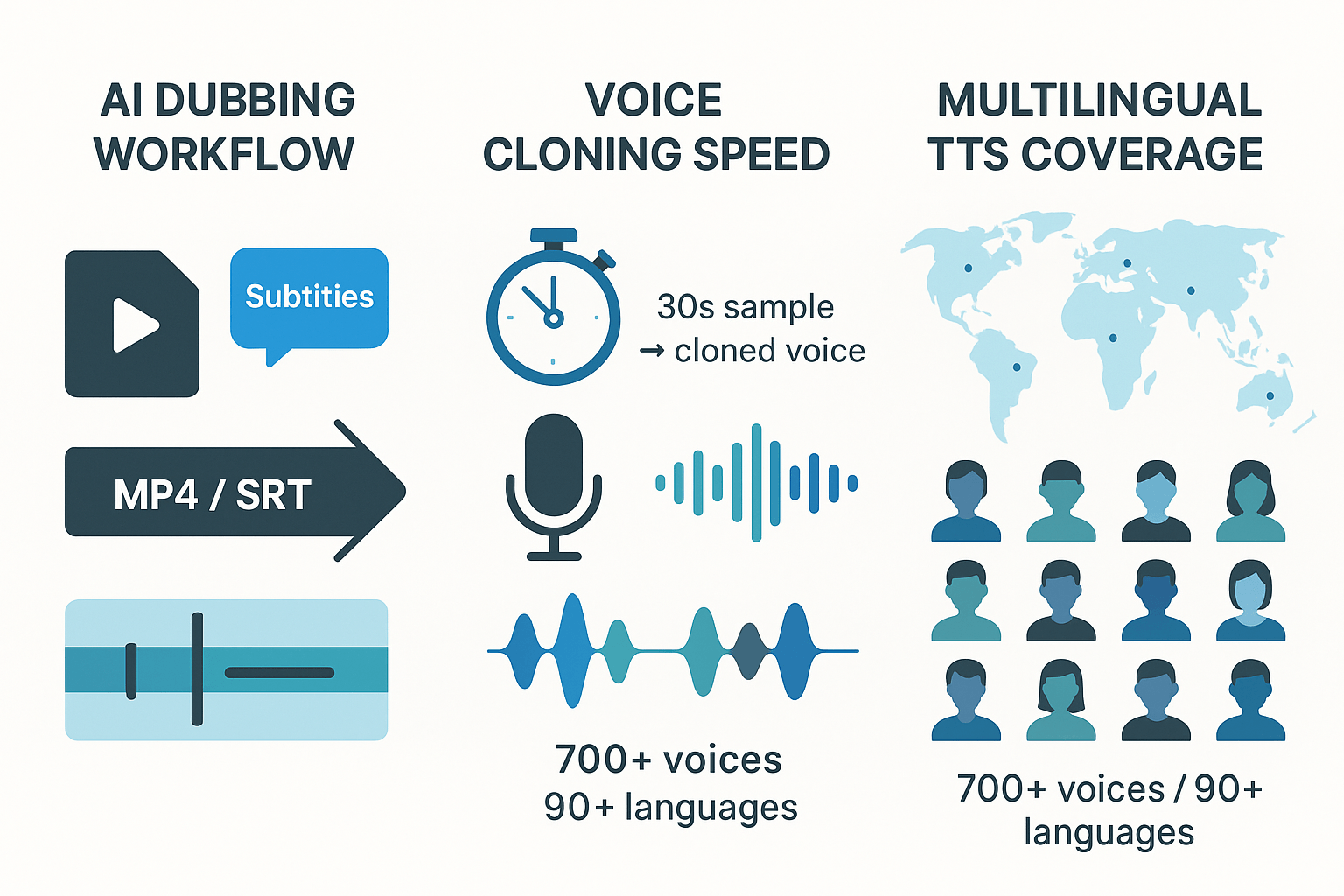
AI dubbing: full video translation, subtitle alignment, and re-voicing. Easy export to MP4 or SRT.
-
Fast voice cloning: create a synthetic voice from a 30 second sample. Use it across languages.
-
Multilingual TTS: 700 plus voices and 90 plus languages with many accents and styles.
-
Talking avatars and photo-to-speech: generate on-screen characters for localized video.
-
Speech-to-text and AI subtitles: auto-transcribe and translate 40 plus languages.
-
Browser studio, integrations, and API: edit in the cloud and automate at scale.
Who it fits: ideal customer profiles
-
Content creators: YouTubers, podcasters, and streamers localizing episodes fast.
-
Learning and development teams: eLearning voiceovers, course localization, and updates.
-
Marketing and localization groups: ad localization, product videos, and campaign repurposing.
-
Small studios and enterprises: scale dubbing with APIs and team controls.
Primary pain points DupDub solves
-
High manual dubbing costs, by replacing studios with AI workflows.
-
Slow turnaround, by automating transcription, translation, and alignment.
-
Inconsistent brand voice, with voice cloning and reusable voice assets.
-
Scaling limits, via API access and bulk processing options.
-
Data control concerns, using voice-locking and encrypted processing.
Side-by-side comparison: DupDub vs ElevenLabs (and top competitors)
Quick feature matrix
|
Capability
|
DupDub
|
ElevenLabs
|
Murf
|
Play.ht
|
WellSaid Labs
|
|
Core focus
|
AI dubbing, voice cloning, TTS
|
High-fidelity TTS, narration
|
TTS + voice cloning for creators
|
Developer TTS platform
|
Enterprise-grade TTS & voices
|
|
Languages (TTS)
|
90+
|
30+
|
20+
|
60+
|
30+
|
|
Voice cloning
|
Yes, 30s sample, 47 langs
|
Yes, high-quality cloning
|
Yes
|
Limited
|
Yes, enterprise-focused
|
|
AI dubbing/video localization
|
End-to-end video dubbing
|
Not core, mostly audio
|
No
|
No
|
No
|
|
Avatars / talking photo
|
Yes, 40+ langs
|
No
|
No
|
No
|
No
|
|
STT / subtitles
|
40+ langs
|
No
|
Limited
|
No
|
No
|
|
API & integrations
|
API, Canva, Chrome, YouTube plugin
|
API
|
API
|
API
|
API
|
|
File exports
|
MP3, WAV, MP4, SRT
|
MP3, WAV
|
MP3, WAV
|
MP3, WAV
|
MP3, WAV
|
|
Trial & pricing
|
3-day free trial, starter credits
|
Free tier + paid plans
|
Free tier + paid
|
Free tier + paid
|
Trial + paid
|
|
Enterprise controls
|
Encryption, cloning lock
|
Strong controls
|
Team features
|
Developer controls
|
Enterprise SLAs
|
Language, file-format, and workflow notes
How to judge audio quality: metrics and test checklist
-
Naturalness: Does the voice sound human, with natural pauses and intonation? Try a 30-second monologue.
-
Pronunciation: Test trademarks, names, acronyms, and foreign words.
-
Emotion/style range: Ask for neutral, upbeat, and urgent reads to test versatility.
-
Timing and lip-sync for dubbing: Compare dubbed audio against the original video for sync drift.
-
Artefacts and clipping: Listen for pops, robotic tones, or breaths at transitions.
-
Language consistency: For multilingual runs, check whether the voice keeps character across languages.
Short pros and cons (quick shortlist)
-
Pros: Video-first dubbing, broad language set, avatars, good export formats. Easy trial and credits model.
-
Cons: Voice nuance may lag behind studio-grade narration for long-form audio.
-
Pros: Very high-fidelity TTS, expressive voices, great for podcasts and audiobooks.
-
Cons: Less focus on video localization and subtitles.
-
Pros: Creator-friendly studio, simple editor, decent voices for marketing content.
-
Cons: Limited video dubbing and subtitle tooling.
-
Pros: Strong developer APIs and decent language coverage, good for web TTS.
-
Cons: Fewer tools for video dubbing and avatar workflows.
-
Pros: Polished, enterprise-grade voices and SSML control for narration.
-
Cons: Higher price, less focused on video localization.
Use cases: Who should pick DupDub (real scenarios)
-
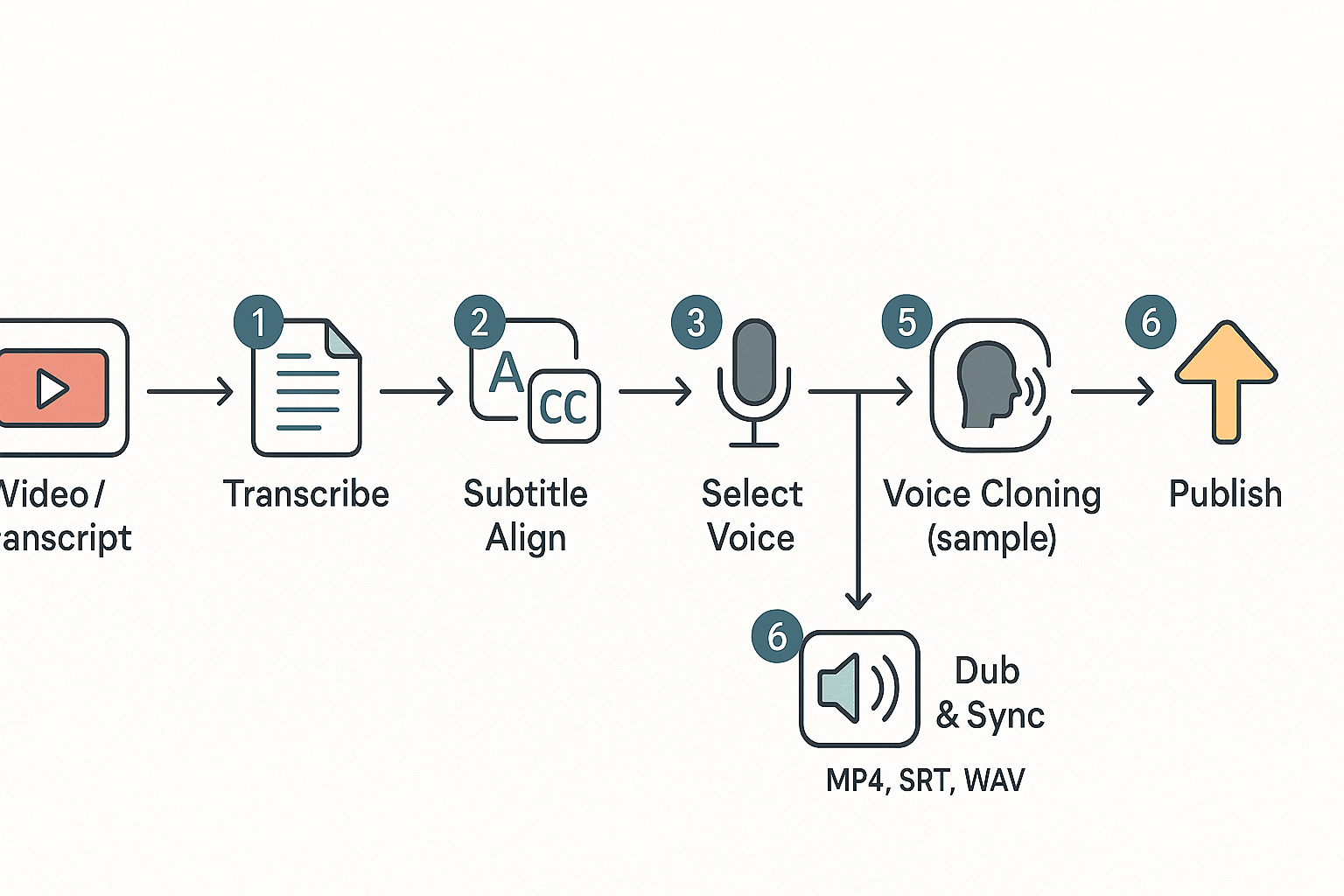
Source: video or audio file
-
Auto-transcribe and generate aligned subtitles
-
Translate subtitles and match target language timings
-
Create or select a voice: built voice or clone sample
-
Render dubbed audio, sync to video, and review edits
-
Export MP4 and SRT, publish to channels
YouTubers: fast video localization
E-learning teams: consistent cloned voices across courses
Marketing teams: repurposing assets globally
Enterprises: managing brand voice and compliance
Quick decision guide: who should pick DupDub
-
YouTubers and creators: pick DupDub if you need fast, low-cost localization.
-
L&D and e-learning: pick DupDub for cloned voices and consistent narration.
-
Marketing teams: pick DupDub to repurpose video assets at scale.
-
Enterprises: pick DupDub for voice governance and enterprise controls.
Short user story: a creator who scaled views
Short user story: an L&D rollout in weeks
Pricing & plan comparison (real cost examples and how to model spend)
How DupDub pricing works
Quick reference: plan numbers and what they mean
-
Personal: 11/month billed annually 132/year), 1,800 credits, about 25 hours Standard TTS.
-
Professional: 30/month billed annually 360/year), 6,000 credits, about 83 hours Standard TTS.
-
Ultimate: 110/month billed annually 1,320/year), 30,000 credits, about 416 hours Standard TTS.
-
Pay-as-you-go examples: 6,000 credits for $698, or smaller credit packs for short tests.
Compare cost per hour and worked examples
|
Scenario
|
Personal (approx $/hr)
|
Professional (approx $/hr)
|
Ultimate (approx $/hr)
|
Pay-as-you-go (6,000 credits)
|
ElevenLabs Creator
|
|
1 hour
|
$5.30
|
$4.34
|
$3.17
|
$8.41
|
$13.20
|
|
10 hours
|
$52.80
|
$43.40
|
$31.70
|
$84.10
|
$132.00
|
|
100 hours
|
$528.00
|
$434.00
|
$317.00
|
$841.00
|
$1,320.00
|
Cost factors that differ versus ElevenLabs
-
Voice cloning fees and limits: DupDub includes a limited number of voice clones per plan, often without separate cloning fees, while other vendors may charge per clone.
-
File-size and session caps: DupDub lists file-size and yearly-hour limits per plan; verify limits if you process long videos.
-
Enterprise contracts and support: Enterprise pricing, SLAs, and compliance add-ons are handled via contract, and costs vary by negotiation.
Practical tips to optimize costs during trials and at scale
-
Test on short samples: Use 1 to 5 minute clips in the free trial to measure quality before spending credits.
-
Use Standard voices for bulk runs: Reserve Ultra voices for final polish or hero content. Standard voices cost fewer credits per hour.
-
Batch translations and subtitles: Process transcripts and subtitle alignment in one job to cut extra passes.
-
Monitor usage and caps: Track yearly credit burn and plan hour consumption weekly during scale-ups.
-
Consider hybrid buys: For a year of steady output, subscription plans lower per-hour cost. For one-off projects, buy credit packs.
Technical integration & migration checklist
Prep work: define scope and inventory
API setup and authentication
Ordered migration steps (core flow)
-
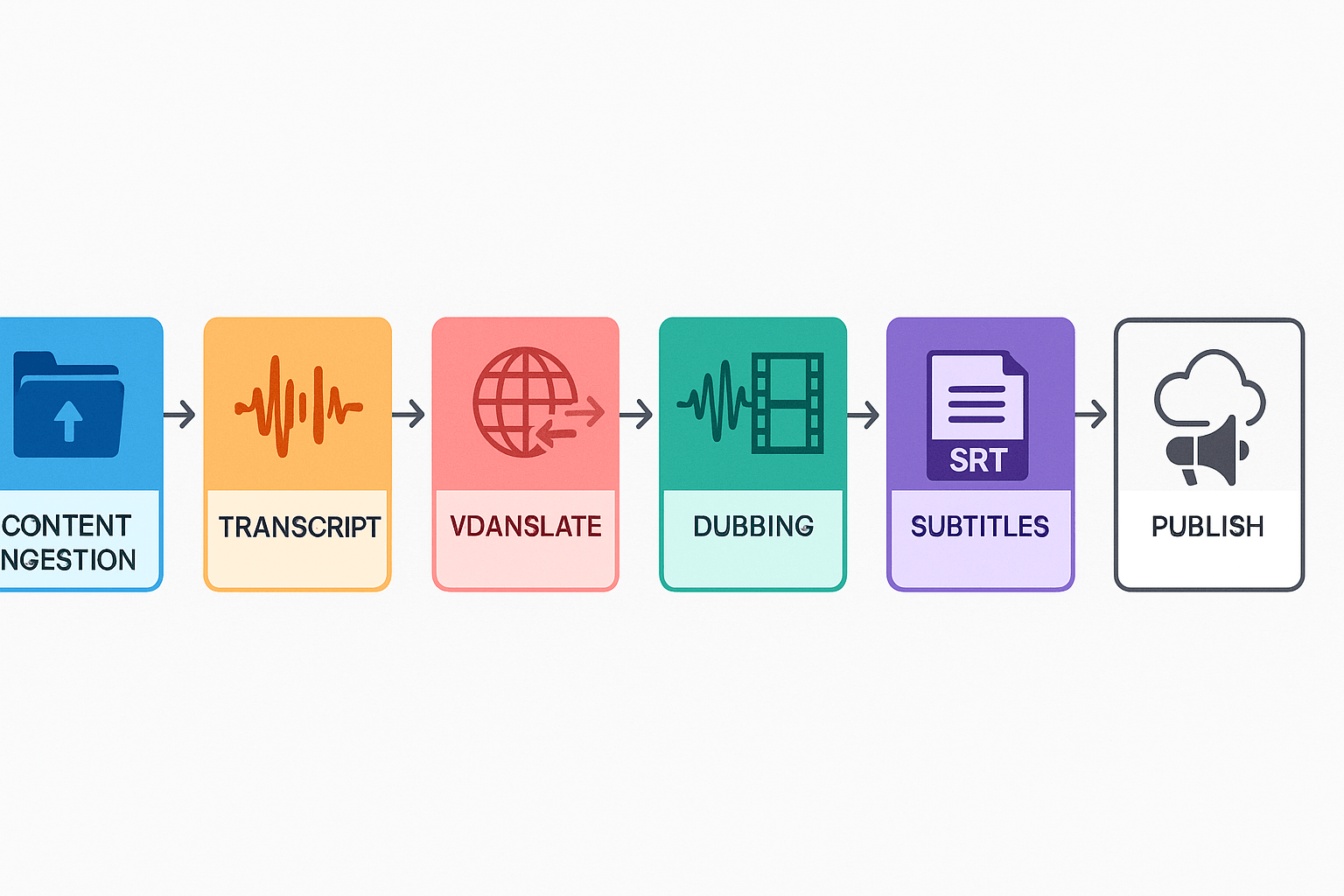
Export source assets and canonical transcripts from your CMS or storage. Use standardized file names and folders.
-
Ingest audio and video files to DupDub in batches. Prefer chunked multipart uploads for large files.
-
Run speech-to-text (STT) to generate time-aligned transcripts and speaker labels. Verify language detection.
-
Translate text for target locales using the platform translation API, or your own service. Preserve segment IDs.
-
Create or import voice clones (if needed) per speaker. Lock each clone to its source sample for traceability.
-
Generate dubs per locale using chosen voices and alignment settings. Include subtitle and caption outputs.
-
Export final assets and metadata back to your storage or CDN. Tag versions and update CMS entries.
Metadata, versioning, and rollback
Automation and orchestration tips
Common pitfalls and how to avoid them
-
Metadata loss: Always export and re-import metadata. Don’t rely on filenames alone.
-
Language mismatch: Enforce language codes and test detection on short clips.
-
Voice drift: Validate voice clones with 30-second samples in each target language.
-
File size limits: Chunk uploads and compress for transport while keeping master copies lossless.
-
Missing captions: Auto-generate subtitles but include human QA for timing and context.
Recommended workflow diagram (content -> translate -> clone -> dub -> publish)
Quick migration checklist
-
Inventory files, owners, and metadata.
-
Create API keys and test auth.
-
Script batch uploads with metadata preservation.
-
Automate STT, translate, clone, and TTS steps with webhooks.
-
Version outputs and keep rollback copies.
-
Run voice quality and subtitle QA pass before publish.
Privacy, security & compliance (what teams must verify)
Verify voice locking and consent controls
Confirm encryption, access, and data handling
Retention, deletion, and lawful basis
Ask vendors: a checklist legal and procurement can use
-
Do you lock cloned voices to the original speaker, and how is that enforced?
-
Is encryption used in transit and at rest, and who manages keys?
-
What is your default data retention period, and can we override it?
-
Do you sign a Data Processing Addendum (DPA) with GDPR clauses and subprocessors list?
-
How do you support CCPA opt-out and data subject access requests?
-
Do you provide breach notification timelines and incident response SLAs?
-
Can we run security audits or get SOC 2/ISO 27001 reports?
-
Who owns the synthetic voice and generated content by contract?
-
How are cross-border transfers handled, and which legal mechanisms do you rely on?
Special considerations for regulated industries
How to evaluate voice quality and run your tests (metrics & checklist)
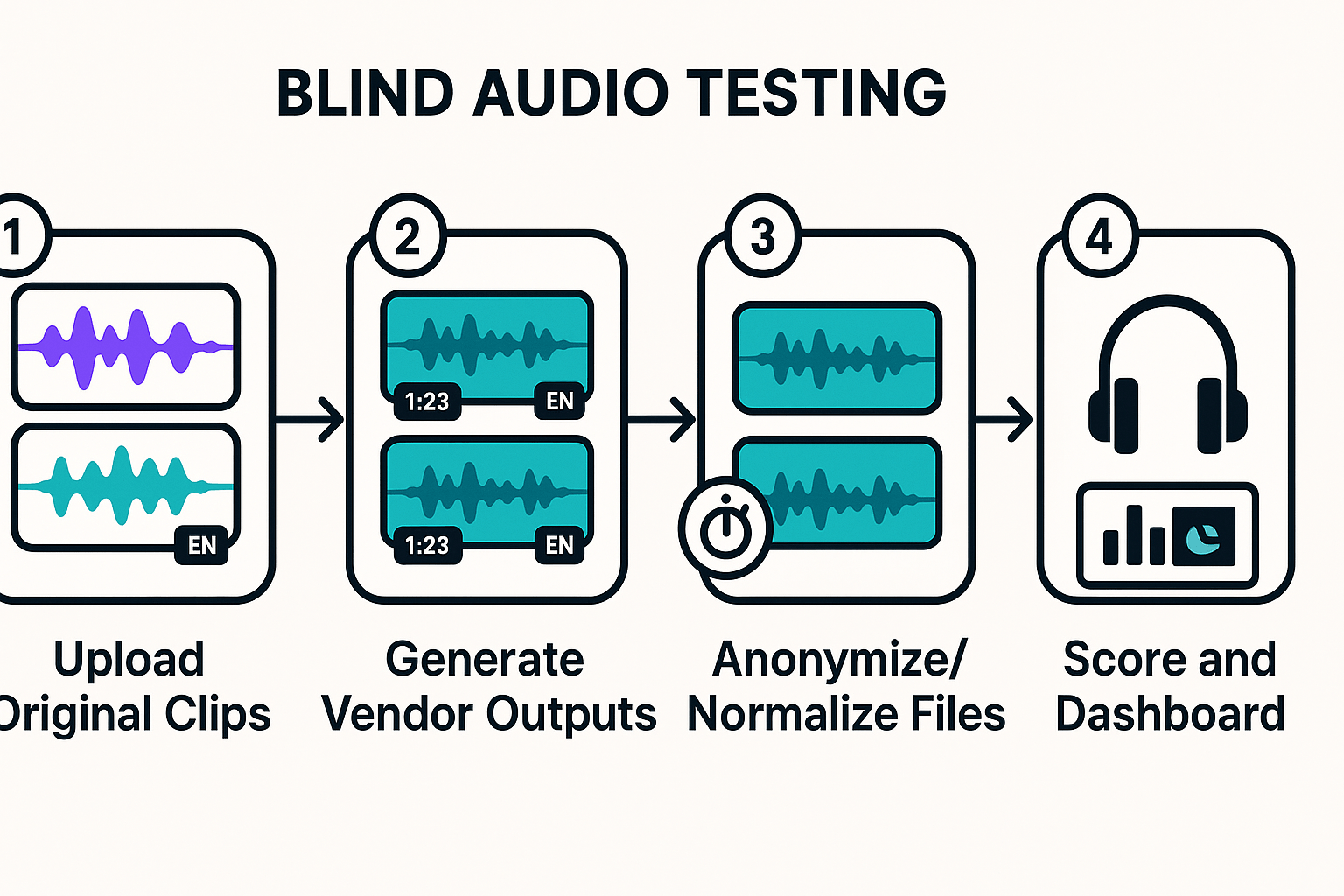
Quick A/B testing protocol: reproducible and blind
-
Prepare source set: pick 10 clips per persona, 20–60 seconds each. Include quiet and noisy recordings.
-
Generate outputs: same text, same voice style, same language settings. Save filenames anonymously.
-
Normalize levels: match RMS loudness across outputs. This avoids loudness bias.
-
Randomize and anonymize files: shuffle vendor labels before testing.
-
Blind listen and score: collect MOS-style naturalness scores and yes/no checks for alignment.
-
Collect logs: record generation time and round-trip latency for each file.
-
Repeat at least twice for consistency.
Objective metrics to record
-
Signal-to-noise ratio (SNR): measure output SNR in dB, compare to original. Use consistent windows.
-
PESQ / MOS-style quality: use perceptual tests and automated PESQ tools. Note that ITU-T Recommendation P.862 (2001) provides an objective method for end-to-end speech quality assessment of narrow-band telephone networks and speech codecs.
-
Prosody accuracy: compute pitch and energy RMSE versus a human reference, or use correlation scores for F0 contour.
-
Alignment for dubbing: measure subtitle or transcript word-level time offset mean absolute error in milliseconds. Aim for sub-200 ms average for good lip sync.
-
Latency: measure cold-start and steady-state generation delays. For live dubbing, round-trip latency under 500 ms is ideal.
-
Intelligibility: run a short ASR pass and compute Word Error Rate (WER) to detect distortions.
Persona-based checklist and scoring
-
Naturalness: 1–5
-
Breath and pacing: 1–5
-
Stable quality across long files: pass/fail
-
Lip-sync alignment: milliseconds and pass/fail
-
Prosody match to source intent: 1–5
-
Subtitle timing preserved: pass/fail
-
Impact and clarity in noisy listening: 1–5
-
Style variety and punchiness: 1–5
-
Consistent voice identity over hours: pass/fail
-
Low artifact rate per hour: numeric rate
-
Clear intonation for screen readers: 1–5
-
Accurate punctuation handling: pass/fail
How to score and decide quickly
FAQ — common questions about DupDub as an ElevenLabs alternative
-
Is DupDub better than ElevenLabs for voice cloning?
It depends on your needs. DupDub is strong for fast multilingual cloning and end-to-end dubbing, supporting clones across many languages from short samples. If you prioritize highly expressive single-language narration, compare both tools using a short script and evaluate prosody, lip sync, and brand fit.
-
Can DupDub handle enterprise data and secure large-scale localization?
Yes. DupDub uses encrypted processing and keeps cloned voices tied to the original speaker. For enterprise deployments, verify data residency, SSO, role-based access, and contractual terms. Request a security review and compliance documentation during procurement.
-
How does DupDub pricing scale for teams and projects?
DupDub offers a free trial, tiered subscription plans, and pay-as-you-go credits. Lower tiers suit individuals, while higher tiers provide more TTS hours and features for teams. Choose based on expected usage and scale needs.
-
How do I start a trial and migrate from ElevenLabs?
Begin with the free trial, upload a sample, create a voice clone, and run a short dubbing test. For migration, export existing assets, create test clones, validate quality and localization, update integrations, and rotate API keys before scaling.

 Discord
 YouTube
 Tiktok
 Twitter
 Facebook
 Instagram