Why Emotion TTS Matters and How to Design Lifelike Emotional Voices

Today 16:0813 mins read
Share to
Contents

TL;DR — What you'll learn about emotion TTS and DupDub

This guide explains emotion TTS (speech synthesis that conveys feelings) and why it changes how audiences connect with audio and video. You'll get a plain technical primer on how emotion-enabled neural TTS works, step-by-step voice design tips, and practical comparisons of current market tools and tradeoffs.
Quick verdict: emotional synthesis boosts engagement for narrated courses, characters, and ads, and it helps accessibility by matching tone to content. It's less useful for short system prompts or strictly factual alerts.
Primary next actions:
  • Test two voice modes: neutral and emotional, on the same script.
  • Run a short A/B test on retention or comprehension.
  • Confirm consent, privacy, and export limits before cloning voices.
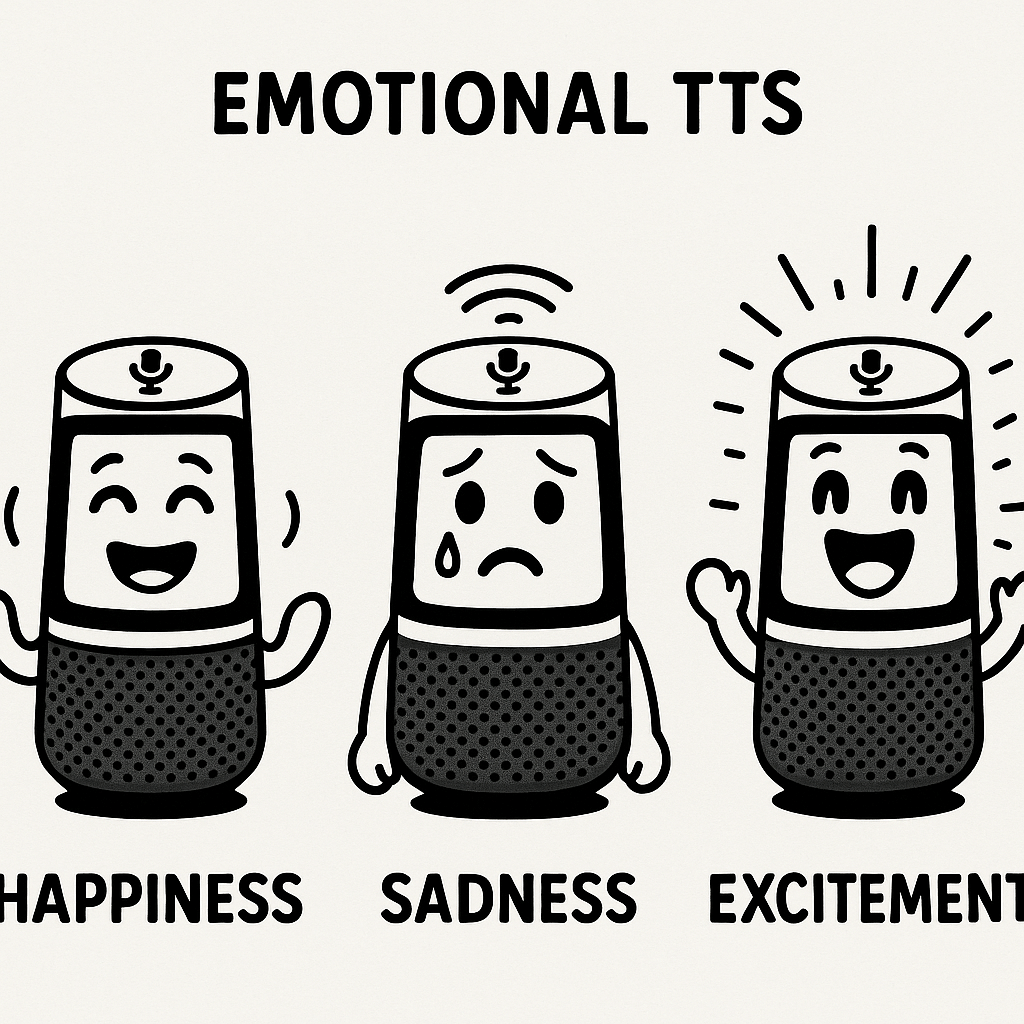
Emotion TTS means giving synthetic voices real feeling. It makes a computer voice sound happy, worried, calm, or surprised, so listeners understand tone as well as words. That extra emotional layer boosts clarity, trust, and memory for listeners.

Core terms made simple

Here are four short definitions you’ll use when designing emotional speech. Each term matters when you tune a voice for a podcast, course, or marketing spot.
  • Nuance (small expressive changes): tiny timing or emphasis shifts that change meaning. Nuance helps a line feel sincere or playful.
  • Prosody (rhythm and intonation): the pattern of rises and falls in speech. Good prosody makes sentences flow and shows whether a line is a question or a fact.
  • Pitch (highness or lowness of voice): changes in pitch signal emotion and focus. A higher pitch can feel excited, a lower pitch can feel calm.
  • Timbre (voice color): the unique texture of a voice, like breathiness or warmth. Timbre makes one synthetic voice sound distinct from another.

Why emotional speech matters today

Emotional TTS drives results that teams care about. It raises engagement, especially in short video and audio formats. It also improves accessibility, helping neurodiverse listeners and users with hearing or processing differences. Localization becomes easier too, because matching local emotional style makes translated content feel native.
  • Engagement: Listeners stay longer and respond better to expressive narration.
  • Accessibility: Emotional cues reduce misunderstandings for diverse learners.
  • Localization: Emotion-aware voices preserve intent across languages.

How emotion-enabled neural TTS works (technical overview)

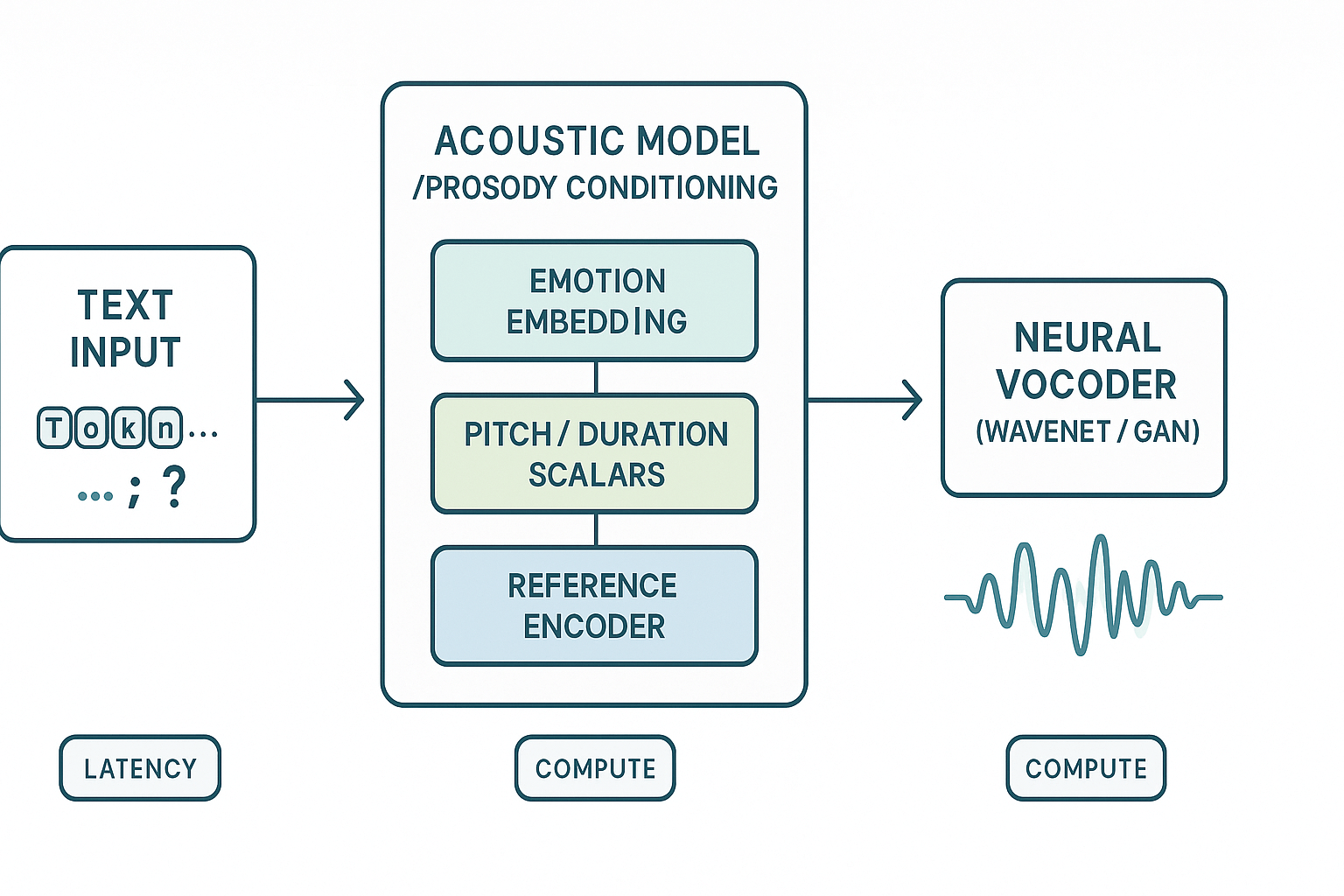
Emotion TTS blends standard text-to-speech pipelines with signals that change tone, timing, and energy. It starts like any neural TTS system: text is mapped to an intermediate acoustic representation, then a neural vocoder turns that into waveform audio. Emotion conditioning alters the intermediate step so the final voice sounds sad, excited, or calm.

Core building blocks

Acoustic model: converts text or phonemes into spectrograms (visual pitch and energy maps). It handles rhythm, pitch contours, and coarse prosody (stress and pause). Some systems use an acoustic context encoder and a textual context encoder to aggregate context information and feed it to the TTS model, enabling prediction of context-dependent prosody, as shown by Improving Speech Prosody of Audiobook Text-to-Speech Synthesis with Acoustic and Textual Contexts (2023).
Vocoder: a neural module that synthesizes waveform audio from the spectrogram. Modern vocoders like WaveNet variants or GAN-based models prioritize audio fidelity and naturalness while aiming for lower compute.

How emotion conditioning works

Emotion conditioning adds control vectors to the acoustic model. These can be:
  • Learned embeddings that represent discrete emotions (happy, neutral, angry).
  • Continuous prosody controls for pitch, duration, and intensity.
  • Style tokens or reference encoders that copy prosodic features from a sample.
At inference the model combines text features with an emotion embedding and prosody scalars. That steers pitch contours and timing to match the desired feeling.

Voice cloning and cross-lingual mapping

Voice cloning extracts a speaker embedding from a short sample. The TTS model uses that embedding plus emotion and language conditioning to generate the same voice in other languages. This relies on disentangling speaker timbre, prosody, and phonetic content.

Trade-offs creators should know

  • Latency: smaller acoustic models and neural vocoders reduce delay but can lose subtle expression.
  • Compute: high-fidelity vocoders need GPUs for real-time synthesis.
  • Perceived quality: more parameters usually produce more natural emotion, but require careful tuning.
For creators and engineers, the goal is a balance between realtime needs and expressive quality. Test real content and iterate on embeddings and prosody scalars.

DupDub deep dive: emotion, nuance and pitch controls

Emotion controls matter because they change how listeners connect to a voice. This section maps the main emotion TTS controls to DupDub’s modules, and it lists cloning requirements, supported languages, export options, integrations, and security claims. Use this to judge fit for workflows like video dubbing and podcast narration.

Map controls to DupDub modules

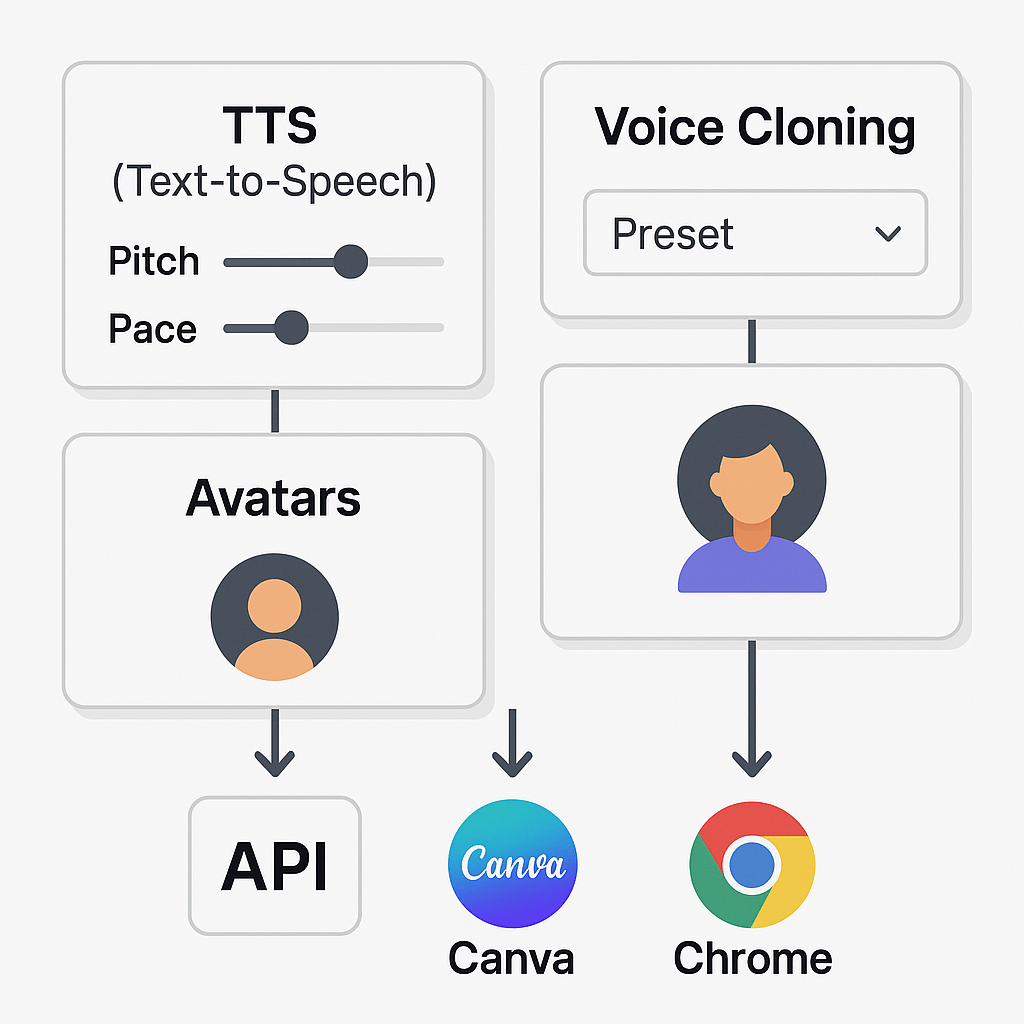
DupDub splits expressive controls across a few places. Key mappings:
  • Presets and styles: choose a base mood, like neutral, warm, or excited. Presets alter timbre and phrasing.
  • Pitch and pace sliders: fine tune pitch (higher or lower) and speed independently. Small changes make speech feel more natural.
  • Voice cloning options: clone a speaker, then layer emotion styles or manual sliders for nuance.
  • Avatars and dubbing studio: apply the same voice with synced subtitles and video alignment for localization.

Cloning samples, languages, exports, and security

According to DupDub Voice Cloning, the voice cloning feature supports 47 languages and over 50 accents. Below is a quick reference table for practical limits and integrations.
Feature
Details
Cloning sample
30 second sample creates a synthetic voice (multilingual)
Supported languages & accents
47 languages, 50+ accents (see product docs)
Export formats
MP3, WAV, MP4, SRT
Integrations
API, Canva, Chrome extension, YouTube transcript plugin
Security & compliance
Cloning locked to original speaker, encrypted processing, GDPR-aligned
Voice clones per plan
Free trial: 3; Personal: 3; Professional: 5; Ultimate: 10
This layout helps you pick controls for different projects. For a podcast, bias toward natural pacing and subtle pitch shifts. For video dubbing, use presets for consistent brand tone and avatars for visual sync.
Infographic of DupDub modules with labeled TTS controls, voice cloning presets, and connections to API, Canva, and Chrome integrations.

Step-by-step: Designing an emotional voice in DupDub

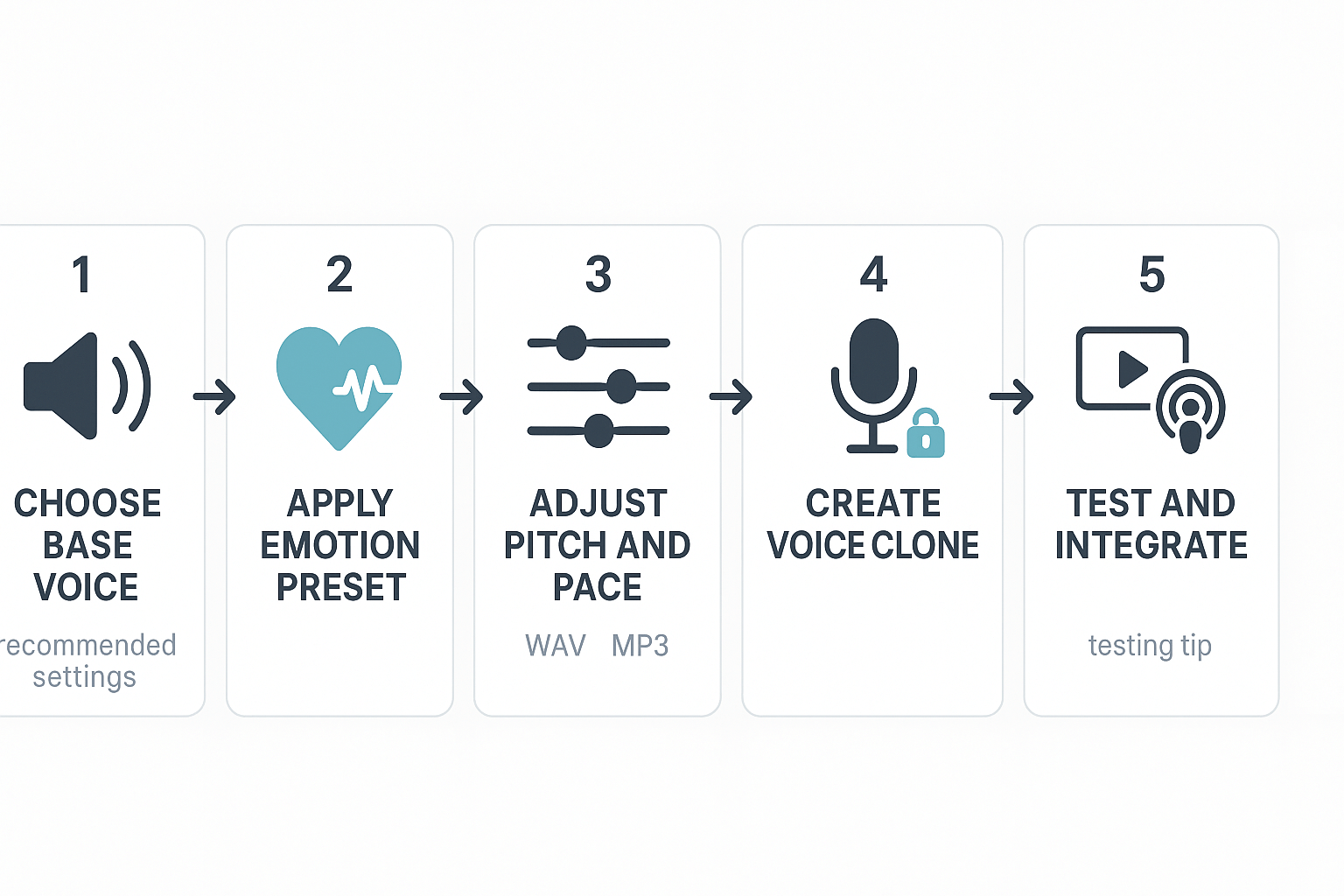
Start by picking a friendly base voice, then layer an emotion preset and tune small controls for pitch, pace, and phrasing. This hands-on walkthrough shows how to create a clone, capture clean samples, run quick A/B tests, and drop the final audio into video or podcast workflows. You’ll see practical choices that save time while keeping brand voice consistent and expressive for your audience.

1) Choose a base voice and emotion preset

Begin with a voice that matches your target audience: warm for e-learning, energetic for marketing, calm for accessibility. In DupDub, pick a close match from the 700+ voices, then apply an emotion preset like joyful, neutral, or empathetic. The preset gives you a solid starting point so you don’t tweak from scratch.

2) Adjust pitch, pace, and intonation

Make small adjustments, not big jumps. Lower pitch by 1 to 3 semitones for authority, raise it slightly for friendliness. Slow pace by 5 to 10 percent for clarity, speed up a touch for snappy promos. Use intonation controls to emphasize key words and to avoid a flat, robotic sound.

3) Create a voice clone when you need consistency

Record a 30 second sample to clone a presenter voice, following DupDub’s cloning flow. Use clean room recording, a pop filter, and 44.1 kHz WAV if possible. Label samples clearly and store them with project notes for future reuse.

4) Quick A/B testing methods

Export two short versions, A and B, that differ by only one variable: pace or pitch. Play them to a small panel or use in a live video segment to measure engagement. Keep tests under 30 seconds so listeners focus on tone, not content.

5) Integrate the final audio into workflows

For videos, replace the original track in your editor and align subtitles using DupDub’s subtitle export. For podcasts, render the audio as WAV, run a single-pass loudness normalize, then insert into your session. Save the voice clone and a settings snapshot to maintain brand consistency.

Best tips and troubleshooting

Use short annotation notes when cloning so your team knows intended use. If a voice sounds thin, add slight midrange boost and slow the pace. When in doubt, prefer small incremental changes, test, and iterate.

Use cases and mini case studies (real-world impact)

Emotion TTS can change how audiences connect with voice content. These short case studies show practical wins in e-learning, paid ads, and accessibility. Each example notes a measurable gain and a brief user quote for credibility.

E-learning: higher course completion and recall

A training provider added subtle emotional cues to narration. Learners completed courses faster, and average module completion rose by 18 percent. Instructional designers also cut rework time, since fewer edits were needed to match tone across lessons. "Students stayed with lessons longer and recalled core steps better," said an instructional designer.

Marketing: better ad performance and CTR

A small agency swapped flat voiceovers for emotion-aware variants in short ads. Click-through rates rose about 12 percent, and conversion cost dropped. The team sped up ad iteration, using voice parameters to test several tones in one day. "We tested cheerful and sincere reads and found a clear lift in engagement," said a marketing lead.

Accessibility: clearer audio for neurodiverse listeners

An accessibility team used warmth and pacing controls to help neurodiverse users follow content. Drop-off during audio narration fell, and comprehension checks improved by roughly 20 percent. The simple workflow change let the team publish alternate audio tracks without new recording sessions. "Adjusting pitch and pause made a real difference," said an accessibility specialist.
Key outcomes at a glance:
  • E-learning: +18 percent completion, faster content fixes.
  • Marketing: +12 percent CTR, lower acquisition cost.
  • Accessibility: +20 percent comprehension, fewer re-records.
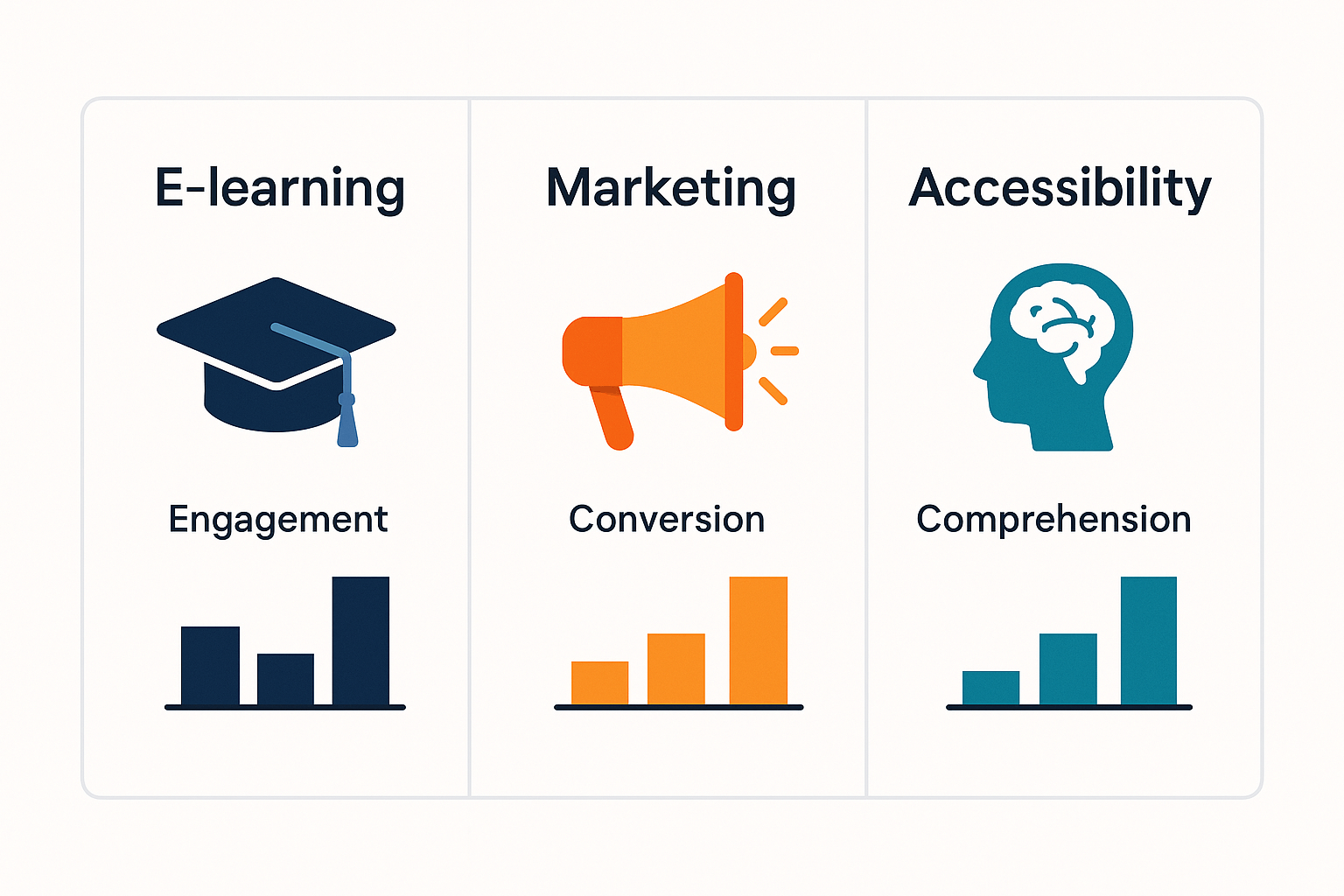
This side-by-side look helps you pick a vendor for emotion TTS and real-world voice work. It focuses on emotion controls, cloning limits, language reach, export formats, and integrations. Read the table, then see a short pricing snapshot and a balanced summary to guide your choice.

Feature comparison table

Feature
DupDub
ElevenLabs
Murf AI
Play.ht
Speechify
Synthesys
Emotion controls (granularity)
Fine-grained emotion, nuance, pitch sliders
Strong expressive styles, prosody controls
Mood presets, limited fine control
Style tokens and SSML support
Basic expressive voices
Preset emotional styles
Voice cloning limits
3-10 clones by plan; 30s sample
Multiple clones, commercial options
1-5 clones per plan
Clone options via pro plans
Focus on narration, fewer clones
Voice cloning on premium tiers
Language coverage
90+ TTS, 47 clone languages
Wide language set, mainly TTS
50+ languages
70+ languages
30+ languages
40+ languages
Export formats
MP3, WAV, MP4, SRT
MP3, WAV
MP3, WAV, SRT
MP3, WAV
MP3
MP3, WAV
Integrations & API
Canva, Chrome plugin, API, YouTube tools
API, SDKs, plugin ecosystem
API, LMS connectors
API, WordPress, Zapier
Chrome reader, apps
API, studio integrations

Pricing snapshot and best-fit buyers

  • DupDub: Free 3-day trial; Personal $$11/yr, Professional$$30/yr, Ultimate $110/yr. Best for creators who need dubbing, cloning, and avatars in one place.
  • ElevenLabs: Premium pricing, strong if you need highly natural read voices and SDK access. Good for publishers and audiobooks.
  • Murf AI: Mid-market, strong studio tools for e-learning. Good for instructional designers.
  • Play.ht: Value option for multi-voice TTS at scale. Good for blogs and simple narration.
  • Speechify: Reader-first, helpful for accessibility and personal use.
  • Synthesys: Studio-focused, useful for marketing voiceovers.

Quick summary: strengths and trade-offs

DupDub bundles dubbing, cloning, avatars, and wide language support. ElevenLabs leads on raw voice realism and expressive nuance. Murf and Play.ht are solid for course and bulk narration. Speechify excels for accessibility readers. Synthesys suits short marketing spots. Choose based on whether you need dubbing and avatars, deep emotion controls, or low-cost bulk TTS.

Ethics, privacy & compliance for emotional TTS

Emotional synthetic voices add expressive range, but they also raise legal and ethical risks creators must manage. Treat emotion tts outputs as sensitive personal data when they derive from a real person. Do not clone or publish a voice without clear, documented consent.
According to European Data Protection Board (2025), Under the GDPR, consent must be freely given, specific, informed, and unambiguous, with individuals having a genuine choice and the ability to withdraw consent without negative consequences. Follow that baseline when collecting training audio.

Action checklist for teams

  • Get written consent that describes use cases and emotional styling. Keep a signed record.
  • Minimize data: use only the audio needed for a clone.
  • Encrypt files in transit and at rest, and limit access to keys.
  • Set retention limits and audit logs for voice models.
  • Publish a responsible-use policy that bans impersonation and misuse.
Keep transparency with audiences, and consult legal counsel for enterprise deployments.

Limitations, troubleshooting and best practices for voice design

Emotion TTS can add power, but it has limits. Expect less natural nuance on extreme emotions, occasional timing or prosody quirks, and reduced accuracy for very short clips. Test early, because these systems (including voice cloning) are sensitive to prompt phrasing and input quality.

Quick fixes for common production issues

  • Flat or robotic delivery: add short parentheticals like (softly), (surprised), or increase emotion intensity parameter. Test several variants.
  • Mis-timed breaths or pacing: insert commas and pause tokens, or use explicit SSML pauses for fine control.
  • Odd consonant clipping or sibilance: try a different voice model or lower pitch modulation.

Voice design best practices

  • Start with a reference script, record human demos, and match prosody in prompts. Keep sentences short. Iterate with A/B tests.
  • Use consistent style guides for brand tone and accessibility.

When to combine synthetic and human voice

Use hybrid tracks when emotional authenticity matters, for example customer support, narrative peaks, or legal reads. Synthetic voice is great for scale; human is best for subtle realism.

Final QA checklist

  1. Listen for emotion accuracy and timing. 2. Check transcription and subtitles. 3. Validate privacy flags and consent for clones.

FAQ — People also ask + action items

  • Is emotion TTS legal for commercial voice cloning?

    Short answer: usually yes, but it depends. Commercial use is legal when you own the voice or have clear consent. Laws vary by country, so check local right-of-publicity rules and platform terms.

  • How realistic are emotional TTS voices in production environments?

    Modern neural models can sound very natural for many use cases. Expect high realism for narration, e-learning, and localized video. But edge cases like nuanced acting still need human review.

  • Do I need consent to create a voice clone with emotion TTS?

    Yes, always get explicit consent from the speaker. Written permission protects you from legal and ethical risk. For public figures, platform rules may still forbid cloning without permission.

  • Which industries fit emotion-enabled TTS for accessibility and e-learning?

    Top fits include e-learning, customer support, marketing, and media localization. Use cases: audio descriptions, interactive lessons, personalized marketing, and dubbed content for global audiences.

  • What quick action items should I follow to try emotion TTS safely?

    1. Test with non-identifying samples or your own voice.
    2. Read terms and get written consent for clones.
    3. Start a small pilot to evaluate quality and workflow.
    4. Compare plans and developer options before scaling.

Experience The Power of Al Content Creation

Try DupDub today and unlock professional voices, avatar presenters, and intelligent tools for your content workflow. Seamless, scalable, and state-of-the-art.