TL;DR — Quick roadmap to launch faceless reels
A one-page roadmap to get a faceless reels clip live, fast. You’ll learn quick planning, voice creation, subtitle sync, and publishing steps that boost reach.
-
Pick one clear idea and a strong hook.
-
Write a 20–30 second script with a hook and CTA.
-
Create voice-over using TTS or a cloned voice, then match pacing.
-
Auto-generate and tweak subtitles for clarity and timing.
-
Add simple motion, captions, and a platform-optimized thumbnail.
-
Publish, test two thumbnails, and iterate on top-performing hooks.
Who this is for: beginners, busy creators, and social managers who want quick wins without appearing on camera. One-line summary: follow the steps to launch your first faceless clip, or jump to the step you need in the full guide for tool choices, legal checks, and scaling tips.
Why faceless reels work (and when to use them)
Faceless reels grab attention fast because they remove social friction. Viewers process visuals and sound quickly, so a clear hook and strong audio can beat a slow talking-head intro. If you want consistent output without being on camera, faceless formats scale well.
Why they capture attention
Short-form attention favors clear, repeatable signals. Visuals, captions, and voiceovers (real or synthetic) give instant context. Algorithms reward high watch time and replays, and faceless edits often stack quick cuts and caption hooks that keep viewers watching.
Best niches and use cases
-
Product demos and unboxings, where close-ups sell the detail.
-
How-to clips and step-by-step tutorials that show hands, screens, or slides.
-
Listicles and micro-tips, which rely on pacing and captions.
-
Audio-first content, like narrated quotes, summaries, or translated clips.
-
Compilation or reaction style videos that highlight clips, not faces.
-
Branded voiceover series where brand voice consistency matters.
Quick pros and cons
|
Pros
|
Cons
|
|
Faster output, you can batch-produce content.
|
Harder to build personal rapport with viewers.
|
|
Easier localization with AI dubbing and subtitles.
|
Risk of lower trust in sensitive niches.
|
|
Good for niche authority and list-based formats.
|
May perform worse for personality-driven content.
|
Use faceless reels when speed, scale, or localization matter. If your brand needs a personal connection, mix in on-camera posts occasionally. That hybrid keeps reach high while building trust.
Legal & ethical checklist for faceless reels
Making faceless reels lowers privacy risk, but it does not remove legal obligations. This section covers copyright for music and clips, safe use of third-party footage, and consent rules for voice cloning and likeness. Follow the short steps below to cut risk and know when to get counsel.
Copyright, music, and fair use
Music and film clips are protected by copyright, so always check licensing before you publish. For fair use context, see the
U.S. Copyright Office Fair Use Index, which provides a searchable database of court opinions to help understand the principles and application of fair use in copyright law. When in doubt, use licensed music, platform libraries, or royalty free tracks with clear terms.
Safe use of third-party footage
Only reuse clips when you hold the rights or have a license. For user generated content obtained from other creators, get written permission that states how you will use the clip. Keep records of licenses and messages, and prefer downloads or links that show timestamps and usernames.
Voice cloning, avatars, and likeness consent
If you use synthetic voices or cloned speech, get explicit consent from the original speaker in writing. State where the voice will appear, in which languages, and how long you will store recordings. Platforms may require extra disclosure if you use a cloned voice to impersonate a real person.
Practical steps to reduce risk:
-
Use licensed music or platform audio libraries.
-
Obtain written permission for third-party clips and save proof.
-
Get clear, timebound consent for voice cloning and avatars.
-
Add on-screen credits or captions noting source and license.
-
Keep a rights log for each published reel.
When to seek legal advice
Talk to a lawyer if you plan to monetize heavily, use high-profile likenesses, or face a takedown claim. Legal help is also wise for enterprise localization or voice cloning at scale.
Tools & workflow overview: where DupDub fits in
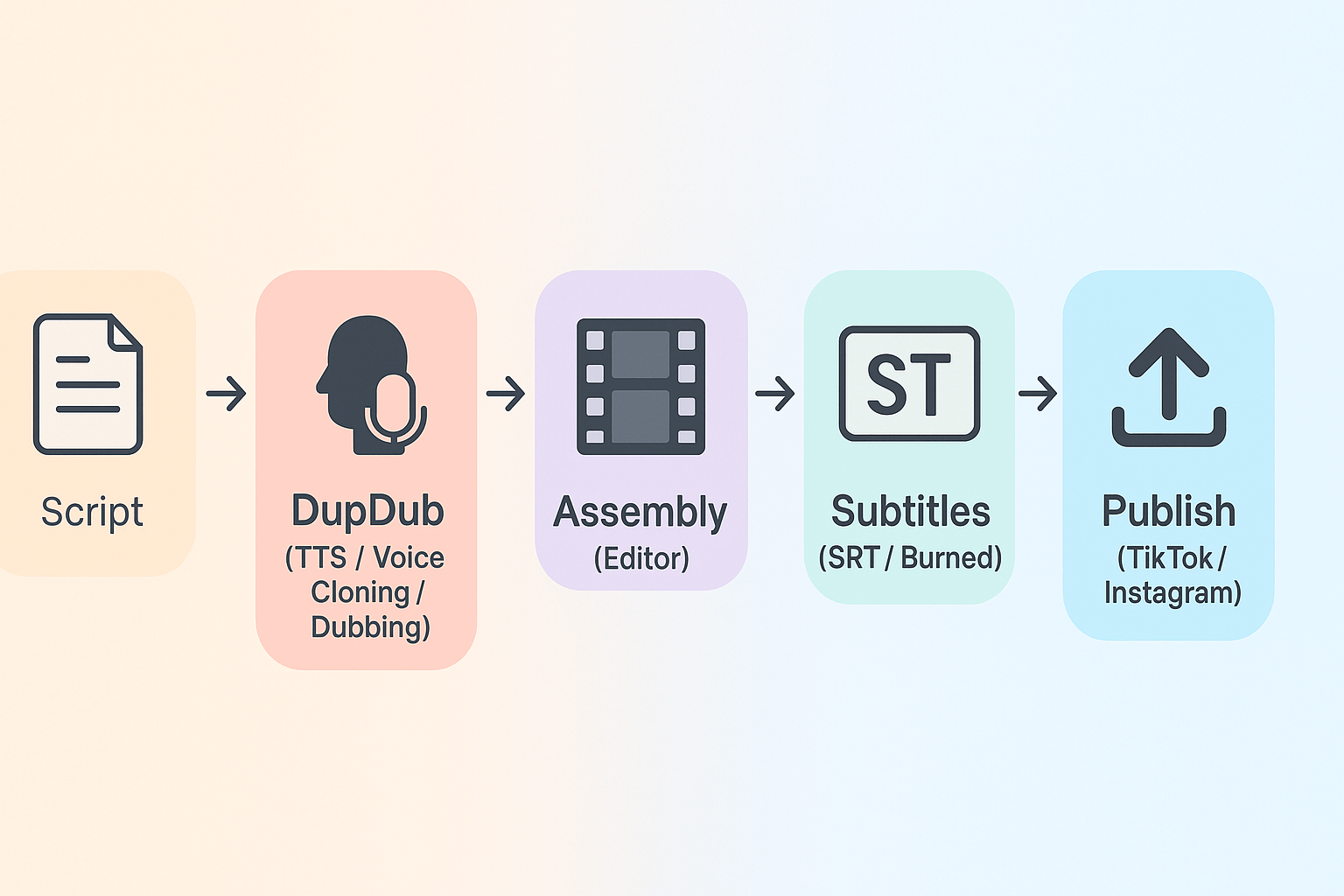
Start simple. This section maps the minimal toolset and shows where DupDub speeds up production for faceless reels. You’ll get a clear pipeline, a short tool list, and a hands-on plan you can use today.
Minimal toolset for faceless reels
Keep the stack lean. You need five things: a script (idea and hook), a voice source (TTS or cloned voice), footage (stock, screen capture, or clips), an editor (timeline or mobile app), and captioning (subtitles). Each part is small, but together they determine speed and reach. Pick tools that automate the repetitive bits.
Where DupDub plugs in and why it saves time
DupDub handles voice and subtitles in one place. Use DupDub for TTS, multilingual dubbing, and voice cloning, plus auto-generated subtitles and short-form export. Per
AI Video Dubbing Market Outlook 2025-2032, the global AI video dubbing market, valued at $31.5 million in 2024, is experiencing rapid transformation due to breakthroughs in natural language processing (NLP) and computer vision technologies. That means these features are faster and more affordable than before.
Benefits are concrete. You cut recording time, avoid hiring voice talent, and keep a consistent brand voice across languages. Subtitles are auto-aligned, which removes manual timing work. Export presets speed uploads to TikTok and Instagram.
Quick plan: script to publish
-
Script, 15–45 seconds: write hook, value, CTA. Keep lines short.
-
Audio: generate TTS or a voice clone in DupDub. Pick language and style.
-
Assembly: import audio and clips into your editor. Trim to beat and pacing.
-
Captions: export SRT from DupDub or auto-burn captions in your editor.
-
Publish: upload with thumbnail, first comment, and pinned CTA.
Tools to compare
-
DupDub: voice, dubbing, subtitles, short-form export.
-
Editor: CapCut, Premiere Rush, or mobile apps for assembly.
-
Footage: stock libraries or repurposed long-form clips.
DupDub reduces cost and time by centralizing voice and subtitle work. Try it to cut cycle time and scale variants fast.
Step-by-step: Create your first faceless reel using DupDub
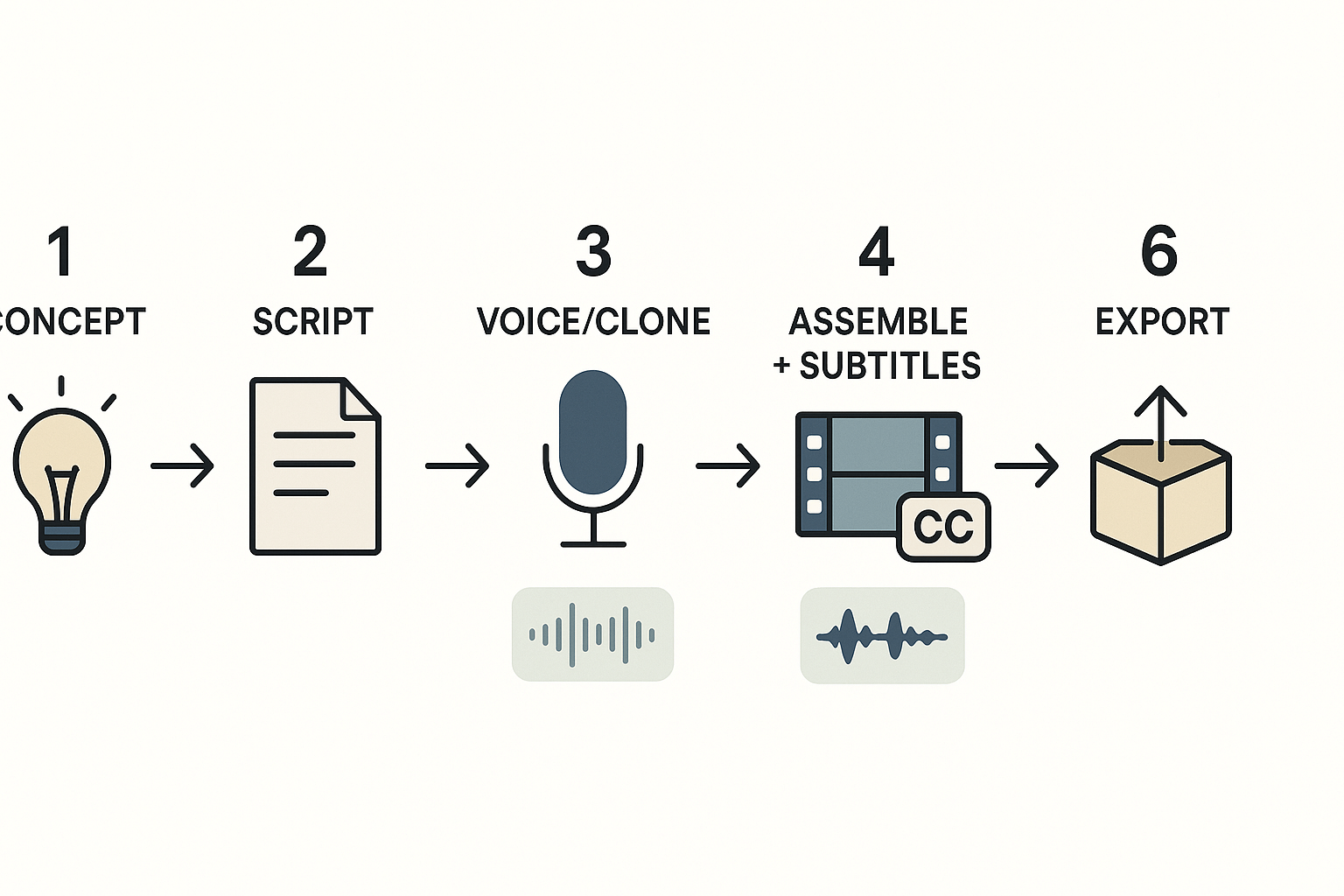
Start simple: pick one idea, write a short script, and use tools to add a voice without showing your face. This walkthrough shows each step for creating a high-impact faceless reels clip with DupDub, from script to export. Follow the numbered steps, use the keyboard tips, and finish with a compact upload checklist.
1) Pick a concept and write a short script
Choose a single hook and clear value in 15 to 45 seconds. Write a 3 to 6 line script: hook, quick value, one CTA. Keep sentences short so they match voice lines and subtitle chunks.
2) Prepare visuals and clips
Collect short clips, stock clips, or screen recordings that match each script line. Aim for 1 to 3 second cuts per sentence to keep tempo. Label files with a number prefix so assembly is fast: 01_intro.mp4, 02_point.mp4, 03_cta.mp4.
3) Choose or clone a voice in DupDub
Open DupDub and try a few Text-to-Speech (TTS) voices to match your tone: friendly, crisp, or authoritative. If you want brand consistency, create a voice clone from a 30 second sample. Save voice presets for reuse across videos.
Keyboard tip: use quick preview to audition voices, then copy-paste the script into DupDub’s TTS editor.
4) Generate narration, translations, and subtitles
Paste your script into DupDub, pick the voice or clone, and generate the audio. Turn on auto-subtitles to get aligned captions. If you plan multi-language reach, add one or two translated dubs (DupDub supports many languages) and export separate audio tracks.
Practical tip: export both MP4 with embedded audio and a clean WAV for fine edits.
5) Assemble clips and auto-subtitles in your editor
Import clips and the DupDub narration. Trim to beat and sync the narration to the video. Add the SRT or burned subtitles from DupDub to ensure caption accuracy. Keep motion simple: slight zooms, text pop-ins, and 2 second shot changes keep eyes moving.
Keyboard shortcuts to save time: space to play/pause, left/right arrows to nudge, Ctrl or Cmd+Z to undo.
6) Final polish and export
Balance audio levels, add a soft background music track below the narration, and normalize loudness to platform targets. Export as vertical 9:16 MP4 at 1080x1920. Name files with date and topic for repurposing.
Upload checklist
-
Title: short hook plus keyword. 2. Caption: 1-line value, CTA, and 3-4 hashtags. 3. Cover: high contrast, readable text, no small fonts. 4. Hashtags: #reels #faceless #AIvoice #contentrepurposing #shortform #learnontiktok. 5. CTA examples: watch more, link in bio, save for later.
Quick troubleshooting
Reuse tip: keep the DupDub project so you can swap voices or languages later and re-export new versions without re-editing video.
Platform-specific growth tactics: TikTok vs Instagram Reels
Start with the audience and the feed mechanics when you plan faceless reels. TikTok favors native sound use and fast hooks, while Instagram rewards polish and caption engagement. Use platform strengths to match hooks, captions, hashtags, and trends without showing your face.
Lead with a platform-fit hook
On TikTok, open with a 1-3 second hook that teases a payoff. Use bold text overlays, quick cuts, or a dramatic audio drop to grab attention. On Instagram, lead with a clear value line in the first two seconds and a polished thumbnail to get clicks.
Captions and hashtag tactics
Write captions to match intent: TikTok captions are short, playful, and call to action. Instagram captions can be longer and include context or multi-line CTAs. Hashtag tips:
-
TikTok: 3 to 5 focused tags, a trend tag, and a niche tag. Keep tags relevant to the sound and format.
-
Instagram: 5 to 10 tags, mix of broad and niche tags, and place them in the comment or caption based on aesthetics.
Timing, frequency, and cadence
Post cadence matters for reach and learning. Try 1 to 3 TikToks daily while testing formats, then scale winners. On Instagram, 3 to 5 Reels weekly plus Stories works well for long-term growth. Aim to publish when your analytics show peak audience activity.
Use trends and sounds without showing your face
You can adopt a trend with voiceover, text-led storytelling, screen recordings, or animated avatars. Repurpose long-form clips by extracting short, context-rich moments. Tools with TTS, voice cloning, and subtitle alignment help keep the output native and consistent.
Micro-format tweaks for each app
-
TikTok: vertical 9:16, 1st-second visual punch, native sounds, rapid pace.
-
Instagram: tidy thumbnails, tighter captions, slightly slower pacing, high-resolution export.
These small shifts help faceless creators reach viewers on both platforms without changing the core creative idea.
Troubleshooting & scaling a faceless reels channel
Start with a quick diagnosis when reach stalls. Check content cadence, watch time, audience retention, thumbnails, and hook clarity. For faceless reels you must also verify audio quality and subtitle alignment. Small fixes often lift performance within a few uploads.
Quick diagnostic checklist
-
Check cadence and upload frequency: irregular schedules drop reach.
-
Inspect the first two seconds: weak hooks lose viewers.
-
Review audience retention and note exact drop points on the timeline.
-
Confirm audio clarity and subtitle timing are synced with speech.
-
Compare thumbnail CTR to your channel baseline and top posts.
-
Repost or rework topics that historically drive higher watch time.
A/B test hooks and thumbnails
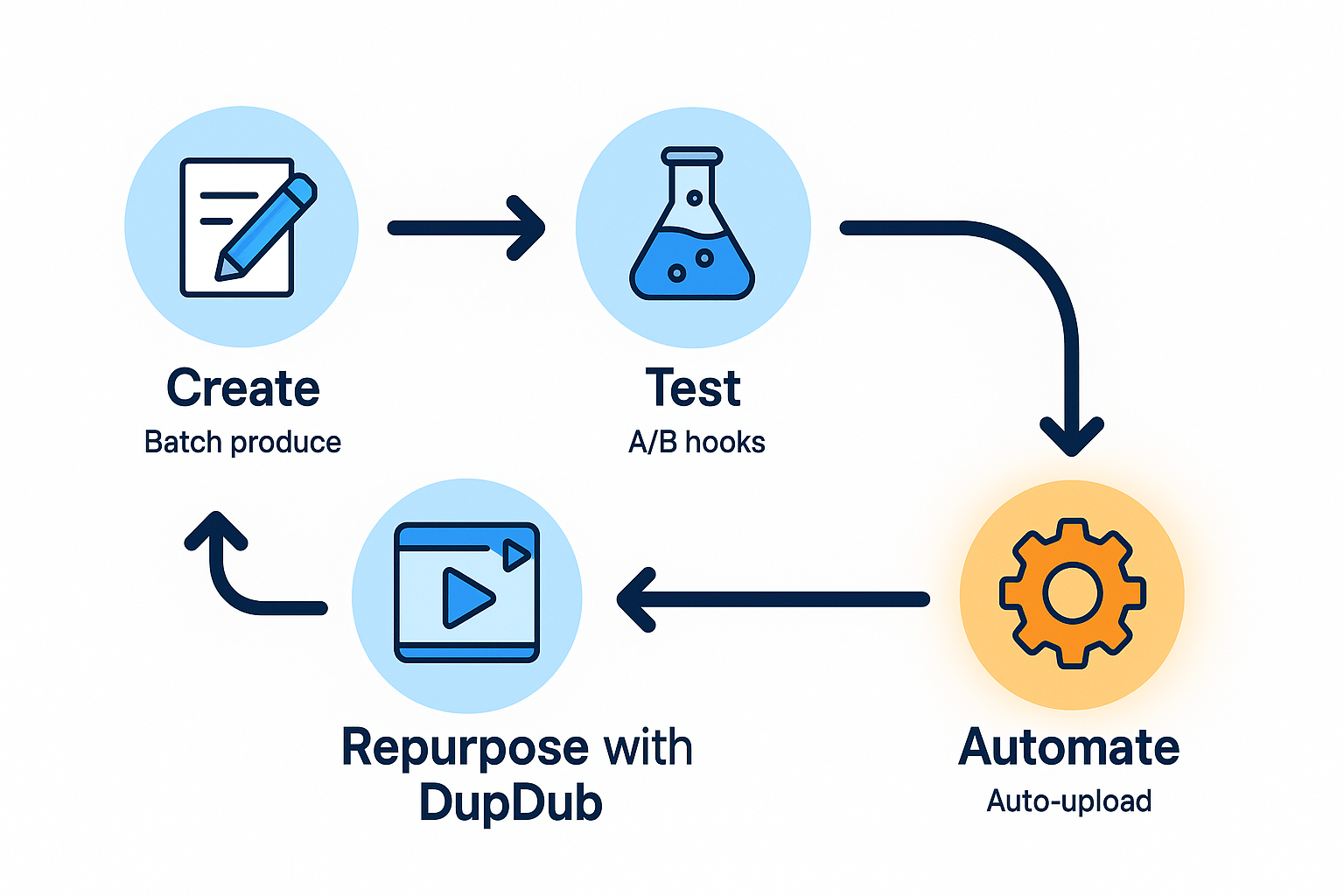
Run controlled tests and change one variable at a time. Test three hook scripts against the same footage and measure watch time. For thumbnails, try two color contrasts and one textless frame. Keep each test to 50 to 100 views before deciding, then iterate quickly.
Scaling plan with DupDub and simple automation
Batch-produce scripts and record a single clean audio track. Use DupDub to generate voice variations, translate, and auto-sync subtitles for each edit. Repurpose long-form clips into multiple short edits, then automate uploads with a scheduler or Zapier. When growth is steady, add hybrid personal-brand clips to boost trust and conversions.
Short case studies & real-user notes (mini testimonials)
Two short, anonymized wins show how creators used DupDub to scale faceless reels fast. One is a 30-day growth story. The other is a localized-content win that opened new audiences. Each example notes the key metrics to track: views, retention, and CTR.
30-day growth story
A weekday creator repurposed five long videos into short faceless reels. They used DupDub for voice cloning and fast subtitle alignment. In 30 days, views rose threefold and average watch retention climbed 16%. Link clicks to the landing page doubled. "Editing time dropped from hours to minutes," said the creator.
Localized-content win
A small brand translated a top-performing clip into two languages with DupDub dubbing. Non-English views accounted for 45% of new reach. Retention held steady while CTR from localized captions improved 1.8 percentage points. "We reached three new markets in one week," noted a product lead.
Key metrics to track:
-
Views: raw reach by language and clip.
-
Retention: average watch time and percent watched.
-
CTR: profile or link clicks per reel.
Action takeaways beginners can copy:
-
Start small: publish 3 reels a week from existing videos.
-
Localize top clips first, test one new language.
-
Track retention first, then optimize CTAs for clicks.
Monetization paths & next steps for faceless creators
Faceless reels can earn money in several realistic ways, and you don’t need to show your face. Start with platform ad revenue and creator funds tied to views and engagement. Then layer in direct income like affiliates and sponsorships to diversify earnings.
Monetize smartly
Pick a mix of passive and direct streams to avoid single-point failure. Use ad revenue and creator funds where consistent views pay out. Build affiliate funnels to send viewers to products or courses, and treat each reel as a low-friction conversion point.
-
Ad revenue and creator funds: Optimize watch time and retention to qualify for payouts. Short, repeatable formats work best.
-
Affiliate funnels: Use clear CTAs, tracked links, and landing pages to capture conversions. Recycle top-performing hooks.
-
Sponsored posts without personal branding: Deliver brand-safe scripts, captions, and overlays. You can use voice actors or TTS to protect anonymity.
-
Multilingual reach with DupDub: Localize top clips using AI dubbing, voice cloning, and synced subtitles to open new markets quickly.
Next steps
Test one revenue path for 30 days and measure CPM or conversion rates. Use DupDub’s 3-day free trial to localize your best reels and spot new audience pockets. Compare plan limits to match your output cadence. Subscribe to a newsletter or schedule a demo if you want guided next steps.
FAQ — People Also Ask and legal/platform questions answered
-
Is voice cloning legal for creators and faceless reels?
Laws vary by country, but the rule of thumb is simple: get clear, written consent before cloning a real person’s voice. Never use a cloned voice for deception or impersonation without permission. Follow a legal and ethical checklist to document consent and intended use.
-
Do DupDub voices get flagged on TikTok or Instagram?
Platforms generally don’t flag synthetic voices by themselves. Enforcement focuses on impersonation, copyright, and deceptive practices. Disclose synthetic audio when required and follow platform-specific best practices for TikTok and Instagram Reels.
-
How should I credit sources in faceless reels?
Credit original creators or voice actors in the caption and a pinned comment. Note licenses or paid usage briefly, and include source links in the post copy when possible.
-
What is the optimal reel length for engagement?
Start with 15 to 30 seconds for fast hooks. Test 45 to 60 seconds for mini-tutorials or short stories. Use retention analytics to tune length by platform.
-
Should creators show their face eventually for growth?
Showing your face can increase trust and monetization, but it’s not required. Strong branding, consistent output, and a recognizable voice can sustain growth without on-camera presence.




 Discord
 YouTube
 Tiktok
 Twitter
 Facebook
 Instagram