Short answer: yes. Modern AI workflows let you go from script to dubbed MP4 with aligned SRTs in minutes. If you want to know how to make a voice-over video fast, AI tools are the quickest route for short-form pieces, localization, and batch repurposing.
Best when you need many language versions, a consistent brand voice, or fast turnaround. These workflows cut localization costs and speed publishing without hiring studios.
Next: read the step-by-step guide below to test the full workflow hands-on.
Why voice-over videos work: use cases & business benefits
If you're learning how to make a voice-over video, start with projects that extend reach, boost accessibility, and speed publishing. Voice over lets you turn one recording into many formats and languages, so your content works harder. Tools like DupDub make translation, cloning, and subtitle alignment faster for creators and teams.
Primary use cases
-
Short-form social clips: add clear narration or translated audio for reels and shorts.
-
E-learning and training: record lectures, module narration, and quizzes for consistent learner experience.
-
Localization and dubbing: convert a single video into multiple languages with synced subtitles.
-
Repurposing: turn webinars, podcasts, and long-form video into bite-size narrated clips.
Business benefits
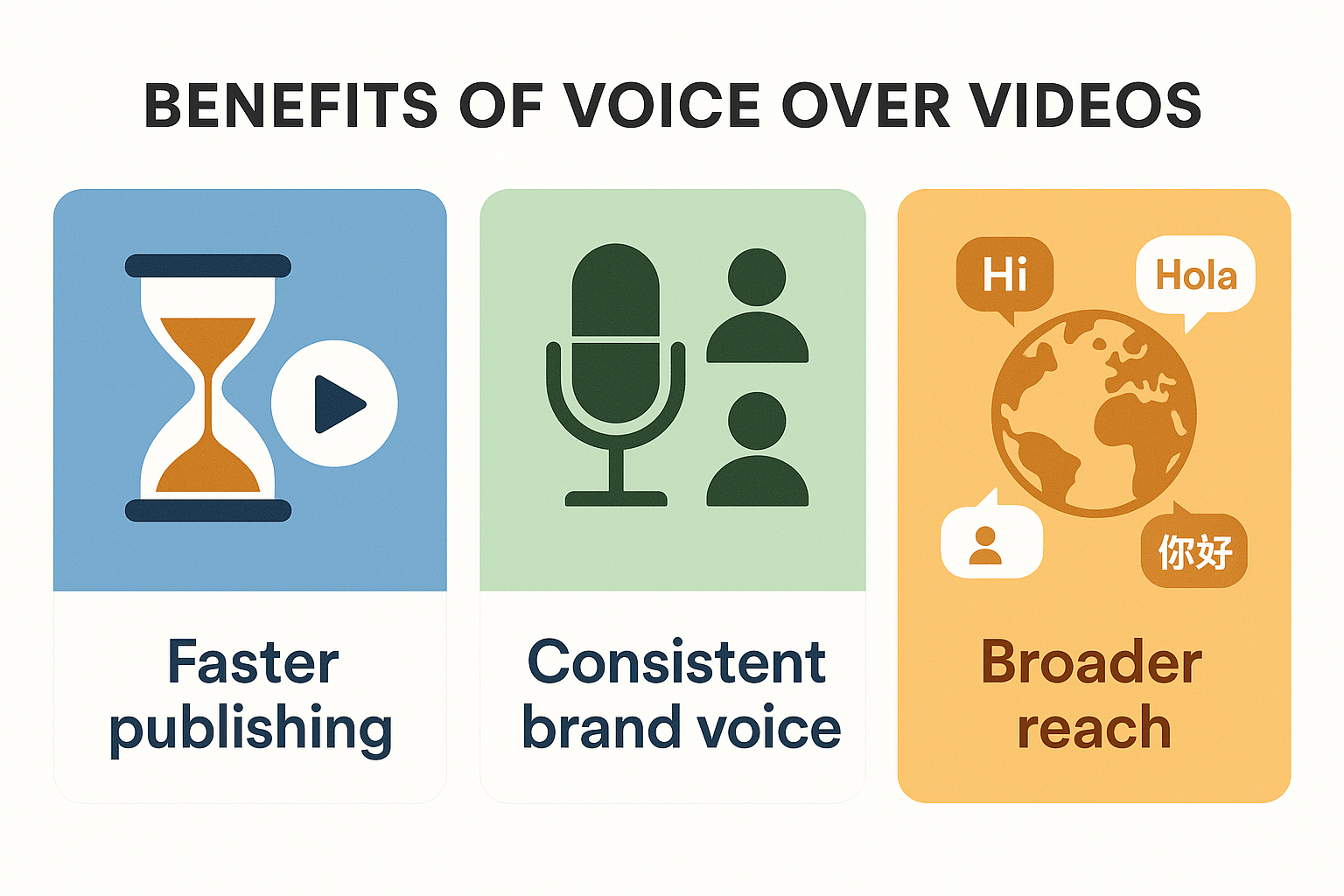
Voice over speeds time-to-publish, keeps a consistent brand voice across languages, and cuts localization costs. It reduces reliance on hired talent for each market, and helps accessibility by adding clear audio and captions. For creators and teams, that means faster global reach and more repeatable workflows.
When to choose AI voiceover vs a human narrator
Deciding between synthetic and human narration comes down to speed, scale, and nuance. Use AI when you need fast multilingual dubbing, quick edits, or to repurpose large libraries. When learning how to make a voice over video, weigh speed against emotional depth. According to
Evaluating synthesized speech intelligibility in noise (2025), a 2025 study found that synthesized voices have a similar intelligibility range to human voices, with some synthesized voices being more intelligible than human voices.
Practical tradeoffs
-
Turnaround: AI takes minutes to hours, human hire takes days.
-
Cost per minute: AI is lower for scale, human costs rise for long projects.
-
Consistency: AI keeps a steady brand voice across languages.
-
Emotion and nuance: Humans win for subtle acting or high-stakes spots.
-
Iteration: AI lets you pivot scripts instantly, no re-record sessions.
-
Legal and consent: Use verified voice clones and get releases for human voices.
Match tool to goal: use DupDub and TTS (text-to-speech) for volume and localization, hire narrators for flagship campaigns.
Step-by-step: How to make a voice over video with DupDub
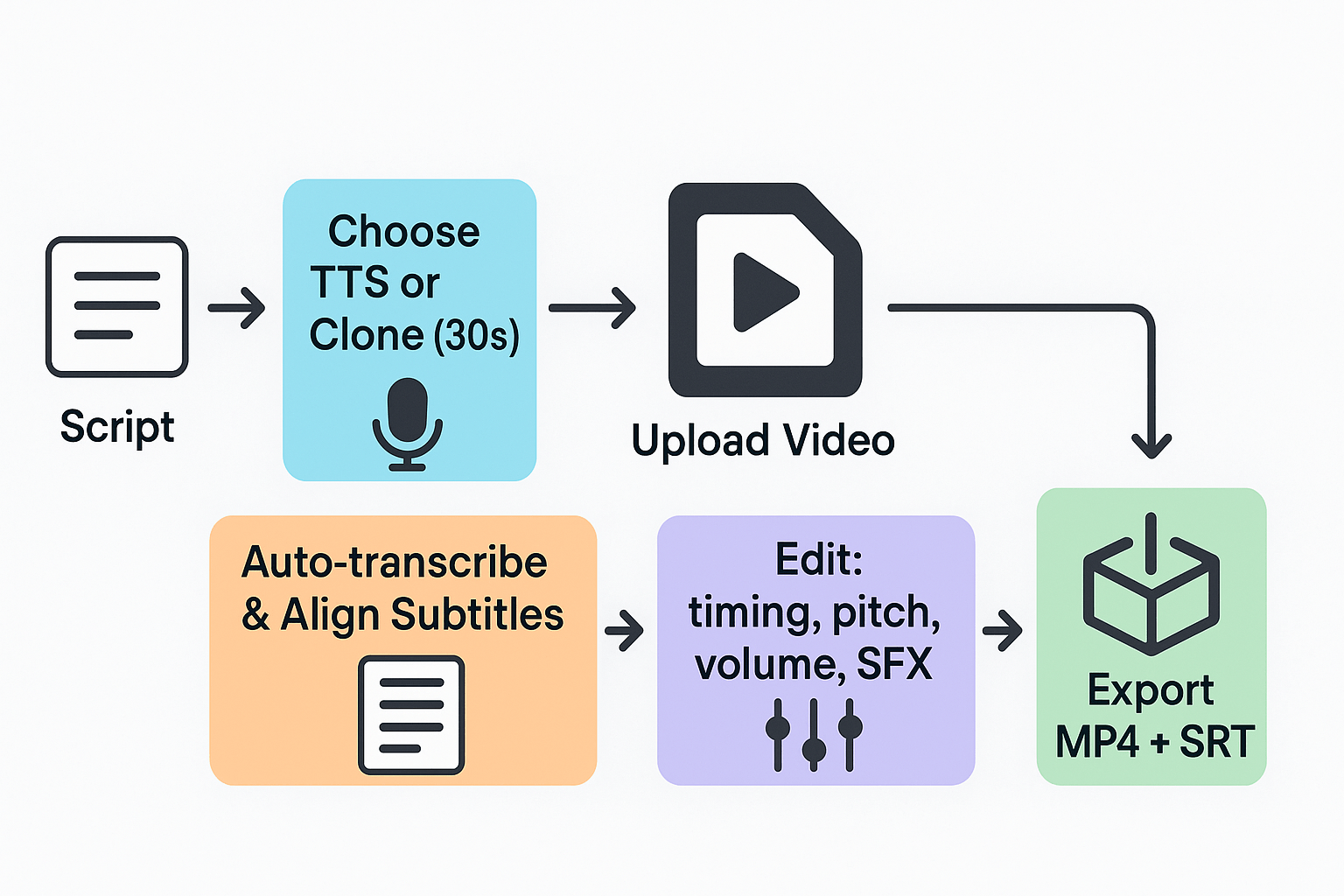
This hands-on workflow walks you through script planning, voice selection or cloning, video upload, auto-transcription, subtitle alignment, fine edits, and exporting MP4 and SRT files. Follow each step to reproduce the flow in DupDub and test it in the free trial. If you want a quick roadmap, read the ordered steps and try them on a short clip.
Prep your script and assets
Write a tight script, 90 to 120 seconds for a first test. Mark pauses, emphasis, and any on-screen timing notes. Export your source video or upload a screen recording, and keep a copy of the original audio in WAV or MP3 just in case.
Pick or clone a voice
Choose a TTS preset for speed, or create a custom clone from a 30 second sample for brand consistency (voice cloning). For broader reach, note that according to
DupDub Text-to-Speech, DupDub's text-to-speech feature supports over 90 languages and accents, allowing users to create voiceovers for a global audience. Preview voices, compare speaking styles, and lock a clone to prevent misuse.
Upload and auto-transcribe
Upload your MP4 to DupDub, then run auto-transcription. Check the transcript and correct any misheard words. Use the subtitle auto-sync tool to align captions to speech automatically, then review timing on a short scrub.
Replace audio and match timing
Apply the selected TTS or cloned voice to the transcript. Use the browser editing studio to tweak timing, cut breaths, and tighten pauses. Adjust pitch and volume on problem lines, and add AI sound effects for realism. You can also record a short live voice take directly in the editor and blend it with synthetic audio.
Fine edits and QA
Listen on headphones and a phone speaker. Normalize loudness and apply light denoising. Check lip sync on any talking heads and adjust subtitle timing by 50 to 200 ms if needed. For long videos, batch export short chapters to spot-check quality.
Export final files
Export an MP4 with the new voice track and burn-in or separate SRT file for captions. You can also export audio as MP3 or WAV for repurposing. Confirm language tags and filenames before publishing.
Advanced tips for pro-sounding voiceovers
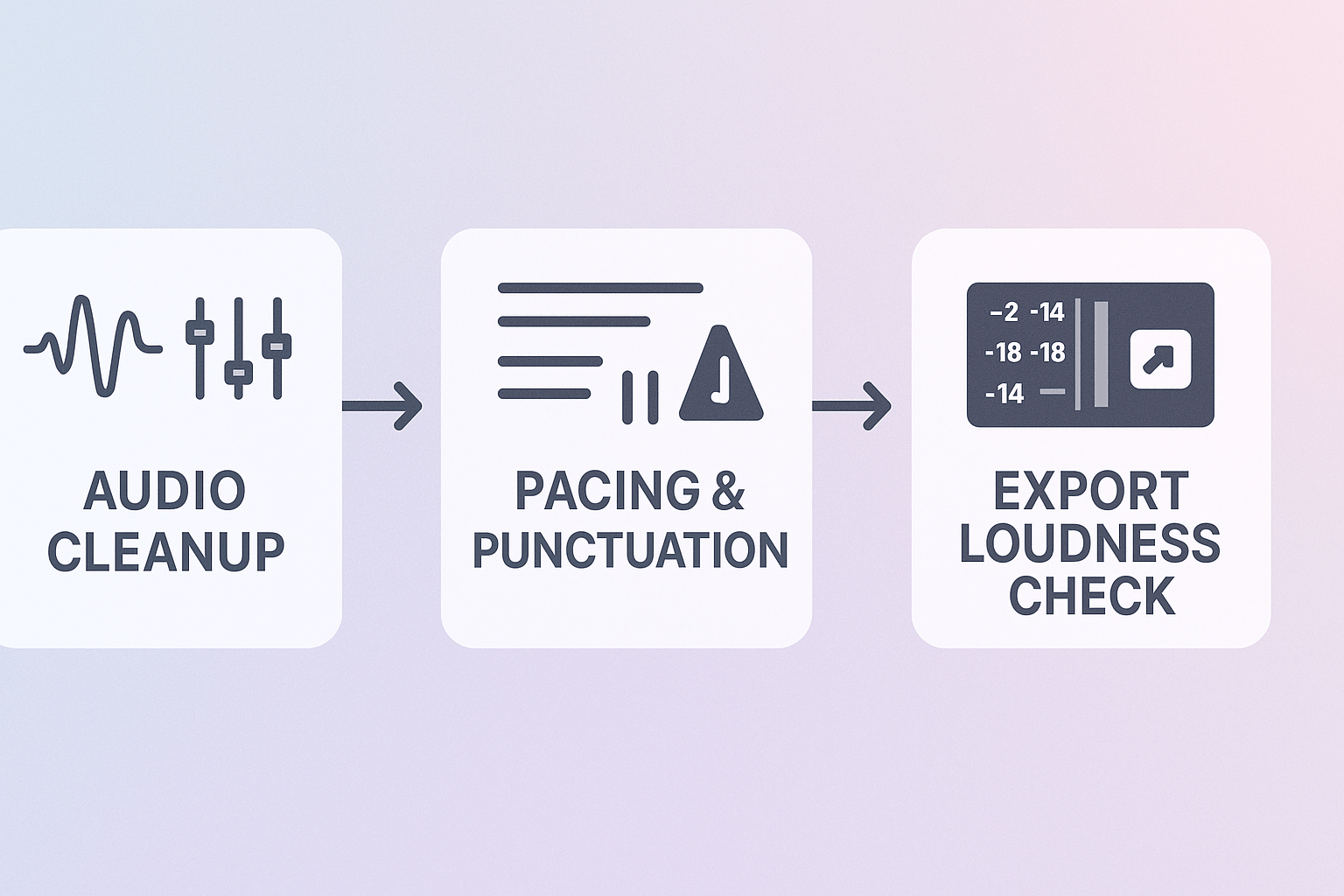
Small audio adjustments make a big difference when you learn how to make a voice over video. Apply gentle EQ, noise reduction, consistent loudness, and natural pacing to lift AI voices. These practical tips help you reach broadcast-quality sound without a pro studio.
Clean audio first
Start with noise reduction and a light high-pass filter to remove rumble. Use EQ (equalization) to reduce boomy lows and tame harsh highs, and notch out any fixed-frequency hum. Work in small steps, saving presets for repeated use.
Pacing, punctuation, and phrasing
Edit your script to add commas, parentheses, and line breaks where you want pauses. Mark breaths or short pauses as “[breath]” to guide the TTS engine or a cloned voice. Keep sentences short and varied for a natural cadence.
Loudness and export checks
The
ITU-R BS.1770-5 (2023) standard, approved in November 2023, provides algorithms to measure audio programme loudness and true-peak audio level. Aim for platform targets, for example -14 to -16 LUFS for streaming, and keep true-peak below -1 dBTP. Always export a short test file and listen on headphones and speakers.
Ethics and accent choices
If you use voice cloning, disclose it and get speaker consent. Choose accents that match your audience and avoid caricature. When localizing, pick natural-sounding regional variants to keep tone and meaning.
Quick checklist:
Troubleshooting: common problems and quick fixes
If you hit sync, audio, or export problems while learning how to make a voice over video, quick fixes will usually get you back online fast. Start with simple checks: re-run subtitle alignment, swap the TTS voice (text-to-speech), or re-export at a different bitrate. Below are focused steps to diagnose sync drift, robotic-sounding audio, and export failures.
Fix sync drift fast
Re-run subtitle alignment to resync audio and captions. If drift persists, try these steps:
-
Trim leading silence in the original clip.
-
Re-upload the source video, then align again.
-
Use manual offset in the timeline for fine tweaks.
Remove robotic TTS artifacts
Refresh the voice, or re-train the clone if artifacts continue. Quick actions:
-
Switch from Ultra to Standard or vice versa to compare quality.
-
Reduce speaking rate slightly, then preview.
-
Re-record a short sample and retrain the clone if needed.
Solve export and truncation errors
Try a different bitrate or format when files truncate. Also:
-
Export as WAV then convert to MP3 outside the app.
-
Check for very long single clips; split and export.
-
Clear browser cache and retry the upload.
These quick fixes solve most problems and get you back to publishing.
Comparison: DupDub vs CapCut, Murf, ElevenLabs (which is best?)
Choosing the right tool matters when you need to make a voice over video for global audiences. If you're researching how to make a voice over video, this comparison focuses on multilingual dubbing, voice cloning, transcription, and scale so you can pick the best fit for your workflow.
|
Platform
|
Multilingual dubbing
|
Voice cloning
|
Transcription
|
Scalability / Best fit
|
|
DupDub
|
90+ TTS languages, end-to-end video dubbing and subtitle alignment
|
47 languages
|
40+ STT languages, auto-subtitles
|
Enterprise localization, creators repurposing at scale
|
|
CapCut
|
Limited, mobile-focused dubbing workflows
|
No full cloning
|
Basic captions
|
Fast social edits on mobile
|
|
Murf
|
Good TTS quality, limited full video dubbing
|
Voice cloning options, studio focus
|
Solid STT for scripts
|
Voice-over production, narration quality
|
|
ElevenLabs
|
Strong expressive modeling, fewer languages
|
Advanced voice modeling
|
Basic to mid STT
|
Deep voice design, smaller scale dubbing
|
Pick by use case
DupDub wins for full localization and scale, because it bundles 90+ languages, 47-language cloning, subtitle sync, and MP4/SRT exports. Choose Murf when raw TTS naturalness matters most. Pick CapCut for quick mobile edits, and ElevenLabs when you want advanced voice modeling with tight control.
Real-world case studies: results & lessons
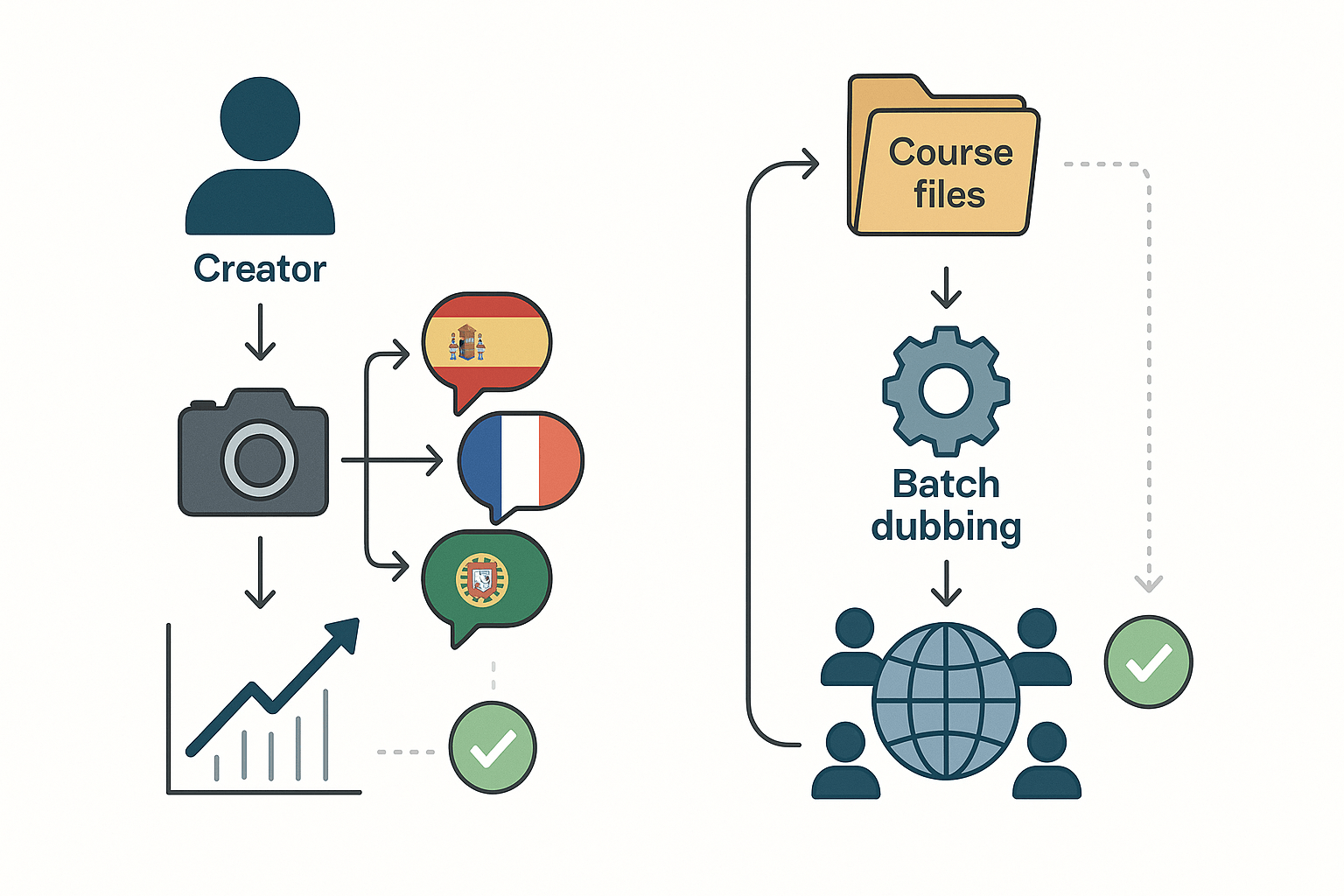
These two short case studies show how to make a voice over video with DupDub in real workflows. Each example outlines the workflow, measurable outcomes, and practical lessons creators can apply to their own channels.
YouTuber: scale weekly uploads with multilingual dubbing
A solo creator re-voiced weekly videos into three languages to reach new audiences. Workflow: export script, create a 30-second voice clone, auto-transcribe and align subtitles, then export dubbed MP4s. Outcome: uploads increased from one to three videos per week, views in target markets rose 2.5x, and editing time dropped from eight hours to two per episode.
E-learning provider: batch localization cuts time and cost
A training company localized a 50-lesson course using batch AI dubbing and shared voice clones for consistency. Workflow: bulk upload lessons, assign cloned voices, auto-sync subtitles, then export audio and SRT files. Outcome: localization time fell from six weeks to three days per course and localization costs dropped roughly 70 percent.
Practical lessons:
-
Start with a clean, time-stamped script to speed subtitle alignment.
-
Use one cloned voice for brand consistency across languages.
-
Batch similar lessons or episodes to cut upload and review time.
Distribution & SEO tips for voiceover videos
Make your voiceover work harder by optimizing metadata and subtitles. If you're learning how to make a voice over video, metadata and SRTs are where viewers and search engines meet your content. Also, quick A/B tests on voice tone can reveal which narration converts best.
Platform metadata fast wins
Use clear, keyword-first titles and a 2-3 sentence description that explains value. Add language labels and time stamps for longer videos. For YouTube include chapters and pinned comments; for Shorts and TikTok keep titles punchy and add hashtags.
Subtitle and SRT strategy
Always upload an SRT file, not just burned-in captions. Search engines index SRT text, and users prefer toggleable subtitles. Translate SRTs for target markets to boost discovery and watch time.
A/B test voice variants quickly
-
Pick two voices or tones with similar pacing.
-
Run 1-week tests on two matched clips or ad sets.
-
Measure CTR, view rate, and average watch time to pick a winner.
Follow these steps and your dubbed videos will reach more viewers and drive higher engagement.
FAQ — quick answers to common questions
-
How accurate is AI TTS for voice-over video?
For creators wondering how to make a voice-over video, TTS (text-to-speech) works well for clear narration. Accuracy depends on the voice model, script clarity, and audio quality. Background noise can lower transcription and sync accuracy. Use higher-quality voices and short sentences for the best results.
-
Can you clone your voice for voice-over videos?
Yes, you can clone your voice with about a 30-second sample. Cloned voices work across supported languages. Processing is encrypted, and clones are locked to the original speaker. Always get consent before cloning a voice.
-
What voice-over video export formats are supported?
DupDub exports common formats used in production:
MP4 for finished video
MP3 or WAV for audio only
SRT for subtitles and timed captions
Use MP4 for uploads, WAV for the highest audio fidelity, and SRT for platform subtitle import.
-
Is there a free trial and enterprise support for voice-over videos?
Yes, DupDub offers a 3-day free trial with starter credits. Enterprise plans add higher quotas, API access, and dedicated support. Contact sales for custom compliance and volume pricing.




 Discord
 YouTube
 Tiktok
 Twitter
 Facebook
 Instagram