The answer depends on the job. If you want to know what is the most realistic AI voice generator, look at three things first: natural pacing, clear emotion, and strong pronunciation. A tool that sounds great in short demos may still fail in long narration or tricky scripts.
For most buyers, the best choice is the one that fits the workflow. Some tools are best for pure voice output. Others work better for dubbing, translation, or safe voice cloning across teams. That matters if you publish videos, courses, ads, or podcasts in more than one language.
Use this quick checklist when you compare tools:
-
Naturalness: Does the voice sound smooth and human?
-
Control: Can you edit pauses, tone, speed, and emphasis?
-
Language quality: Does it stay realistic across accents and translations?
-
Cloning safety: Are consent, access, and brand rules clear?
-
Pricing clarity: Can you predict cost at your volume?
An all-in-one platform often makes more sense for creators and teams with repeat content. It can save time, keep voice quality more consistent, and simplify localization from script to final export.
What Makes an AI Voice Sound Realistic?
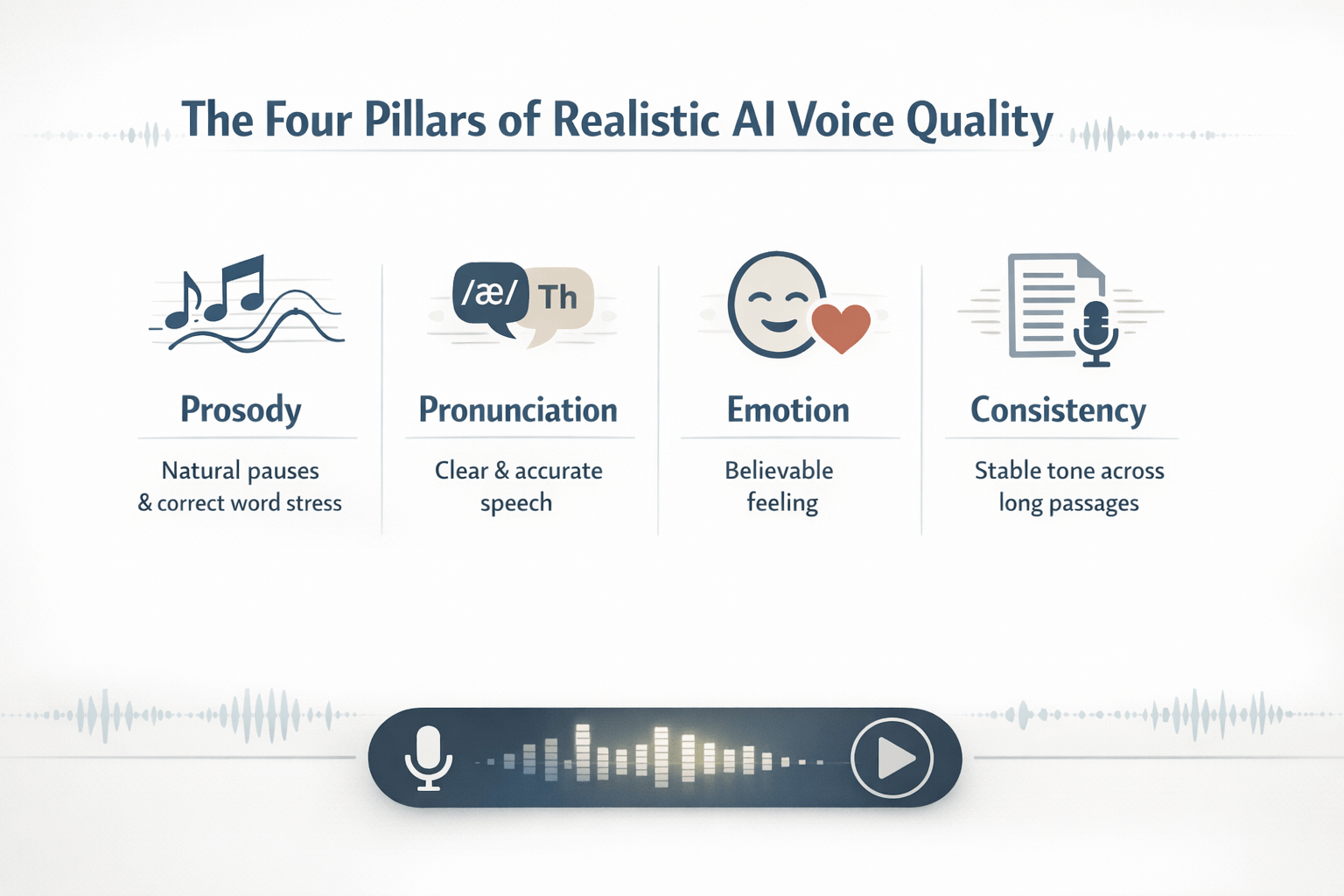
A realistic voice is more than a clean demo clip. If you want to know what is the most realistic AI voice generator, listen for how it handles full sentences, long passages, and tricky words. Many tools sound strong in short samples, but lose their human feel when pacing, tone, or clarity starts to drift.
The best systems get the small things right. They pause in the right spots. They stress key words. They keep the same tone from start to finish. That’s what makes a voice feel natural instead of robotic.
Judge prosody first
Prosody means the rhythm, pitch, stress, and pauses in speech. In simple terms, it’s the music of the voice. A strong tool changes pace and tone in ways that match the script, so the line sounds like a person talking, not reading.
Test this with questions, lists, and emotional lines. Does the voice rise at a question? Does it pause after a comma? Does it stress the right word in a sentence? If not, even a realistic AI voice generator can sound flat fast.
Check pronunciation and clarity
Good pronunciation matters most with names, brand terms, numbers, and mixed-language text. A voice can sound smooth in easy lines, then break on product names or technical words. That hurts trust right away.
Test emotion and long-form consistency
Human speech has intent. It can sound warm, calm, excited, or serious without becoming exaggerated. The most realistic AI voice tools let you control that emotion while keeping the voice stable.
Before you choose a platform, test these signals:
-
natural pauses that fit sentence meaning
-
steady tone across 2 to 5 minutes
-
clear handling of names, dates, and acronyms
-
emotion that fits the scene, not overacts it
-
few glitches, repeats, or odd word stress
That last point is key. A voice that works in one sentence may fail in a full video, podcast, or course module. Realism is not just about first impression. It’s about staying believable all the way through.
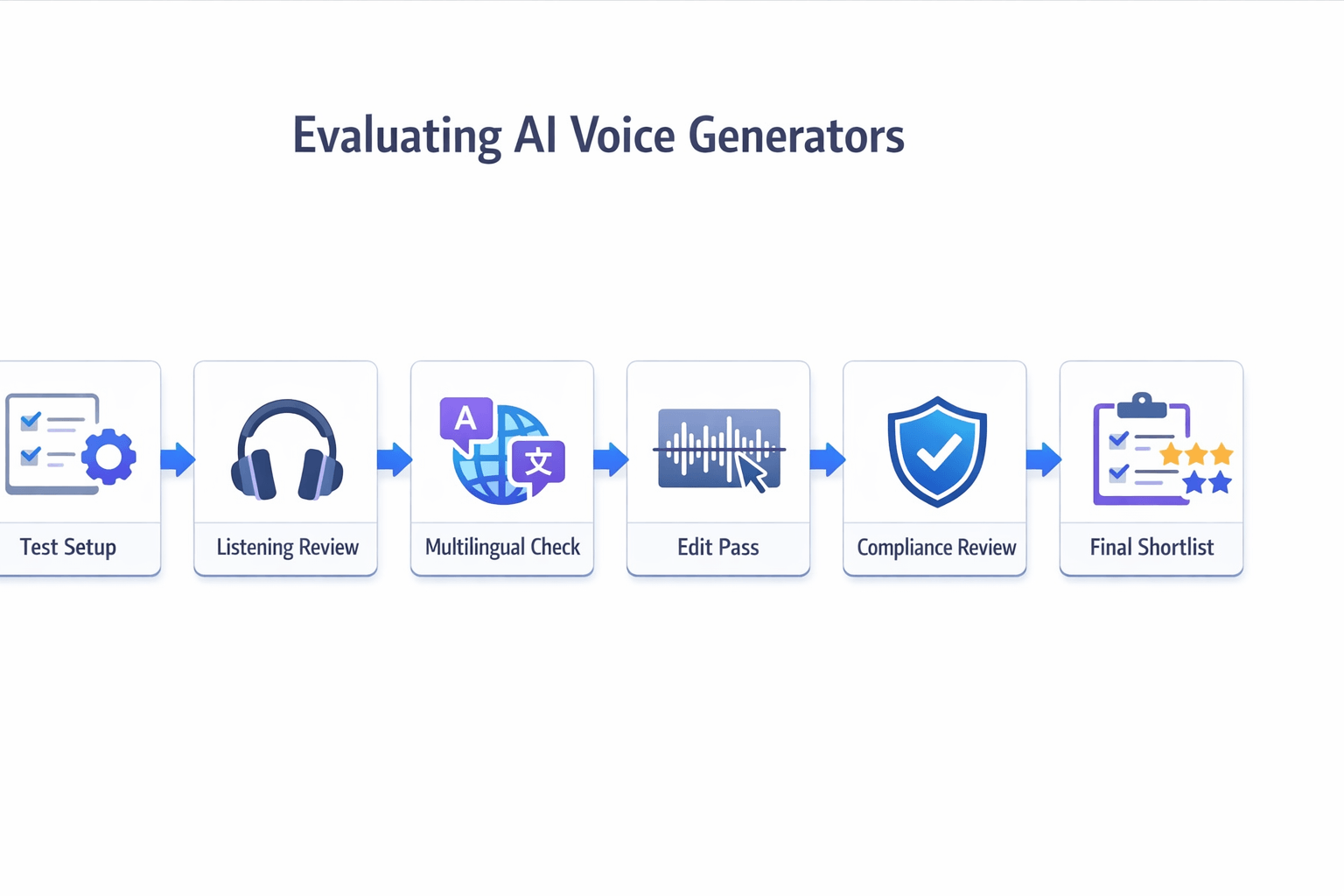
How We Evaluate the Most Realistic AI Voice Generators
To answer what is the most realistic AI voice generator, you need a fair test, not hype. We use the same rubric for every tool. That keeps the review useful for creators, teachers, and marketing teams.
We score each tool on six areas:
-
Naturalness: Does the voice sound smooth, clear, and human in long passages?
-
Multilingual quality: Does pronunciation stay strong across languages, accents, and names?
-
Editing control: Can you fix pauses, stress, pace, and word timing without starting over?
-
Cloning safeguards: Does the platform use consent steps, voice protection, and account controls?
-
Workflow fit: Does it support real jobs like narration, lessons, dubbing, and subtitle sync?
-
Pricing clarity: Are limits, credits, and upgrade rules easy to understand?
Test real use cases, not demo lines
Short demo clips can fool you. So we test each realistic AI voice generator in three common scenarios: YouTube narration, e-learning lessons, and dubbed marketing video. This shows how well the voice holds up across long scripts, technical terms, and translated speech.
We also use the same script length, pacing goals, and review steps each time. That matters because
ITU-T Recommendation P.85 (05/2024) specifies a "subjective performance assessment of a speech-to-speech translation system," including listening-test methodology for evaluating speech output quality. In plain terms, a consistent listening method leads to fairer results.
Use a simple shortlist score
A tool should not win on voice quality alone. It also needs safe cloning rules, strong edits, and a workflow that fits your team.
-
Best for creators: strong narration, fast edits, simple exports
-
Best for training teams: stable tone, clear pacing, easy lesson updates
-
Best for localization: good dubbing flow, language coverage, subtitle support
If you need realistic voices plus dubbing and multilingual production in one place, DupDub is worth a hands-on test with your own scripts.
Is DupDub the Most Realistic AI Voice Generator for Your Needs?
If you’re asking what is the most realistic AI voice generator, DupDub is a strong option for some users, but not every user. It fits best when you need natural voice output, multilingual dubbing, and simple editing in one place. That matters for creators, marketers, and training teams who want fewer tools and faster production.
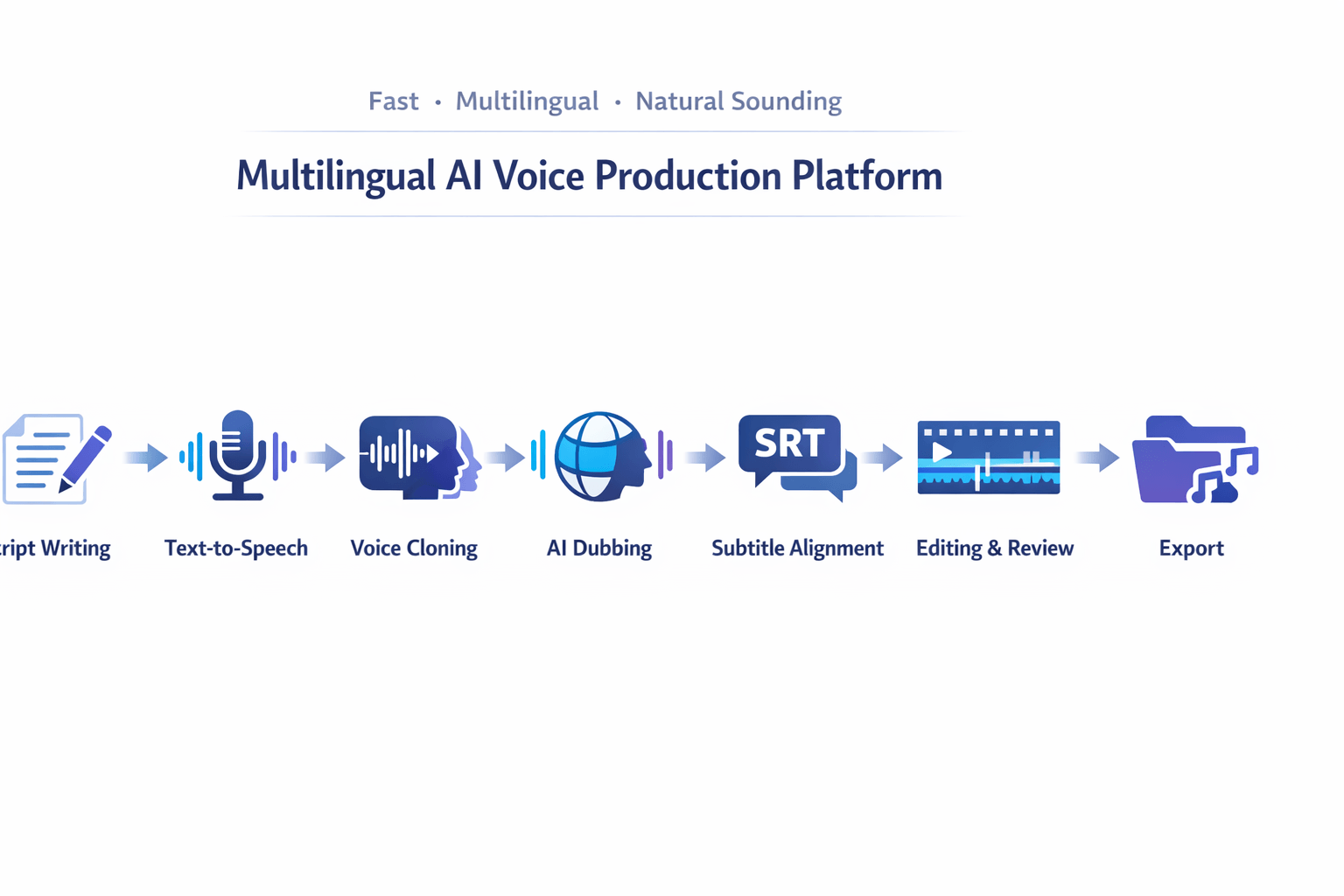
Realism is not just about one great voice. It also depends on pacing, language support, editing control, and how well the tool handles full projects. DupDub stands out here because it combines text to speech, voice cloning, subtitle alignment, and browser-based editing in one workflow.
Choose DupDub when workflow matters most
DupDub is often a smart fit if your work goes beyond basic narration. You may need to turn one script into many language versions, match subtitles, and export fast. In that case, one platform can save a lot of time.
According to
DupDub AI Dubbing, DupDub supports dubbing in over 90 languages. That makes it useful for teams that publish YouTube videos, course content, product demos, or social clips for global audiences.
Key strengths include:
-
700+ voices for broader voice matching
-
90+ languages and accents for localization
-
voice cloning for repeatable brand or creator identity
-
subtitle generation and alignment for video workflows
-
browser-based editing, so you can revise without extra software
-
export options for audio, video, and subtitle files
Know where DupDub fits best
DupDub is not only a realistic AI voice generator. It is also a production tool. That is a big plus if you need dubbing and localization, but it may be more than you need for simple one-language voiceovers.
It tends to fit best for:
-
YouTubers and podcasters republishing content in new languages
-
marketing teams that need fast campaign localization
-
e-learning teams building scalable training voiceovers
-
small businesses that want voice cloning plus editing in one place
If your top goal is ultra-fine emotional acting for one short clip, you may still want to compare specialist tools. Some platforms focus more on pure voice performance or deep prosody control (how rhythm and tone shift across a line).
Use this simple buyer filter
Ask these questions before you choose:
-
Do you need multilingual dubbing, not just TTS?
-
Do you want voice cloning with one main workflow?
-
Do you need subtitles, transcription, and export in one tool?
-
Will non-technical users edit projects in the browser?
If you answered yes to most of these, DupDub is likely a good fit. If not, a narrower tool may be enough.
So, is it the most realistic AI voice for your needs? If realism includes full production speed, language reach, and cloning tools, DupDub can be one of the best fits. If you only want a single voice for short English scripts, you should compare it against more focused options.
DupDub vs Other Realistic AI Voice Generator Options
If you’re asking what is the most realistic AI voice generator, the real answer depends on your job. Some tools shine at pure narration. Others do more, like dubbing, subtitles, translation, and voice cloning in one place. The best choice comes down to output quality, language needs, editing speed, and budget.
Compare tools by the work you need done
Start with the core question: do you need a great voice, or a full production workflow? If you only need high-quality English narration, a specialist may fit well. If you publish across markets, a platform with dubbing and localization tools can save more time.
Here’s a simple buyer-focused comparison:
|
Tool
|
Best for
|
Key strength
|
Watch for
|
|
DupDub
|
Multilingual creators and teams
|
TTS, dubbing, cloning, subtitles, and editing in one workflow
|
May be more than needed for simple one-language reads
|
|
ElevenLabs
|
Natural narration and voice quality
|
Strong speech realism and popular voice output
|
Broader video localization may need extra tools
|
|
Murf AI
|
Business voiceovers and training content
|
Clean interface and team-friendly voiceover workflow
|
Less focused on end-to-end dubbing needs
|
For language reach, this also matters.
ElevenLabs Speech Synthesis API supports 32 languages. That may be enough for some brands, but teams with wider localization goals may want broader coverage and built-in dubbing steps.
Pick based on your use case
Choose DupDub if you need:
-
multilingual text-to-speech
-
video dubbing and subtitle alignment
-
voice cloning with broader content workflows
-
one place to write, voice, transcribe, and export
Choose a specialist if you need:
-
top-tier narration for one main language
-
fewer workflow features
-
a narrow audio-only setup
-
simple testing before scaling
Budget fit matters too. A realistic AI voice generator can look cheap at first, then get costly when you add translation, editing, subtitles, or extra apps. DupDub is often a stronger fit for creators, educators, and marketers who want one stack for voice and localization, not just raw voice output.
The bottom line: if your main goal is lifelike narration alone, compare specialist voice tools first. If you need realistic voice AI plus dubbing, multilingual publishing, and faster turnaround, DupDub is the more practical option for many teams.
How to Get More Realistic AI Voices With Any Tool
If you want better results, start with the script, not the model. Even the answer to what is the most realistic AI voice generator depends on how well you write for speech. In many cases, small edits to pacing, word choice, and emphasis make a bigger difference than switching platforms.
That’s because voice AI reads exactly what you give it. If the line is too long, too formal, or packed with hard-to-say words, it will sound stiff. A realistic AI voice generator works best when your script sounds like real speech first.
Write for the ear, not the page
Try this:
Read each line out loud before you render it. If you run out of breath, your voice model probably will too.
Add pauses and emphasis on purpose
Human speech has space. It speeds up, slows down, and lands on key words. If your tool lets you adjust pause length, pitch, or stress, use those controls with care.
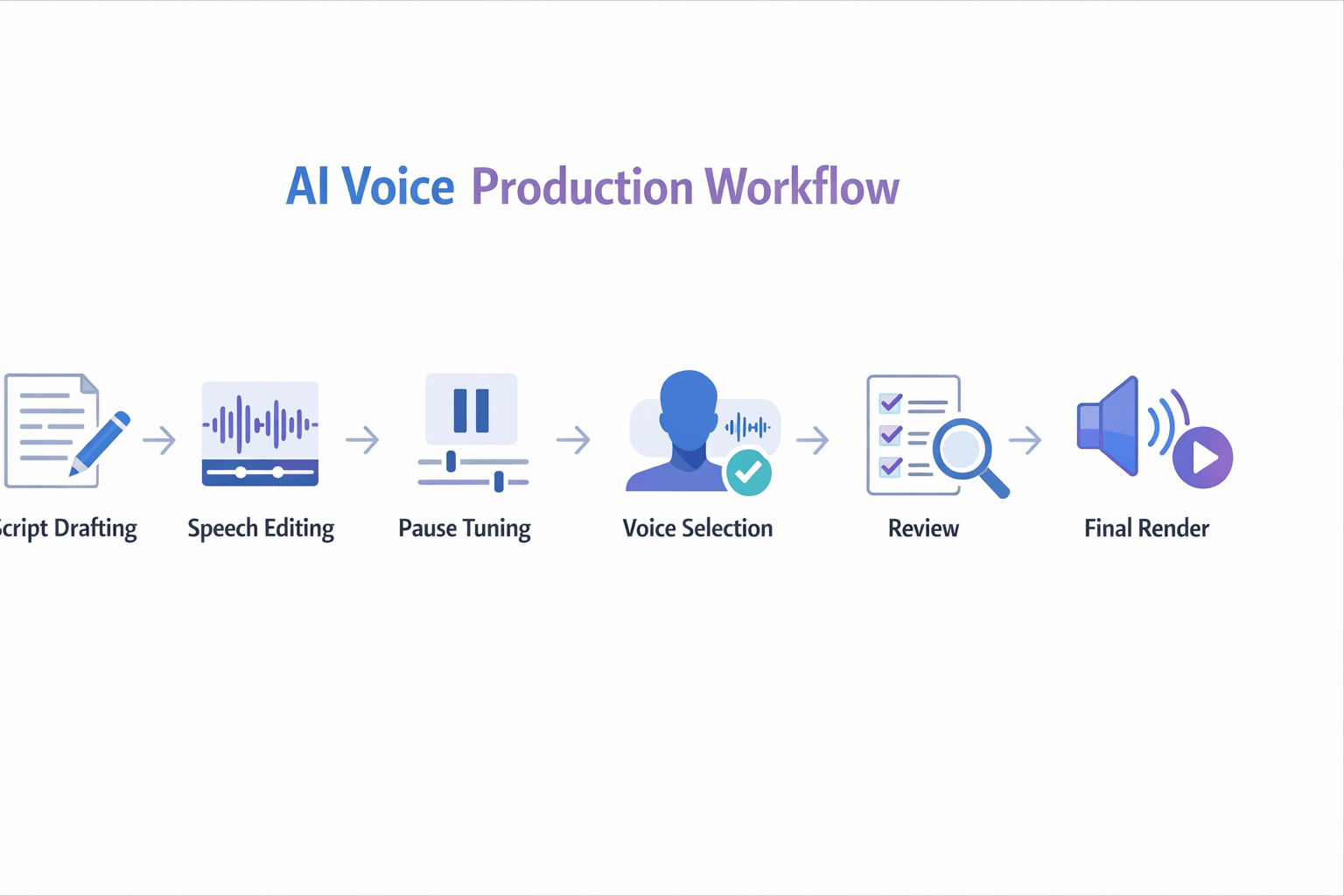
A simple process helps:
-
Add short pauses after commas and before key points.
-
Emphasize one important word per sentence.
-
Split long paragraphs into smaller voice chunks.
-
Re-render only the lines that sound flat.
Don’t overdo it. Too many pauses can make realistic voice AI sound robotic.
Match the voice to the job
A great narration voice can still fail if it fits the wrong audience. Training content needs calm pacing. Ads need more energy. Product demos need clean diction and steady timing.
Before you choose a voice, ask:
-
Who is listening?
-
What do they need to feel?
-
How fast should this sound?
-
Should this feel warm, formal, playful, or direct?
That voice-to-purpose match often matters more than picking the most popular model.
Edit in passes
Don’t judge a full script in one render. First, test 2 to 3 lines. Then adjust speed, pauses, and style. Last, review with fresh ears on headphones and speakers.
That workflow saves credits and improves quality fast. It also helps you spot where AI voice realistic output breaks, usually on names, numbers, or awkward transitions.
Best Use Cases for Realistic Voice AI
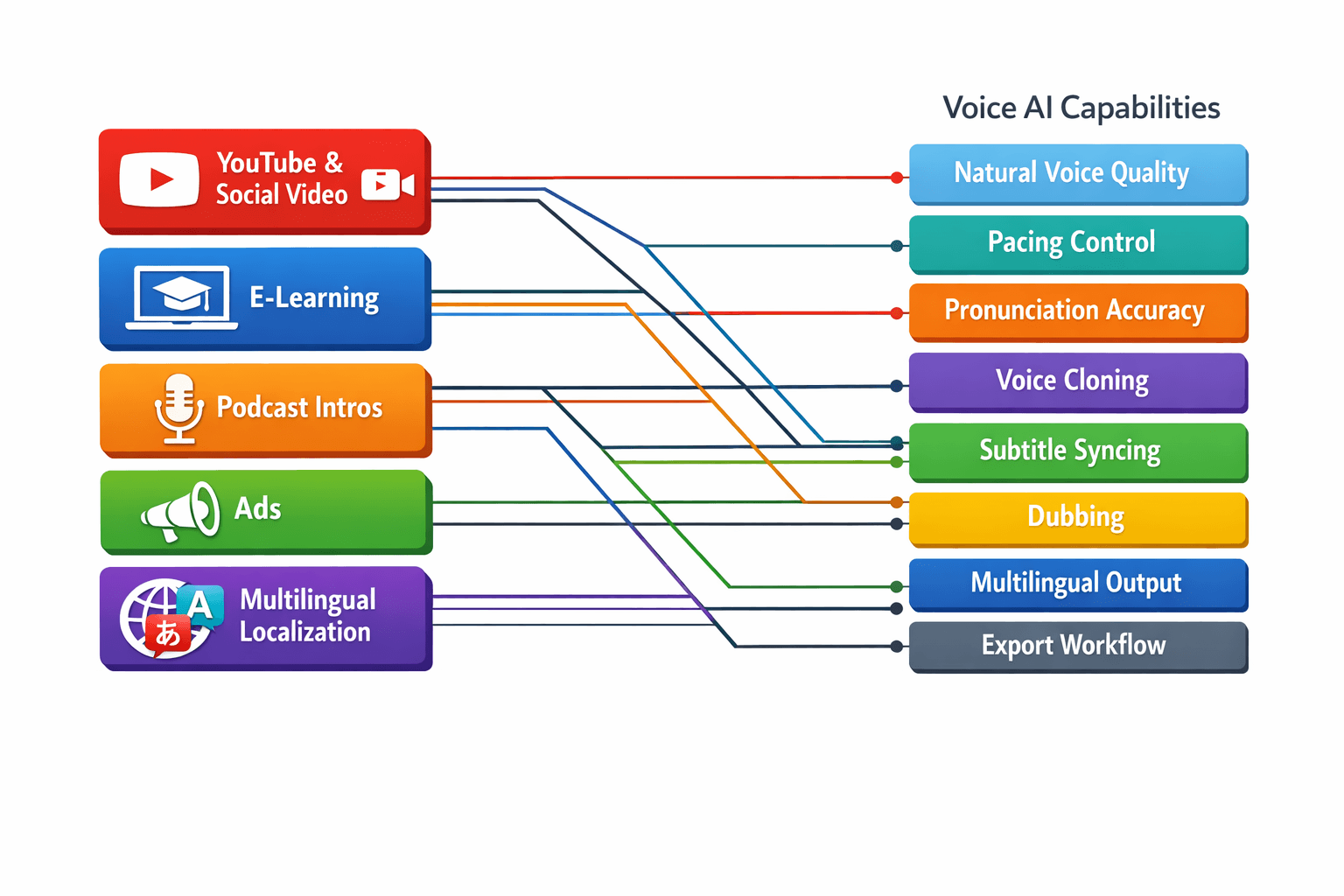
The best tool depends on the job you need done. If you ask, what is the most realistic AI voice generator, the real answer often changes by workflow, language needs, and editing control. A voice that sounds great in a short ad may not be the best fit for training, podcast intros, or full video localization.
Speed up YouTube and social video
Short videos need a clear, lively voice fast. Creators often need quick script changes, retakes, and versions for different platforms. In this case, realistic voice AI works best when it also supports subtitles, timing, and easy exports.
A good setup helps you:
-
turn short scripts into natural voiceovers
-
match tone to tutorials, commentary, or product clips
-
add subtitles for silent viewing
-
republish videos in more than one language
Make e-learning easier to scale
Training content needs steady pacing and clean pronunciation. Learners also need the same tone across lessons. That makes naturalness important, but so does control over pauses, emphasis, and term accuracy.
This is where a realistic AI voice generator can save time. Teams can update one lesson, swap the audio, and keep the full course consistent.
Polish podcast intros and ad reads
Podcast intros, trailers, and ad spots need personality. They should sound warm, confident, and on-brand. Even small issues, like flat pacing or odd stress, stand out fast in audio-first content.
For these jobs, test voices with short scripts first. Listen for breath flow, sentence rhythm, and how well the tool handles brand names.
Localize content without extra handoffs
Multilingual work is where all-in-one platforms help most. If you need dubbing, subtitles, voice cloning, and republishing, fewer tools usually means fewer errors. That matters for marketing teams, educators, and growing channels.
Best-fit use cases include:
-
YouTube dubbing for global reach
-
training videos in many languages
-
product ads with fast versioning
-
branded voiceovers across markets
-
support content and explainer videos
DupDub fits well here because it combines realistic voices with dubbing, subtitling, cloning, and multilingual workflows in one place.
Legal, Ethical, and Brand Safety Rules for Voice Cloning
The most realistic AI voice generator is not always the safest one to use. A voice can sound human and still create legal or brand risk. If you use cloned or synthetic speech in ads, lessons, or support content, you need rules for consent, disclosure, and approval.
Get clear consent first
Always get written consent before you clone a real person’s voice. That consent should say where, how, and how long you can use the voice. It should also cover paid media, internal training, and localized versions.
This matters because a voice may count as sensitive personal data in some regions. Under
Regulation (EU) 2016/679 (General Data Protection Regulation, 2016), ‘biometric data’ means personal data resulting from specific technical processing relating to the physical, physiological or behavioural characteristics of a natural person, which allow or confirm the unique identification of that natural person, such as facial images or dactyloscopic data.
Set simple usage rules
Create a short policy before launch:
-
confirm who owns the source recording
-
limit who can make or edit cloned voices
-
log approvals for each campaign or asset
-
ban impersonation, deception, and unlabeled deepfakes
-
review regional rules for ads, education, and customer support
Protect trust and brand safety
Tell listeners when a voice is synthetic if context could mislead them. This is extra important in testimonials, public figures, health content, finance, and child-facing media. Also check commercial rights for scripts, music beds, and translated versions, not just the voice itself.
Good governance keeps realistic voice AI useful, not risky. It helps teams move faster, protect trust, and avoid costly cleanup later.
How This Topic Fits the Neural TTS Technology Cluster
If you're asking what is the most realistic AI voice generator, you're also stepping into a bigger neural TTS ecosystem. Realism is only one part of the job. Most teams also need dubbing, cloning, subtitles, transcription, and multilingual delivery that work together.
That’s why this topic connects well to a broader content cluster. Internal links can guide readers to the next skill or tool they need, while helping search engines map the relationship between realistic voice synthesis, localization, and production workflows.
Link readers to the next step
Useful follow-up pages could include:
-
AI dubbing for video localization
-
voice cloning tools and consent best practices
-
multilingual text-to-speech for global content
-
subtitle generation and subtitle alignment workflows
-
audio and video transcription for repurposing content
-
text-to-speech vs human voiceover for different budgets
This cluster structure helps readers move from evaluation to action. It also reinforces key entities around realistic voice AI, such as neural TTS, speech-to-text, subtitle sync, language coverage, and brand-safe cloning workflows.
FAQ About the Most Realistic AI Voice Generators
-
Which AI voice sounds most human?
The best answer depends on your use case. The most realistic AI voice generator is usually the one that handles pacing, pauses, tone, and pronunciation well for your script type. A voice that sounds great in a short ad may sound flat in a 10 minute lesson.
Test each tool with the same script. Then listen for:
natural pauses
clear emotion
stable pronunciation
smooth sentence flow
low robotic artifacts
-
Is DupDub good for multilingual dubbing?
Yes, especially if you need one workflow for voiceover, translation, subtitles, and cloning. It fits teams that publish videos, courses, or ads in many languages. That makes it a strong pick for localization, not just basic text to speech.
-
Are cloned voices legal for commercial use?
They can be, but only with clear consent and the right usage rights. You should get written permission from the speaker and check platform rules, ad rules, and local law. If you clone a voice for client work, keep records of consent.
-
What is the best tool for YouTube voiceovers?
The best tool for YouTube depends on your goal:
faceless videos: prioritize natural narration and fast editing
dubbed videos: prioritize translation and subtitle sync
branded channels: prioritize voice consistency and cloning controls
If you want a realistic AI voice generator for YouTube plus multilingual output, compare tools with the same test script before you commit.




 Discord
 YouTube
 Tiktok
 Twitter
 Facebook
 Instagram