


TL;DR: What this guide covers and the bottom line
-
AI voices and synced subtitles reduce production time and lower localization costs.
-
Voice cloning maintains consistent brand voice across markets with less recording time.
-
Success can be measured via reach, playback completion rates, error reduction, and accessibility audits.
Who benefits and how
-
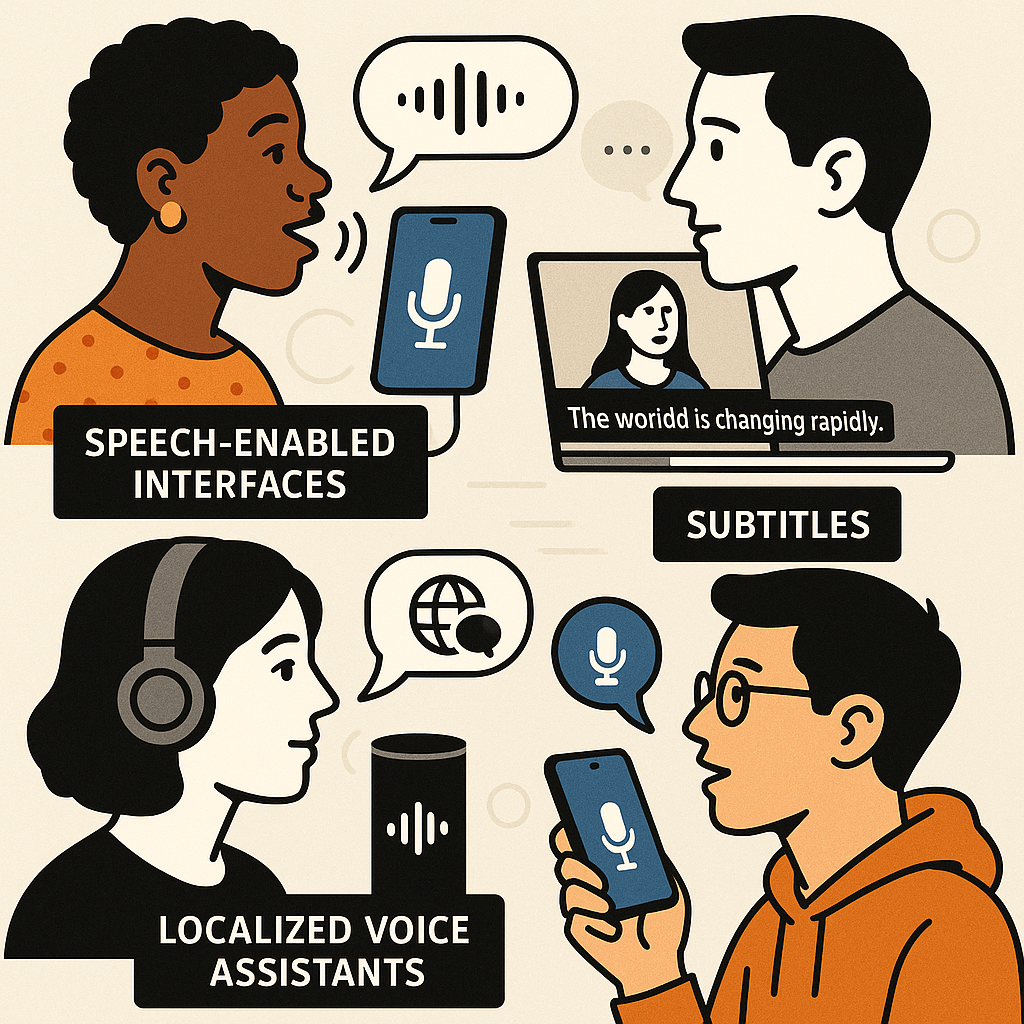
People with visual impairments get audio alternatives to on-screen text and images.
-
People with reading disorders, like dyslexia, follow spoken words more easily.
-
Language learners and global audiences use subtitles and translated audio to understand content.
-
Low-bandwidth users access audio-only versions that use far less data than video.
Common barriers and why they matter
-
Missing audio alternatives leave screen-reader users blocked.
-
Poorly synced captions confuse viewers and reduce comprehension.
-
Language gaps stop non-native speakers from engaging.
-
Manual captioning and dubbing are slow and costly, so content stays inaccessible.
How text-to-speech and subtitles improve UX, engagement, and compliance
Make content easier to use and increase engagement
-
Longer sessions: captions and TTS help users stay and finish videos.
-
Higher completion: accessible players increase course and training completion rates.
-
Better retention: audio alternatives help memory and comprehension.
Boost search discoverability with transcripts and markup
Meet standards and reduce legal risk
-
Provide captions for all prerecorded video and live streams.
-
Offer machine or human-corrected transcripts.
-
Add semantic markup for transcripts and media players.
-
Include audio descriptions where visuals convey critical info.
-
Log accessibility KPIs: completion, bounce, and complaint rates.
DupDub at a glance: Accessibility-focused features
Core accessibility features
-
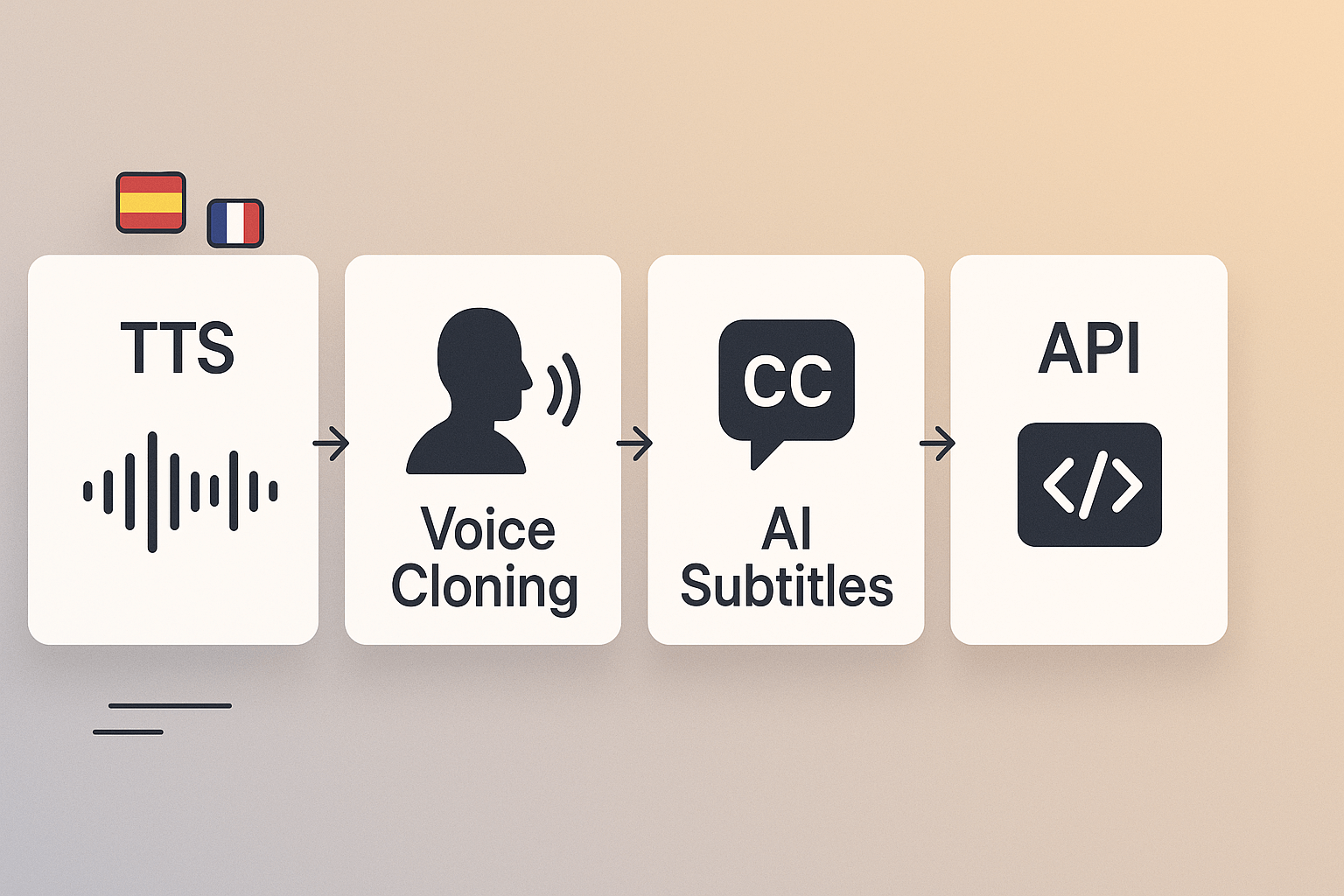
AI Text-to-Speech: 700+ voices and 90+ languages, with expressive styles for narration and UI prompts.
-
AI Subtitles and alignment: Auto-generate, translate, and perfectly sync captions for video and audio files.
-
Voice Cloning: Create a secure brand voice from a short sample, then use it across languages.
-
Speech-to-Text: Fast transcription in 40+ languages for captioning and content tagging.
-
Avatars and talking photos: Add accessible visual narrators for training and e-learning.
Security, controls, and enterprise readiness
Real-world use cases and mini case studies
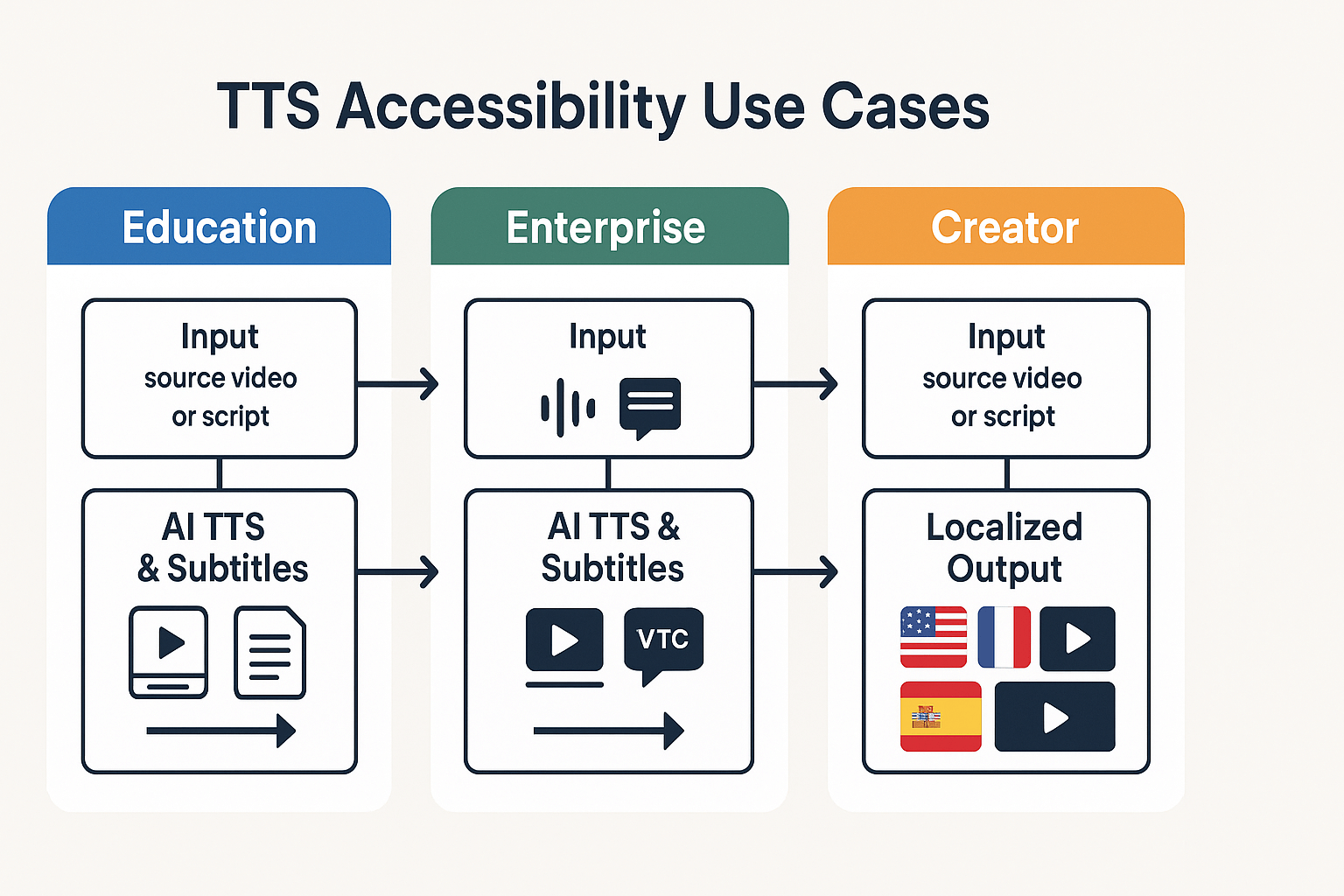
E-learning team: speed course localization
-
70% faster time to publish per course.
-
Cost per hour cut by about 65% versus studio dubbing.
-
Localization capacity rose from 2 to 12 courses per month.
Enterprise L&D: lower dubbing costs for global training
-
50–75% reduction in localization spend year over year.
-
Quarter-to-quarter rollout time fell from 10 weeks to 3 weeks.
-
Learner completion rates increased 12% after adding native-language audio and captions.
Content creators: boost international reach and engagement
-
Viewer sessions from non-English markets rose 30–90% per localized video.
-
Average watch time increased 20% on translated videos.
-
Localization ROI often paid back within three months for high-performing content.
Comparing DupDub to other TTS and accessibility tools
Where DupDub excels
Tradeoffs vs ElevenLabs, Murf AI, Play.ht
Feature comparison table
|
Feature
|
DupDub
|
ElevenLabs
|
Murf AI
|
Play.ht
|
|
TTS voices & languages
|
700+ voices, 90+ languages
|
High realism, select languages
|
Broad voice library, editor tools
|
Cost-friendly, many voices
|
|
Voice cloning
|
Yes, multilingual
|
Limited cloning options
|
Yes
|
Limited
|
|
AI dubbing (video)
|
End-to-end dubbing, subtitles
|
Not core focus
|
Some dubbing tools
|
Minimal dubbing
|
|
Subtitle auto-sync
|
Yes, auto-generate & translate
|
No
|
Limited
|
Limited
|
|
Avatars / talking photos
|
Yes
|
No
|
Limited
|
No
|
|
STT / transcription
|
Built-in
|
Third-party needed
|
Built-in
|
Built-in
|
|
API & integrations
|
Full API, Canva, Chrome
|
API for audio
|
API & team tools
|
API available
|
|
Security & privacy
|
Speaker-locked cloning, encrypted
|
Varies by vendor
|
Enterprise options
|
Varies
|
Pricing snapshot
Use-case pros and cons
-
Content localization: DupDub pros, one workflow for dubbing and captions; con, advanced voice tuning may need ElevenLabs.
-
E-learning and training: DupDub pros include avatars and full transcripts; con, very high-fidelity narration can be costlier with heavy cloning.
Technical integration and best practices for accessibility-first rollout
Automate processing with APIs and webhooks
-
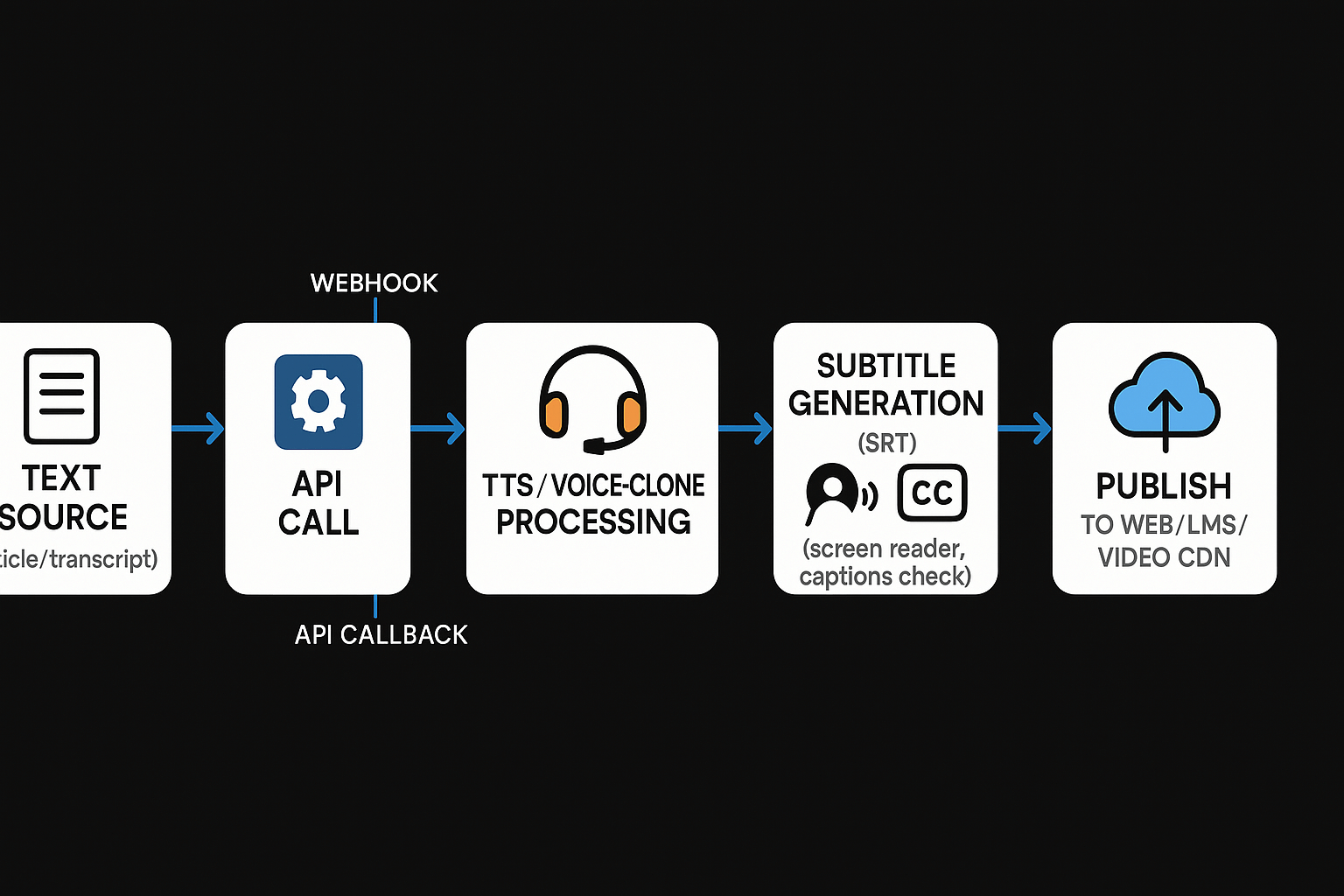
Push transcript or article text to the TTS API.
-
Receive audio and subtitle files from the API callback (webhook).
-
Store assets in your CDN or LMS, then flag for QA.
-
Batch small files to avoid timeouts.
-
Use resilient queues for retries on webhook failures.
-
Add metadata in each request, like language, voice ID, and accessibility tags.
Deploy avatars and voice clones safely
-
Use role-based access control for voice creation.
-
Limit public export of cloned voices; require consent and proofs.
-
Version synthetic voices so you can roll back to prior renditions.
Integration notes for common platforms
-
Web: Use HTML5 audio with proper controls and text alternatives. Provide downloadable captions (SRT).
-
LMS: Sync captions with modules and track completion events.
-
CMS: Automate content pipelines so editors trigger voice generation from the editor UI.
-
Video platforms: Push captions and alternate audio tracks via platform APIs.
Audit checklist for performance and accessibility testing
-
Functional: Verify audio plays, captions display, and seek works.
-
Accuracy: Confirm transcript alignment and translation quality.
-
Latency: Test generation time under load.
-
Security: Ensure encrypted processing and access controls.
-
User testing: Include people using screen readers and captions in beta tests.
Accuracy and sync risks
Consent and voice cloning ethics
GDPR and procurement checklist
Implementation checklist and measuring ROI
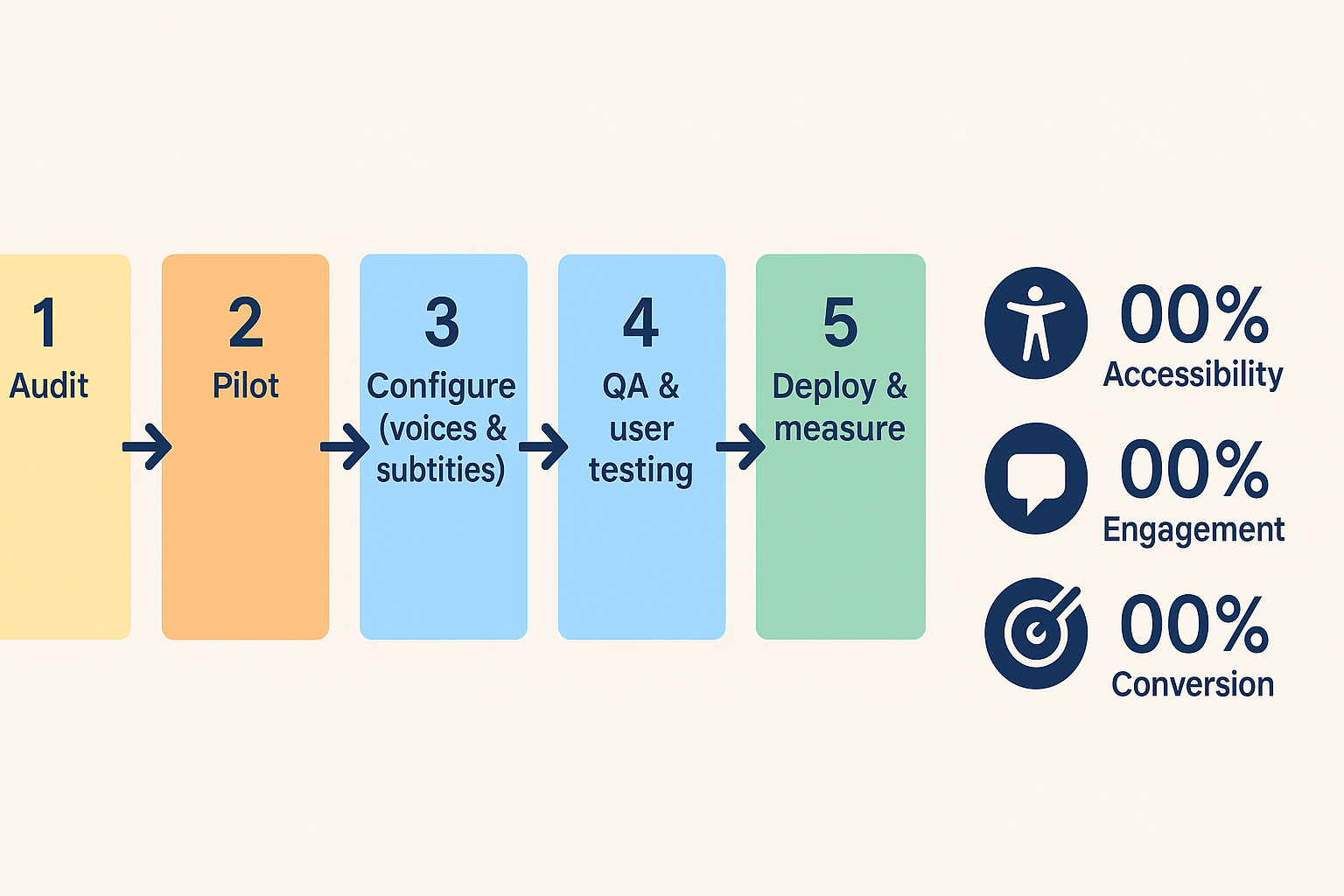
Rollout checklist: 5 staged steps
-
Audit content and priorities. Map pages and videos by traffic, legal risk, and learner impact. Note formats and languages.
-
Select pilot content. Choose 3 to 10 assets that represent different formats and audiences. Aim for quick wins.
-
Configure voices and subtitles. Pick voice styles, cloning samples, and subtitle languages. Set QA rules for timing, reading level, and WCAG caption standards.
-
Run QA and user testing. Test with assistive tech users and caption reviewers. Log fixes and measure time spent per asset.
-
Stage deployment and iterate. Roll out in waves, add more languages, automate via API, and document the process.
KPIs to track and how to estimate ROI
-
Accessibility: percent of videos with captions or audio narration, WCAG conformance gaps closed, number of users served.
-
Engagement: average watch time, completion rate, and return visits.
-
Conversion and business impact: trial signups, course completions, support tickets avoided.
FAQ — Common questions about AI voice, subtitles and DupDub
-
What are the cost and trial details for testing text to speech accessibility features?
DupDub offers a 3-day free trial with starter credits and no credit card required. Paid plans scale from Personal ($11/month billed annually) to Professional and Ultimate, plus pay-as-you-go credit packs. For pilots, use the trial to generate sample voice tracks, transcripts, and subtitles before buying.
-
How does DupDub help teams meet WCAG and other accessibility goals for text to speech accessibility?
DupDub auto-generates transcripts, time-coded subtitles, and exportable SRT files to support caption requirements. It also provides clear transcripts for screen readers and editable captions so you can fix errors before publishing. Remember, these tools help meet accessibility goals, but you should run a formal WCAG audit and manual accessibility testing.
-
What limits and controls exist for voice cloning and speaker protection?
Voice cloning uses a short sample to create a synthetic voice and is locked to the original speaker to prevent misuse. DupDub notes encrypted processing and says cloned voices require consent and are protected from third-party sharing. Most teams set internal approval steps and audit logs before publishing cloned voices.
-
What languages and accents does DupDub support for TTS, subtitles, and cloning?
TTS covers 90-plus languages and accents with 700-plus voices and many speaking styles. Voice cloning supports 47 languages, while speech-to-text and subtitle tools handle 40-plus languages. For global rollout, generate short samples in target accents to verify pronunciation and style.
-
How should I evaluate TTS quality before a full rollout or integration?
Run a staged pilot with short test scripts and user groups that include people using assistive tech. Measure caption accuracy, transcript error rate, listener comprehension, and production speed. Use API/dev resources to automate tests, and involve legal or privacy teams to check consent and storage policies. If helpful, request a demo or pilot to compare results across voices and languages.

 Discord
 YouTube
 Tiktok
 Twitter
 Facebook
 Instagram