


-
Pros:
-
All core tools in one place: transcription, TTS, voice cloning, subtitle alignment, and export to MP3 or MP4.
-
Wide language and voice options, so you can localize essays for different audiences.
-
Browser-based editor and simple workflow, which is fast for short projects and class presentations.
-
-
Cons:
-
Freemium limits matter: credits and time caps can add up for long essays or multiple language dubs.
-
Voice cloning raises privacy and academic integrity issues, use with clear consent and school policies.
-
Ultra-high-quality voices or long-form narration may require higher-tier plans or pay-as-you-go credits.
-
Why AI is changing scriptwriting and essay narration in 2026
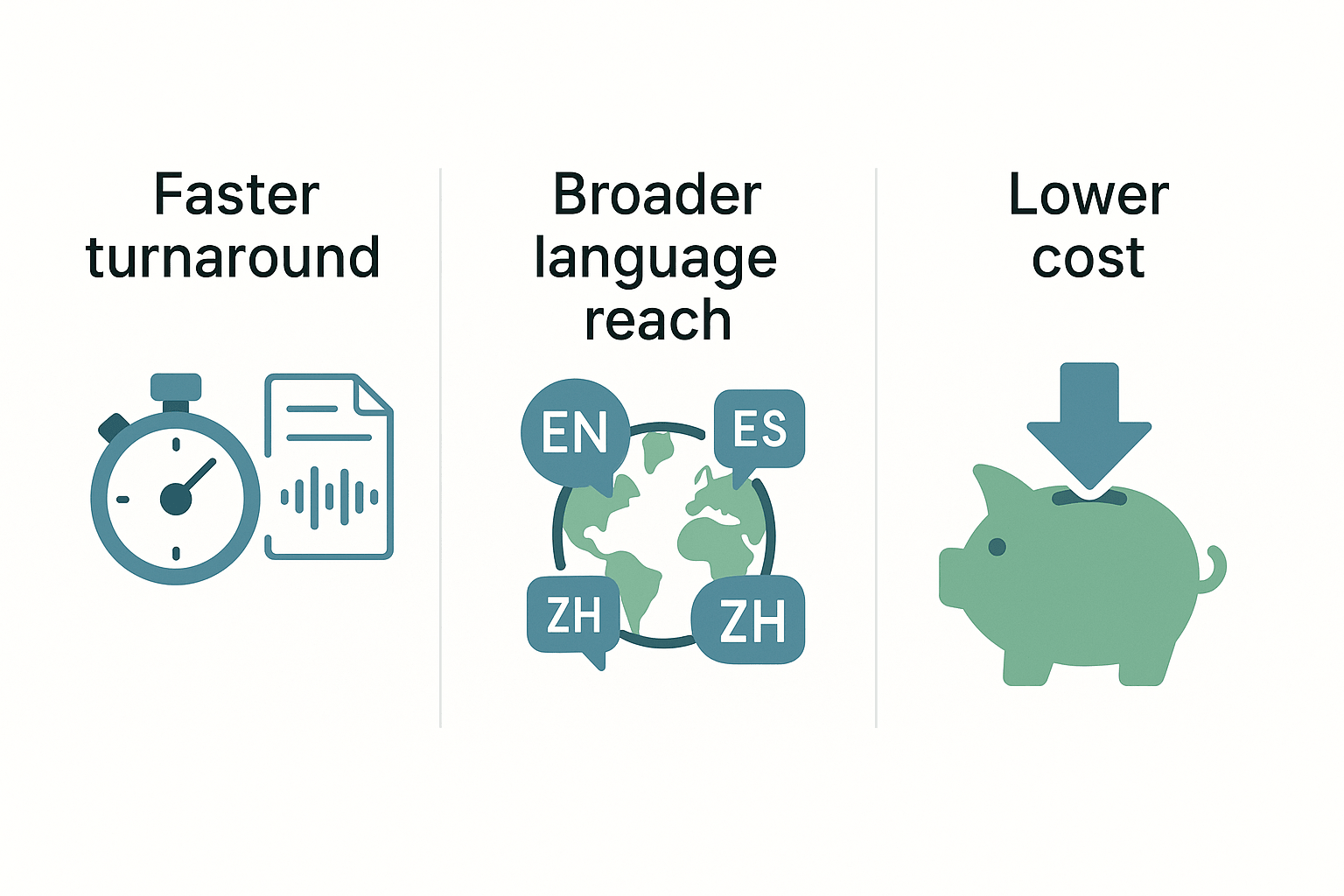
Faster turnaround, less busywork
-
Spend less time on technical edits, and more on ideas.
-
Publish narrated versions quickly, so feedback loops speed up.
-
Reuse one essay across formats, like audio, slides, and short video.
Broader language reach and better accessibility
-
A narrated audio file for listening and revision.
-
Captioned lecture slides for classroom sharing.
-
A dubbed short video in multiple languages for wider reach.
Lower cost, and smarter reuse of content
-
No studio booking for basic narration work.
-
One voice clone or TTS voice used across many assignments.
-
Automated subtitle export for quick distribution.
Why this shift matters for student workflows and assessment
-
Turn essays into narrated study guides for peers.
-
Create oral exam drafts to practice delivery skills.
-
Localize assignment briefs so non-native speakers read in their language.
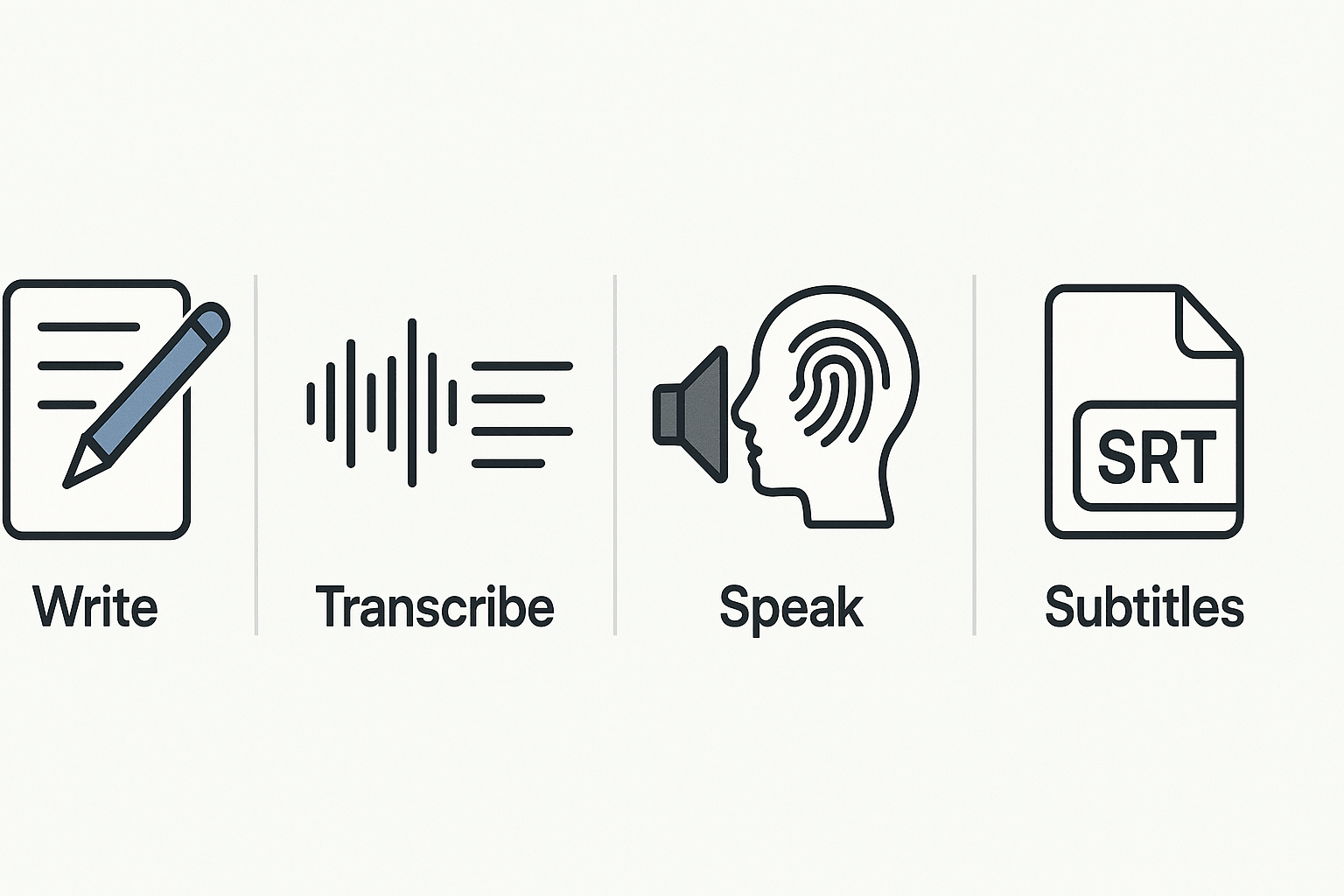
How DupDub works — core features that matter for essay/script writers
Draft and polish with the GPT writing assistant
Import accuracy: speech-to-text for transcripts
Narration choices: TTS with vast voice options
Keep a consistent narrator with voice cloning
Subtitles and alignment for video publishing
Integrations that speed publishing
Exports and practical limits to check first
-
Confirm free trial credits and trial duration.
-
Note voice clone limits and how many clones you need.
-
Estimate credits for TTS minutes or Ultra voices.
-
Check per-file word limits if you plan very long scripts.
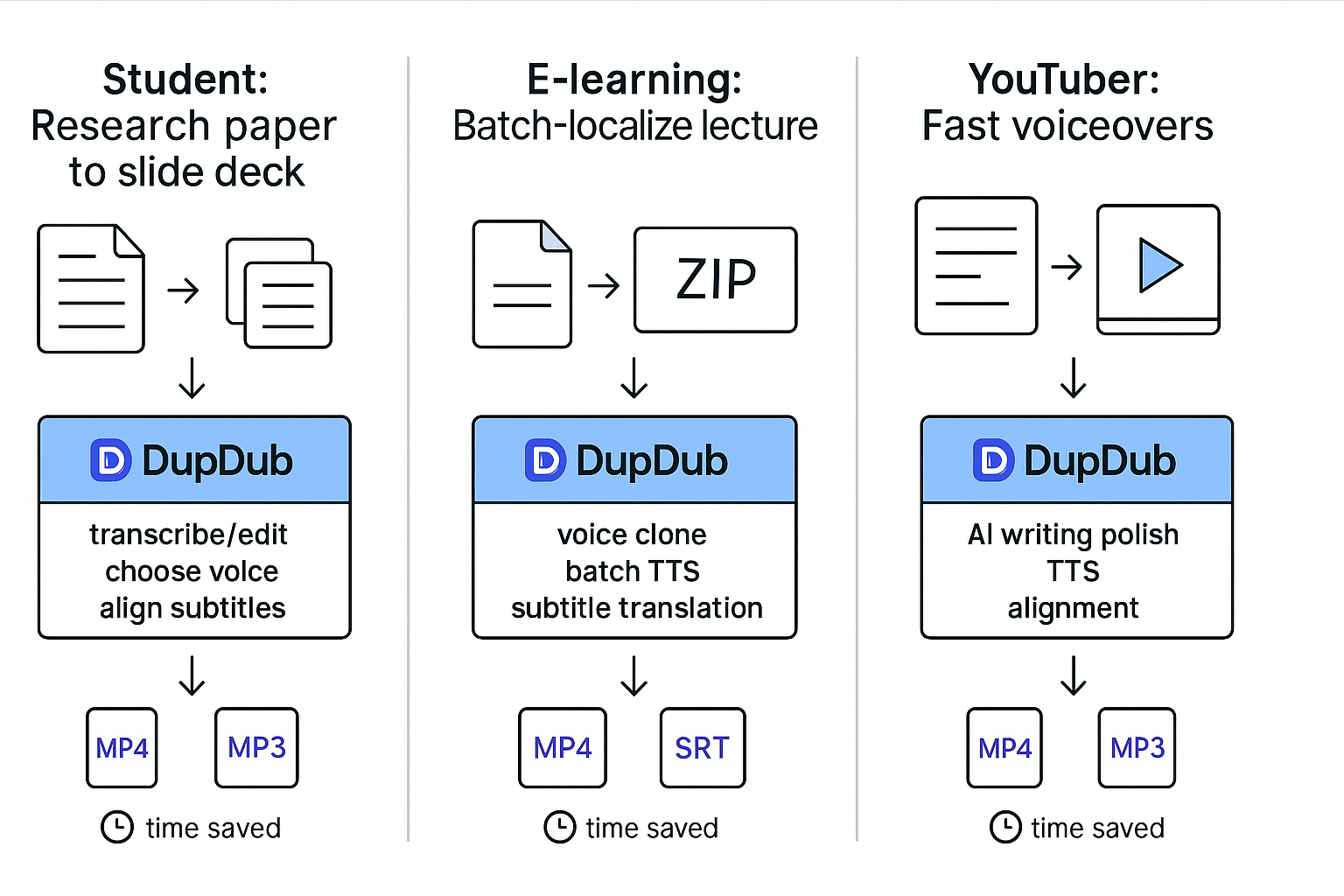
Real-world cases: Students and creators using DupDub (short case studies)
Student: Turn a research paper into a narrated slide deck
-
Exported the paper sections into short script files, one per slide.
-
Uploaded the slide images and the matching script text into DupDub Studio.
-
Used the transcription tool to auto-align spoken lines to slide timestamps, then edited minor phrasing.
-
Picked a neutral TTS voice and adjusted speaking rate and pauses.
-
Generated SRT subtitles and exported MP4.
-
Time saved: editing and alignment dropped from 6 hours to 80 minutes.
-
Reproducible tip: break your paper into 30 to 90 second script chunks before upload. Short chunks give better subtitle timing and make voice tuning simple.
E-learning creator: Batch-localize 12 lecture scripts
-
Uploaded the master lecture scripts as a single ZIP file.
-
Used DupDub AI writing to tighten scripts for spoken audio, then exported each revised script.
-
Created one voice clone from a 30 second sample and applied it to all lectures.
-
Ran batch TTS for target languages, then used subtitle translation and auto-alignment.
-
Exported MP4 files with embedded subtitles and separate SRTs for LMS import.
-
Time saved: what would take weeks manually finished in three days.
-
Reproducible tip: record a single high-quality 30 second sample for one consistent voice clone, then reuse it across files to keep tone steady.
YouTuber: Add fast voiceovers to explainer videos
-
Pasted the episode script into DupDub, and used the AI Writing tool to tighten sentences for speech.
-
Uploaded the rough cut video. DupDub transcribed audio and aligned the cleaned script to the timeline.
-
Chose a lively TTS voice, previewed, and adjusted emphasis using voice style controls.
-
Generated a final MP4 and separate MP3 for a podcast repurpose.
-
Time saved: voiceover production dropped from 4 hours to under 30 minutes per episode.
-
Reproducible tip: run the AI rewrite to convert written sentences into spoken-friendly lines before you render audio. It reduces re-records.
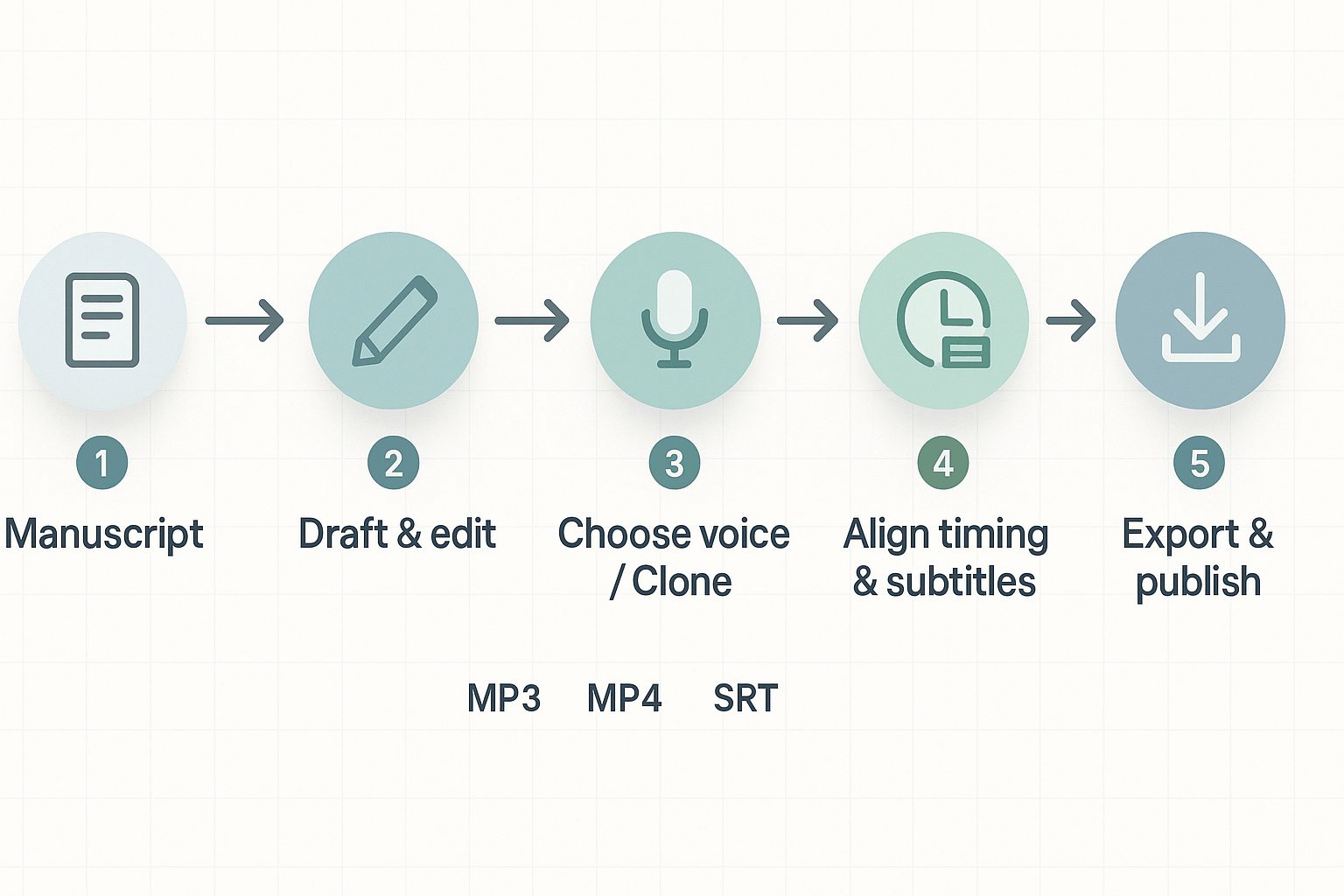
Step-by-step workflow: Turn an essay into a polished narrated script with DupDub
1) Import or paste the manuscript
-
Paste your essay text into DupDub or upload a file. For recorded drafts, you can transcribe spoken drafts directly. Use DupDub’s transcription tool because Transcription Tool Online – Convert Audio & Video to Text | DupDub allows users to upload audio or video files, or paste a link from platforms like YouTube or TikTok, to transcribe content into accurate, editable text in seconds.
-
Quick tip: Remove citations and long block quotes before you import. Keep a separate reference list for captions or description text.
2) Tighten the voice with the AI writing assistant
-
Ask the AI to convert academic prose into spoken script. Prompt example: "Rewrite this paragraph for a 90-second spoken narration, keep technical terms, shorten sentences, and keep a neutral academic tone."
-
Request a word or time target, for example: "Reduce this section to 180 words for roughly 90 seconds of narration at medium pace."
-
Use the assistant to generate a short intro, three key points, and a closing sentence. This creates a clear audio structure.
3) Choose a voice or create a clone sample
-
Browse voices by language, accent, and style. Pick a voice that matches your audience. For lectures, prefer clear, mid-tempo voices.
-
If you need a course narrator or a personal voice, upload a 20 to 30 second clean sample. DupDub supports cloning in multiple languages.
-
Prompt to test voice tone: "Read this paragraph with calm emphasis on key dates and names." Export a short WAV and listen on headphones.
4) Set pacing, pauses, and subtitle timing
-
Use the editor to mark pauses for emphasis and breath. Insert timing cues like [pause 0.6s] or short stage directions in brackets.
-
Aim for 140 to 170 words per minute for academic narration. For complex topics, slow to 120 to 140 wpm.
-
Auto-generate subtitles, then adjust alignments. Subtitles should snap to phrase boundaries, not mid-sentence. This improves readability for non-native listeners.
5) Quick editing loop: listen, cut, refine
-
Export a short clip of each section, listen for filler words and rushed phrases.
-
Trim or rephrase sentences that sound unnatural when read aloud. Replace complex lists with numbered lines when possible.
-
Keep one speaker voice per file to avoid confusion in academic citations.
-
Does the narration preserve original sources and attribution? Keep verbatim citations in the transcript or show them on-screen.
-
Are paraphrases faithful to the source? Keep a revision note if AI rewrites change meaning.
-
Is the voice pacing consistent across sections? Spot-check three clips.
6) Export audio, video, and SRT files
-
Choose MP3 or WAV for audio only. Pick MP4 if you added an avatar or video. Export SRT for subtitles.
-
For YouTube, export an SRT file and upload it in the video manager. For Canva or other editors, use the MP4 and SRT pair.
7) Publish and caption checklist
-
Add source links in the video description. Include a short methodological note about AI voice use and any cloned voices.
-
Run a final quality pass: listen at 1x and 1.25x speed, and scan the SRT for split words.
Pricing and limitations: Clear comparison and when costs add up
Plan at a glance
|
Plan
|
Price (billed annually)
|
Yearly credits
|
Voice clones
|
Transcription hours
|
Notes
|
|
Free trial
|
Free (3 days)
|
~10 credits
|
0
|
0
|
Starter credits, short test runs
|
|
Personal
|
$11/month
|
1,800
|
3
|
25h
|
Good for hobby creators
|
|
Professional
|
$30/month
|
6,000
|
5
|
83h
|
Small teams, heavier use
|
|
Ultimate
|
$110/month
|
30,000
|
10
|
416h
|
Enterprise-style, unlimited file size
|
|
Pay-as-you-go
|
One-time
|
500+ credits packs
|
N/A
|
N/A
|
Buy extra credits when needed
|
What each tier includes, in plain language
Hidden limits that raise costs
Typical student and creator cost scenarios
How to estimate your spend
-
Count minutes of TTS per month. 2. Decide if you will use Ultra voices or standard voices. 3. Add transcription hours needed. 4. Check voice-clone count. 5. Convert to credits using the plan table above.
Quick risk checklist before you buy
-
Measure real minutes on a test project.
-
Note how many voice clones you need.
-
Check file size and runtime limits for each tier.
-
Compare annual versus pay-as-you-go prices for your use.
Privacy, data security & academic integrity: What students must know
What DupDub says about security
What to verify before you upload
-
Data retention and deletion: How long will my files and voice models be stored, and can I delete them on demand? Ask for the deletion process and timelines.
-
Access controls: Who at the vendor and at your school can access raw files, transcripts, or cloned voices? Prefer products that restrict human review and log access.
-
Training use: Will your content be used to train or improve models? If so, can you opt out? That matters for unpublished research or sensitive work.
-
Geolocation and transfers: Where is data processed and stored? Different countries have different rules about student data.
-
Voice cloning safeguards: How does the service enforce the "locked to original speaker" claim? Ask whether clones can be shared, exported, or used by other accounts.
-
Export and format security: Check how exports (MP3, WAV, MP4, SRT) are protected when downloaded or shared.
Consent and classroom policies
Consent for voice cloning: practical rules
-
Use a short, documented sample: keep the original audio file and the consent note.
-
Limit scope: specify languages, platforms, and timeframes the clone may be used for.
-
Revoke rights: ask how to invalidate a cloned voice and have the vendor confirm deletion.
-
Legal age and institutional consent: confirm anyone cloned is of legal age and cleared by your school if required.
Responsible-use checklist to avoid academic misconduct
-
Check your syllabus and ask your instructor before using AI narration for graded work.
-
Disclose AI use in a cover note or citation, describing which parts came from the tool.
-
Keep source drafts, research notes, and prompts to show your process if asked.
-
Get written consent for any voice you clone; keep that record.
-
Remove personal data and sensitive details from uploads to protect privacy.
-
Request deletion of voice models and files when a project ends, and keep confirmation.
Alternatives & competitive comparison: Where DupDub shines and where to pick other tools
Where DupDub shines
When to pick another tool
-
ElevenLabs: best for raw voice realism. If your top priority is emotional nuance and human-like inflection, ElevenLabs often sounds most natural. Use it for spoken-word essays, podcasts, or narration where voice quality matters most.
-
Synthesia: best for avatar-led videos. If you need a fully rendered talking presenter with lifelike lip sync, Synthesia wins. Choose it when a human on-screen avatar is the main deliverable.
-
Murf AI: best for studio-style editing and team workflows. Murf’s editor feels more like a small audio studio, with fine control over timing, breaths, and team comments. It’s handy for multi-person projects and polished e-learning modules.
-
Play.ht and Speechify: best for low-cost, fast TTS. These are good choices for quick audio previews, accessibility reads, and on-device listening. They tend to be cheaper and simpler than full dubbing platforms.
-
HeyGen and Synthesys: best for short marketing clips and fast avatars. They make short promo videos and social clips simple, but they lack advanced subtitle localization and batch dubbing at scale.
Quick comparison table: strengths at a glance
|
Tool
|
Voice realism
|
Avatars
|
Batch localization
|
Studio editing
|
Best fit
|
|
DupDub
|
High
|
Yes, avatars + talking photos
|
Strong
|
Moderate
|
Multi-language student and creator workflows
|
|
ElevenLabs
|
Very high
|
No
|
Limited
|
Low
|
Audio-first narration and podcasts
|
|
Synthesia
|
Medium
|
Very high
|
Limited
|
Low
|
Avatar videos, talking presenters
|
|
Murf AI
|
High
|
Limited
|
Moderate
|
High
|
Studio editing, team e-learning
|
|
Play.ht / Speechify
|
Medium
|
No
|
Low
|
Low
|
Cheap TTS and accessibility reads
|
Best tool by use-case
-
Student narration for assignments: DupDub or ElevenLabs. Pick DupDub for quick localization and video export. Pick ElevenLabs if voice nuance is critical.
-
Batch localization of many essays or lectures: DupDub. Its subtitle, translation, and bulk export tools save time.
-
Avatar-led explainer videos for classes: Synthesia or DupDub. Use Synthesia for the most polished avatars, DupDub for multi-language avatars and voice cloning.
-
Podcast or audio essay with emotional delivery: ElevenLabs. It offers the most believable tone and prosody.
-
Studio-style edit and team review: Murf AI. The editor helps you tweak pacing and collaborate.
-
Budget TTS for short reads: Play.ht or Speechify. They keep costs low and are fast to use.
Final notes for students and educators
FAQ — common student questions about using DupDub for essays and scripts
-
Is there a free trial for DupDub I can use to test narration and AI writing? (free trial for DupDub)
Yes. DupDub offers a 3-day free trial with no credit card required and 10 starter credits. That gives you enough credits to test standard text-to-speech (TTS) and the AI writing assistant on short essays and a narration demo. Use the trial to check voice quality, subtitle alignment, and the editor workflow before you commit to a paid plan.
Tips:
Try a 1,000- to 2,000-word essay to see transcription and TTS limits.
Export a short MP4 or MP3 to verify audio sync and clarity. -
Are AI-narrated submissions detectable by plagiarism or voice-detection tools when using the best ai for essay writing like DupDub? (are AI-narrated submissions detectable)
Detection depends on what you hand in. Text-only plagiarism checks look for copied wording or reused citations. If you used an AI writing assistant to draft or rewrite text, run the final text through your school’s plagiarism checker before submitting.
Audio detection is different. Most campuses don’t use robust audio-source detectors yet. Tools that flag synthetic speech are improving, but they are not universal. If you narrate an essay with synthetic TTS, keep a clear transcript and the project files. That helps prove authorship and the work process if a question arises.
Best practices:
Keep your draft history and timestamps.
Save the transcript exported from the TTS studio.
Note any AI prompts or edits in a short methods line in your submission. -
What legal or consent issues should I consider when using voice cloning for assignments and group projects? (voice cloning for assignments)
Voice cloning raises consent and ownership issues, so treat it like a recorded interview. If you want to clone someone’s voice, get explicit written consent from them first. For classmates or collaborators, confirm they approve the sample use, the languages, and any public posting.
Legal points to check:
Institutional policies on recordings and synthetic voices.
Copyright or moral-rights rules if you clone a public figure.
Platform protections: DupDub locks a cloned voice to the original speaker and states encrypted processing, but you still need permission to reuse someone else’s voice.
Quick do and don’t list:
Do get written consent and store it.
Do document the source audio and cloning settings.
Don’t clone a public figure without legal advice. -
How should I cite or disclose AI-narrated essays and scripts in academic work? (how to cite AI narration in essays)
Be transparent. A short disclosure keeps you safe and helps graders understand your method. Include a one-line note in the footnotes or appendix, and add a brief method sentence in any cover sheet if required.
Suggested short templates:
Simple disclosure: "Narration produced with DupDub TTS; written and edited by [Your Name]."
Detailed method: "Draft written by [Your Name]; AI-assisted editing and narration generated with DupDub (TTS and transcription). Prompt notes and transcript available on request."
Oral/recorded submission: "Audio narration created with synthetic voice (DupDub). Transcript and project files attached."
What to attach:
The final transcript exported from DupDub.
A short changelog showing major revisions and prompts.
Consent forms for any cloned voices.
These items show your process and help instructors evaluate academic integrity fairly. -
Short note on privacy and data control (quick privacy pointer)
If you’re worried about data, keep local copies of transcripts and exports. Use the trial to verify that exports meet your privacy needs. For group projects, store consent and the project files in a shared class folder so everyone can see what was used.

 Discord
 YouTube
 Tiktok
 Twitter
 Facebook
 Instagram